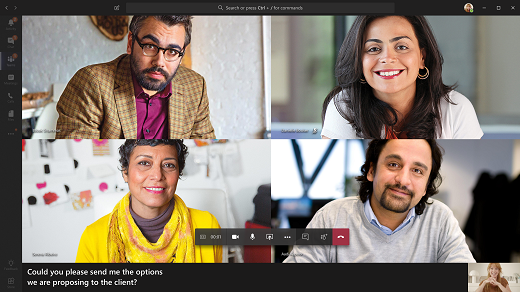
Technology providers must be conscious of accessibility and inclusive UX design when coming out with new features. One of the most popular features that impact a massive global audience is Live captioning in video calls. Those with hearing impairments or language barriers would receive a significantly improved meeting experience if Live captioning is enabled during a meeting. Fortunately, Microsoft Teams has supported this for a while now – here’s how:
- As a presenter, meeting host, or participant, open the More options button (...)
- From the menu, select turn on Live captions.
- The captions appear as an overlay on top of your video feed, or on a separate pane at the bottom of your Teams window. You can configure this from the Live captions setting
- From the More Options menu, you can choose to turn off Live captions as necessary
This feature was certainly a step in the right direction and one that every technology provider now recognises as extremely critical. Consider, for instance, Google’s push towards embedding live captions into the Android experience on smartphones, going as far as to locally processing your captions on Google Pixel.
Now, as per Microsoft’s recent announcements, Live captions will also include speaker attributions. A live transcription-like feed will appear next to the video feed, listing speaker names with timestamps in real-time as the ongoing meeting is transcribed. There is a small change in terms of storage as well: previously, Microsoft made it very clear that Teams wouldn’t save any captions. However, speaker attributed Live captions can be optionally stored for sharing later on, along with the meeting recording, chat, and shared files.
This upgrade effectively converts a Teams meeting from a one-time “effervescent” conversation to a referenceable discussion, complete with accountability, records and documents. Large organisations with multiple teams working on interdisciplinary projects would find this feature extremely handy, keeping track of every takeaway from meetings across the organisation. Also, companies with a large non-English speaking/proficient workforce will find it easier to collaborate remotely, as Live captioning reduces the possibility of miscommunication.
Note: administrators can amenable or disable Live captions from the Admin Centre by specifying a policy. Also, any obscenities will be replaced by an asterisk when captioning or transcribing.