
Effective video collaboration tools are crucial in today’s hybrid and remote work environment. They foster engagement, improve productivity, and enable quicker decision-making. Cloud-based video tools allow for asynchronous communication through recorded meetings, while real-time document sharing enhances team collaboration.
Challenges in Video Collaboration
Despite its benefits, video collaboration presents common challenges. Technical issues such as connectivity problems, dropouts, and frozen screens can disrupt meetings. The overuse of virtual meetings can lead to ‘Zoom fatigue,’ reducing focus and deep work time. Additionally, the absence of in-person cues can make it difficult for participants to stay engaged. In some cases, email or phone calls may be more effective for maintaining a record of discussions. Security is also a concern, as remote employees may use unsecured networks, increasing the risk of unauthorized access and data breaches.
Logitech’s Rally Camera Streamline Kit aims to deliver streamlined, personalized experiences for all meeting participants – regardless of location. It provides accessible and efficient solutions that enhance user experience and content delivery in educational and professional settings. The comprehensive USB Pan-Tilt-Zoom (PTZ) video solution is tailored for hyflex learning environments and modern workspaces.
Other features include:
Simplified Presenter Control
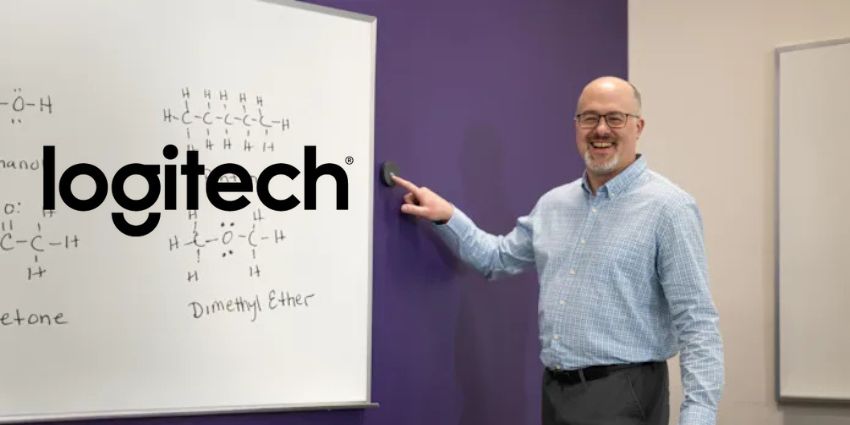
Traditional PTZ cameras with speaker tracking can be complex and costly, often introducing unnecessary hardware and unpredictable user experiences. The Rally Camera Streamline Kit simplifies this by allowing presenters to switch between preset camera views using intuitive, contextually placed buttons. A streamlined, simple interface means presenters don’t need extensive training - leaving them to focus on delivering engaging content.
Built around Logitech’s flagship Rally Camera, the kit enables easy switching between preset camera views, installation and troubleshooting. The different views mean that presenters can easily switch to different preset views using intuitive wireless buttons placed in context around the room, enabling them to stay in the flow while presenting and delivering an engaging experience for viewers.
“PTZ cameras with speaker tracking for lecture capture are often overly complex and expensive, adding unnecessary hardware to standard USB AV setups while creating unpredictable and distracting user experiences,” said Michele Hermann, vice president and general manager of Logitech for Education.


