
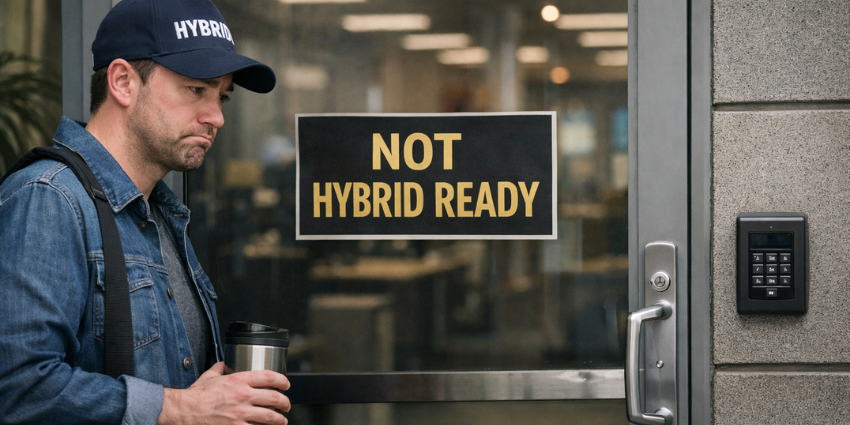
It’s funny how in a world with so much collaboration tech, hybrid teams still have so many problems connecting with each other. If you dive into it, the problem seems to be that most leaders assume more advanced software means they’ve nailed hybrid work readiness. They forget the hardware side.
Gallup’s data hasn’t surprised anyone in a while. If someone can work remotely, odds are they’re doing it in a hybrid pattern now. More than half are, and that split’s been basically frozen since 2023. So this idea that we’re “in transition” doesn’t really hold up.
What keeps jumping out, though, is how badly the physical side has lagged. Cisco’s been pointing to the same mismatch for years: almost every meeting now has at least one remote person in it, but most meeting rooms still aren’t set up for that reality. Fewer than 15% are properly equipped. So we keep acting surprised when meetings feel awkward, even though the math’s been obvious for a while.
But this isn’t really a meeting's story.
It’s a hybrid workplace design problem. Offices were built for predictability, fixed desks, steady attendance, and uniform setups. Hybrid work is volatile. Attendance spikes mid-week. Teams swarm collaboration spaces that weren’t sized, powered, or equipped for that load.
What’s missing is intent. Hybrid work readiness means treating devices, spaces, and management like infrastructure, not office décor. When that foundation is shaky, the damage shows up everywhere. Decisions drag. Employees get irritated. Shadow IT creeps in. And the hybrid infrastructure ROI everyone expected never quite shows up.
Suggested Articles:
Workspace Tech Comparison: Cisco vs Logitech for Hybrid Offices in 2026
The 2026 Hybrid Hardware Checklist for Modern Collaboration
Why AV Systems Are Key for Meeting Equity – and How They Actually Work
What is Hybrid Work Readiness?
Hybrid work readiness isn’t a checklist. It’s a stack. Four layers, all fragile on their own, and painfully obvious when one isn’t working.
Layer One: The Me-Space Baseline
This is the basics. Laptops. Monitors. Docks. Webcams. Headsets. Lighting. Nothing fancy, and nothing optional either. If someone can sit down at home and be productive in 30 seconds, but needs ten minutes and three cables in the office, the office loses that comparison every time.
Gensler’s workplace research shows employees now benchmark the office against their home setup, not against yesterday’s office. When the personal experience degrades on arrival, motivation drops before the workday even starts.
Layer Two: The We-Space Baseline
Shared spaces live or die by fundamentals. Displays people can actually read. Audio that doesn’t punish the far end of the table. Simple controls. Power where humans sit, not where furniture catalogs think they should.
Microsoft’s Work Trend Index has repeatedly shown that poor audio and content visibility disproportionately reduce participation from remote attendees, even when meetings technically “work.”
Layer Three: The Sensing Layer
Occupancy. Noise. Air quality. Without real signals, teams redesign offices based on vibes. With them, they stop overspending and start fixing the right problems.
Organizations using real occupancy and environmental data routinely discover that up to a third of their “most in-demand” spaces are either misused or misconfigured, a pattern echoed across workplace analytics studies and real estate optimization case studies.
Layer Four: Reliability, Control, and Governance
Devices age. Firmware drifts. Endpoints multiply. Nearly half of organizations trace breaches back to unmanaged devices, and most IT teams still don’t see everything touching the network.
Companies need ownership, standards, and clear lines between IT, facilities, HR, and real estate. Without this, fragmentation is guaranteed.
What Are The Biggest Gaps in Hybrid Workplace Readiness Today?
Put simply, a lot of companies are still designing offices for a version of work that’s already gone.
Traditional workplace design assumed predictability. Same people, same desks, same five days. Hybrid work doesn’t follow that path. Attendance now comes in waves. Teams collide on Tuesdays and Wednesdays, then disappear again. Designing for the average day almost guarantees a breakdown on the days when collaboration actually matters.
That’s the first failure: peak-day collapse. Rooms fill, power runs out, audio degrades, and people scatter to hallways and cafés. The infrastructure wasn’t built for density spikes, so the experience buckles under load.
The second failure is more subtle: fictional availability. Booked-but-empty desks. Meeting rooms are reserved and never used. People wandering the floors with laptops open, hunting for space. Multiple workplace studies and internal benchmarking show employees can lose 20–30 minutes a day just navigating space friction.
Then there’s the third failure: layouts optimized for seats, not work modes. Too many desks nobody needs, too few focus rooms, call booths, or collaboration zones that can handle noise and movement. Hybrid offices need different environments for different kinds of work, not a one-size-fits-all grid of furniture.
The biggest reasons companies are struggling with hybrid workplace readiness is simple. They don’t adjust for volatility. Hybrid workplace design breaks down when buildings are treated like frozen floorplans instead of systems that flex with how work actually happens.
Why Hardware is the Bottleneck for Hybrid Workplace Readiness
Organizations spend real money on collaboration, then aim it at the most visible problems. Cameras get upgraded. A few video bars go in. One or two rooms become “showpieces.” Everything else stays the same.
The hardware that actually determines whether work flows day to day is much easier to ignore.
Start with the displays. If people in the back are squinting or leaning forward, decisions slow down. If remote participants can’t clearly see what the room is reacting to, they drift. Displays aren’t a meeting-room extra. They’re where shared thinking actually shows up.
Then there’s power, docking, and setup friction. We’ve all seen teams lose momentum before a meeting even starts because three people are fighting cables. If an office day begins with ten minutes of setup chaos, the comparison with home is brutal, and home wins.
Acoustics matter more than most teams want to admit. Audio clarity still tracks closely with how people rate meeting quality, yet plenty of rooms echo, leak noise, or depend on laptop mics in spaces meant for eight people. Bad sound kills focus, ramps up fatigue, and pushes people out of shared spaces altogether.
Room control simplicity matters more than feature depth. When controls feel unpredictable, people route around them. That’s how shadow IT starts, as self-preservation.
Then there’s sensing hardware. Occupancy and environmental sensors aren’t about surveillance. They’re about reality. Hardware vendors now embed this intelligence directly into rooms and devices because leaders finally realized that guessing is expensive. Organizations using real device telemetry consistently report fewer repeat support tickets and faster root-cause resolution.
Finally, lifecycle management. Devices age. Firmware drifts. Fleets sprawl. Without proactive monitoring and control, reliability erodes, and unmanaged endpoints become both a performance and security liability.


