
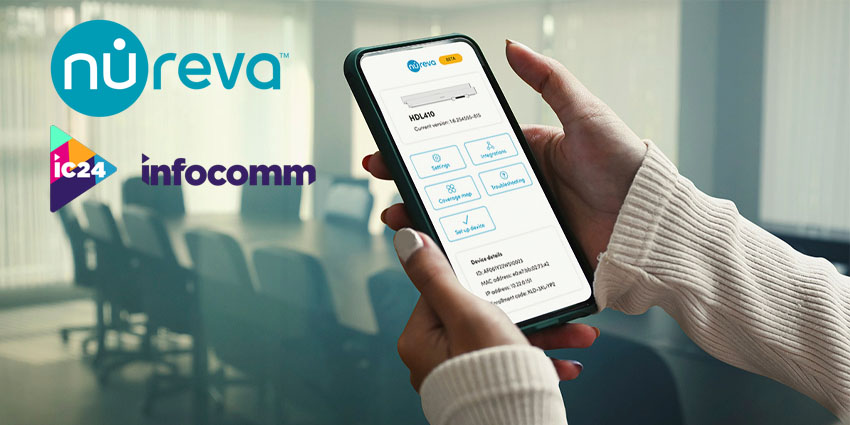
Nureva has announced a new companion app to streamline and enhance audio system setup and management.
The web-based Nureva App is crafted to streamline the setup and management of its HDL pro series systems, offering a user-friendly interface for configuring and controlling a wide array of audio device settings. This tool is poised to enhance the user experience for Nureva HDL310 and HDL410 customers, simplifying the process of audio management without incurring any additional costs.
Nancy Knowlton, Nureva’s CEO, said:
The Nureva App makes it easier than ever to deploy and optimize HDL pro series systems for effective collaboration in larger meeting rooms and classrooms. Not only can IT managers and integrators connect to these devices directly from any mobile device or browser, but our customers will continue to avoid the cost and complexity associated with traditional pro AV solutions.”
The Nureva App is pitched as being a valuable asset for IT admins and integrators. It offers the convenience of LAN access for the HDL310 and HDL410 devices, eliminating the need for a persistent internet connection, software downloads, or user accounts, thereby simplifying the management and integration process.
The Nureva App, which is currently undergoing beta testing, will be released in a web-based format this August. The release will provide Nureva HDL310 and HDL410 customers with access to the app at no extra charge.
More Specifics On The Nureva App Feature Set
The Nureva App, still in its beta phase, is equipped with advanced features specifically designed to meet the requirements of IT admins in charge of meeting rooms and classrooms.
The app encompasses a dynamic coverage map for the HDL410 system, which allows for the visualisation of sound events in real time and the creation of camera zones. A new AI-powered voice detection feature has been introduced to improve camera tracking by differentiating between voices and background noise.
Additionally, the app offers a device setup tool with detailed instructions, simplifying the installation process. Nureva stresses that this contrasts with traditional pro AV setups that often necessitate multiple software tools and a high level of technical knowledge.
The Nureva App aims to automate many setup and configuration tasks, thereby reducing installation time and potential errors and ultimately ensuring better audio quality.
The Nureva App, certified for use in larger Microsoft Teams Rooms and Zoom Rooms, ensures that both in-room and remote participants can hear each other with clarity and consistency. Nureva says this is achieved through Microphone Mist technology, which guarantees dependable microphone coverage across the room. This technology fosters natural collaboration, free from technical interruptions.


