
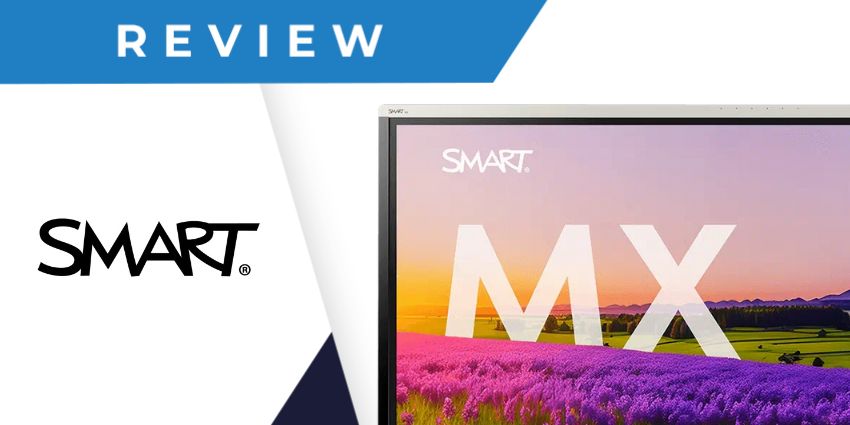
Looking for an innovative new display to boost student engagement in the platform, and inspire collaboration in your next team meeting? The Smart Board MX Series of interactive displays could have everything you need.
These 4K displays aren’t just sleek and stylish; they’re designed to bring people together in any setting, with intuitive software, a wide range of connectivity options, and exceptional visuals.
The MX Series even offers some fantastic security capabilities, such as the ability to set up multi-user profiles with QR code and NFC sign-in options. We took a closer look at this incredible collection of displays to share the insights you’ll need to decide if they’re right for your team.
Quick Verdict: Pros and Cons
For both enterprise teams and educational groups, the Smart Board MX Series displays are versatile, intuitive, and brimming with great features. They offer some of the best touchscreen experiences we’ve seen, as well as exceptional built-in apps for collaboration and education.
Notably though, there are more advanced displays out there if you’re looking for cutting-edge tech. The MX Series doesn’t feature any built-in AI capabilities, like the Microsoft Surface Hub 3, and there’s no integrated webcam for video conferencing (although you can connect your own).
Pros:
- High-quality 4K screen with anti-glare coating
- Ambient light and infrared sensors included
- 40 points of touch for interactivity
- Included software for whiteboarding and remote management
- Exceptional speakers and microphones
- Instant access to dozens of applications
- Excellent security and sign-in features
- Convenient connectivity and screen-sharing options
Cons:
- No integrated webcam
- No AI capabilities
Smart Board MX Series Review: Overview and Specs
Designed primarily for the education industry, the Smart Board MX Series of displays are 4K touchscreen solutions packed with convenient functionality. Beyond an incredible touchscreen experience, you get instant access to a wide range of built-in and third-party applications, numerous connectivity options, and even integrated sensors for instant access to profiles.
The MX Series comes with an integrated iQ operating system, which features numerous setting options, interactive widgets, templates, and app libraries. Plus, it has built-in microphones for audio conferencing, although you will need to buy cameras separately.
Available in four sizes, ranging from 55” to 86”, this display could be the perfect solution for virtually any size of classroom or meeting room. Here’s a quick insight into some of the technical specs:
- 4K LED display with 60hz refresh rate
- Ambient light and infrared sensors
- Up to 40 simultaneous touchpoints
- IQ Embedded Android OS
- 8GB memory and 64GB of storage
- Multiple HDMI, USB, Stereo, and VGA inputs
- Integrated software from the Smart team
- Wi-Fi 6E and hotspot support
- Multi-user sign-in with NFC and QR code options
- 2 x 20W Speakers
- Integrated Microphone array
Smart Board MX Series: Audio and Screen Quality
Let’s start this review with an insight into the visual and audio experience you can expect from the MX Series displays. First, the visuals are incredible, thanks to a 4K Ultra-HD display, with zero-bonded, anti-glare glass. Smart hasn’t just created an attractive display for companies investing in flexible workspace technology here, they’ve created a robust, reliable screen.
The displays are fully tempered, to minimize the risk of damage even with regular use, and they’re also ENERGY STAR compliant, so if you’re worried about sustainability, the Smart Board MX Series displays are a great choice.
Plus, Smart’s MX series supports over-the-air updates, with regular firmware and software patches, so you don’t have to worry about your technology becoming outdated over time. From an audio perspective, you get two 20 watt speakers for excellent volume and audio clarity. There’s also a built-in microphone array, making this screen great for audio conferencing.
Notably though, there’s no built-in camera for video conferencing, but companies can choose to purchase an accessory camera separately, and connect it to their device.
Touchscreen Functionality and Collaboration
If touchscreen functionality matters to your team, then the Smart Board MX Series delivers interactivity better than countless other displays we’ve tried. The screen supports up to 40 simultaneous touchpoints (depending on your chosen operating system), making it easy for multiple users to collaborate on a virtual whiteboard at once.
You also get two incredibly intuitive “SMART ink” pens, that allow you to draw on virtual documents with exceptional precision. The SMART ink system even keeps your annotations in place as you move from one program or application to the next, so you never lose what you write.
The software integrated into the Smart Board MX Series also offers numerous ways to enhance collaboration. You get instant access to a digital whiteboard and screen sharing capabilities. Plus, the Google EDLA-certified screen provides instant access to a wide range of Google-based applications, such as Google Classroom and Workspace.
The MX Series of displays can also easily support any other type of app or software you might be using, such as Microsoft Teams and Zoom. All you need to do is download an app from the integrated web browser, and you can add to your screen for anyone to use.


