
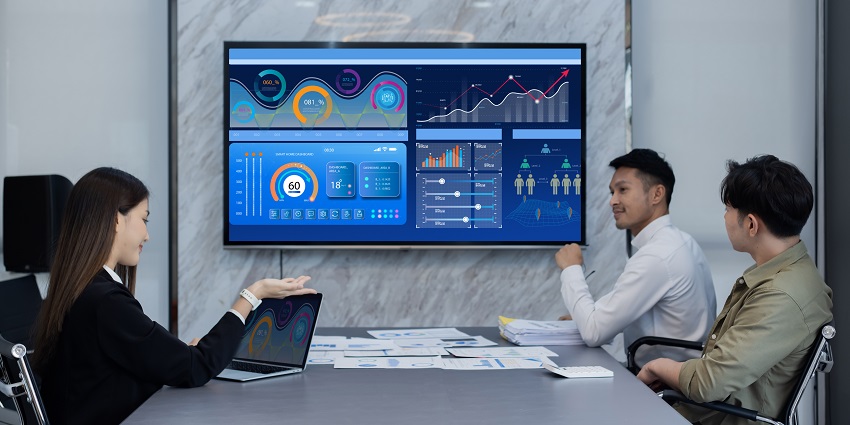
What are collaboration displays, and how do they support, enhance, and optimize teamwork in the modern office? In the last few years, the evolution of the office space has led to increased demand for interactive, dynamic, and immersive display options.
Teams need more than just a traditional whiteboard to list ideas. They need to be able to share content and screens, annotate documents in real time, and brainstorm with both remote and in-office staff. They also need to ensure they can preserve the outcomes of their collaborative sessions in the cloud and share key action points with distributed team members.
That’s where leading collaboration displays come in. These screens combine the tools for hybrid conferencing, like cameras, microphones, and speakers, with interactive elements. Here’s everything you need to know about collaboration displays and their impact on the future of work.
What are Collaboration Displays?
Collaboration displays are interactive screens that offer access to interactive tools for dynamic brainstorming, knowledge sharing, and communication. Most of these displays build on the value of the traditional whiteboard, turning it into a digital resource for teams.
You may already be familiar with a handful of vendors offering these products, such as Microsoft with its “Surface” solution or Cisco with the Cisco Board Pro. With collaboration displays, teams can view and interact with various forms of content, from documents to images, stream video, share screens with collaborators, and save everything in the cloud.
Notably, like many collaboration devices, displays come in various shapes and sizes. Some are small displays, like the Neat Board, intended for focus or huddle rooms. Certain vendors also offer display systems that can be connected to create an entire interactive video wall for larger conference spaces.
While the features and sizes of collaboration displays can vary, they always focus on connecting teams, boosting productivity, and ensuring all companies can access the benefits of collaboration.
Common Types of Collaboration Displays
Just as other meeting room devices have evolved over the years, collaboration displays have transformed to match employees' changing workflows and requirements. Various types and sizes of collaboration displays are available, each with unique features and designs.
Some are even specially designed for portability, ensuring teams can rapidly move their display into any meeting room for an ad-hoc collaborative session. Overall, most collaboration displays fall into a few distinct categories, such as:
All-in-one Conference Displays
All-in-one displays combine the tools companies need for effective hybrid meetings into one plug-and-play solution. For instance, the Cisco Board Pro G2 is a touch-enabled screen with built-in AI assistant functionality and a 96-megapixel dual-lens camera system for video conferencing.
It eliminates the need to implement extra hardware into a meeting room, such as microphones and cameras for hybrid conferencing. It can access a full software operating system that natively supports Cisco Rooms and Microsoft Teams Rooms. This ensures teams can access all the screen-sharing, digital whiteboarding, and file-sharing features they need for stronger meetings.
Touchscreen Whiteboards
Some collaboration displays focus exclusively on giving employees a flexible surface to brainstorm, annotate documents, and share ideas with colleagues. The DTEN ONboard, for example, doesn’t have its own camera and microphone system, though it can integrate with those devices.
Instead, it gives teams a digital whiteboard that integrates seamlessly with the collaboration tools they’re already using, such as Microsoft Teams. The touchscreen display includes a 4K screen and even provides users an interactive toolkit for creating shapes, sticky notes, and more.
Plus, it can double up as a wayfinding signage or a meeting room booking screen when it’s not being used in a meeting.
Interactive Projectors
Often ideal for smaller meeting spaces, or companies with limited budgets, interactive projectors are devices that project images onto a surface such as a whiteboard or wall. Though they lack the touchscreen capabilities of other collaboration displays, they can still enhance teamwork sessions.
These tools can integrate with collaboration apps like Microsoft Teams and whiteboarding tools and allow users to annotate images using their own devices, such as smartphones or tablets. Some companies are even experimenting with projection tools that can map and monitor user gestures and movements to add a “touch screen” element to experiences without a physical touchscreen.
The Key Features of Collaboration Displays
Since there are various types of collaboration displays to explore, the features of these solutions can vary. However, based on what we’ve seen in the AV market so far, some features are becoming more valuable and crucial in this space, such as:
- Exceptional screen resolution: Most of the top collaboration displays offer a 4K screen quality or higher to ensure employees' images are clean and crisp.
- Touch capabilities: Touch-based control is common with collaboration displays. However, some companies are experimenting with motion tracking and spatial computing features to eliminate the need to physically interact with displays.
- Collaboration features: Some displays will have collaborative features built in, such as the ability to create digital sticky notes or stream and share content between devices. Some may also include screen mirroring solutions for connected devices like smartphones.
- Integrations: Most collaboration displays will integrate seamlessly with meeting room solutions, like Microsoft Teams Rooms, collaboration apps, digital whiteboarding apps, and the other devices in a meeting room.
- Artificial intelligence: AI is becoming increasingly common in collaboration displays. Many solutions come with their own built-in AI assistants, as well as intelligent algorithms which allow for more precise input tracking.
- Security: The majority of display vendors are now ensuring their devices are secure by design and even giving companies access to tools they can use to manage endpoints remotely. Some even come with cutting-edge sensors that can help to protect employee wellbeing.
Many modern collaboration displays also come with access to Bring Your Own Meeting (BYOM) functionality, ensuring teams can connect any device they bring with them to the meeting room environment. Plus, they can also include integrated cameras, microphones, and speakers.


