
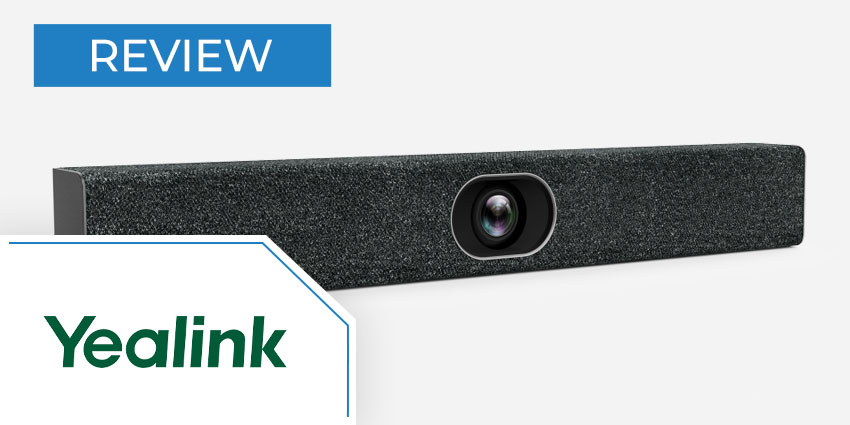
Plug and play meeting technology is a must-have investment for the new digital age. As remote and hybrid working emerges as the “new normal” for most businesses, companies are searching for better ways to drive meaningful connections between people at a distance. The key to success is finding the right balance between ease of use, and feature-rich performance. Now video conferencing is the most popular way to replicate face-to-face conversations in a virtual world; all-in-one tools are providing companies with the simple but comprehensive tech they need. Solutions like the Yealink MeetingBar A20 for huddle and small spaces enable smart team collaboration, excellent presentations and more, with minimal initial setup. Today, we’re going to be exploring the features and benefits of the Yealink MeetingBar A20 Teams edition, to help you decide whether it’s the right purchase for your meeting room.
Yealink MeetingBar A20 Teams Edition Review: Features
Yealink’s A20 all-in-one MeetingBar is an efficient and powerful plug-and-play system for video meetings. The Teams edition of this convenient product is designed specifically to support Microsoft Teams Rooms systems on Android. With your MeetingBar and Teams account, you’ll have everything you need for a sensational meeting without the complex configuration The all-in-one MeetingBar has its own dedicated Snapdragon 845 chipset running Android 9.0, and Teams technology already installed, so you can transform your workspace in a matter of seconds. The state-of-the-art technology includes a host of tools to boost the quality of modern collaborations, including a 20MP camera, super-wide field of view, and auto framing. Some of the best features of the Yealink MeetingBar A20 Teams Edition include:
- Qualcomm Snapdragon 845 chipset
- All-in-one design with plug-and-play simplicity
- 20MP camera
- 133-degree field of view
- Electric privacy shutter
- Dual screen content sharing
- Automatic framing and speaker tracking
- Built-in Bluetooth and Wi-Fi
- Access to whiteboarding functionality
- Certified by Microsoft Teams with in-built app
- Yealink Noise proof technology
- 8 built-in MEMs microphones
- High-performance speaker
According to Yealink, the MeetingBar A20 for Microsoft Teams is one of the best tools on the market for rapid meeting setup and access. The all-in-one design means installing your bar takes less than 7 minutes in total. Plus, there are fewer wires to clutter your workspace. Yealink even offers a range of flexible mounting options, and a device management platform where you can remotely manage your Yealink devices.
Yealink MeetingBar A20 Teams Edition Review: Benefits
The Yealink A20 MeetingBar for Teams is a comprehensive meeting hardware solution offering amazing video, excellent audio quality, and the Microsoft Teams software companies need. Together with AI technologies like auto framing and speaker tracking, the high-quality tech provided by Yealink enables a higher quality of meeting time after time. There’s even a built-in Android chipset, so all the native features of Microsoft Teams Rooms are accessible with a single touch. With the Yealink A20 MeetingBar, companies can access a computing unit, camera microphones, speaker, Wi-Fi, and Bluetooth all in one, for a quick and simple deployment with no Mac or PC required. Some of the biggest benefits of the Yealink A20 MeetingBar include:


