
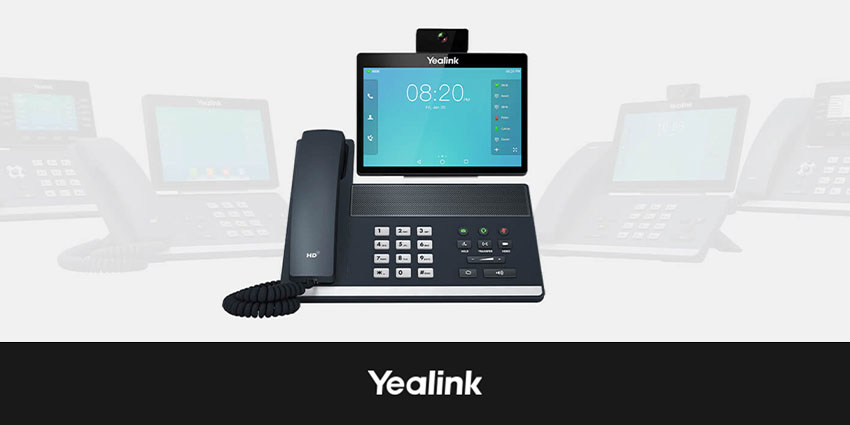
As Microsoft Teams usage continues to grow, it is important to be able to access purpose-built hardware that is optimized for Teams. One such device is the Yealink VP59, available in both Teams and Zoom-certified variants. Launched in 2019, it is an Android-based phone that enables greater interoperability by bringing Teams into the desk-based telephony environment.
Unpacking the Yealink VP59
The Android-based VP59 executive desk phone, released in March 2019, may also be used in huddle rooms. With a customizable 8-inch multi-touch screen and simple Teams menu navigation, these features make collaboration more straightforward than ever before. Yealink's Optima HD Voice technology and Yealink's Noise Proof technology provide an independent voice solution with excellent audio quality.
Yealink, founded in 2001, is the world's leading supplier of unified communication (UC) terminal solutions that integrate audio, video, and data. The firm offers conference phones, video conferencing, desktop IP phones, wireless DECT phones, and accessories.
Yealink said at the launch that the VP59, along with its other releases (the VC200 and Teams Room MVC500/MVC800), will complete the Microsoft certification program. This would enable it to handle various situations, such as offices, open workspaces, huddle rooms, and huge conference halls.
Key Features of Yealink VP59
The Yealink VP59 deskphone includes the following key features:
- Audio - The device enables HD voice via an HD handset and HD speaker. It is also hearing aid compatible (HAC) and has a full-duplex hands-free speakerphone with AEC. A major USP is the use of Yealink Noise Proof Technology.
- Video features - The Yealink VP59 comes with a 2-megapixel camera and a privacy shutter, with a horizontal field of view of 84° and a vertical field of view of 54°. Its adjustable camera is plug-and-play in nature.
- Call handling features - Users can manage incoming/outgoing P2P, and cloud PSTN calls with call hold, mute, transfer, and forward capabilities. Users can also access group SimRin, synchronized call logs, and visual voicemail features.
- Bulk management by IT - There are three options to define configurations: browser, phone, or auto-provisioning. It is also possible to set provisioning priority management and auto-provision via activation code. To enable this, the company offers the Yealink Redirection and Provisioning Service (RPS), QoE monitoring reports, and support for the Microsoft Device Management Platform, the Yealink Device Management Platform, and the Unify Square Device Management Platform.
- Display - The Yealink VP59 has an 8-inch 1280 x 800 capacitive touch screen (IPS LCD) with a 10 points multi-touch surface. There is an LED indicator for call and message waiting for indication, a multilingual user interface, and a 100 percent Teams-tailored interface with a full keyboard.
- Connectivity - To drive connectivity, users can rely on the built-in Bluetooth/Wi-Fi and access the dual USB ports that support USB headsets and camera extensions. There is also an HDMI port for connection to a monitor or TV and a dual-port Gigabit Ethernet port.
Key Benefits of Yealink VP59
Using the device, businesses can gain from:
Easy collaboration
The device is completely compatible with Office 365, and the VP59 provides your employees with a rich and creative environment. The eight-inch, multi-point, flexible screen and Teams-specific user interface give a rich visual display and simple menu navigation.
Bluetooth 4.2 and dual-band Wi-Fi provide unmatched flexibility and expandability. With HDMI output capabilities, users may synchronize the display to a television or monitor. The design of the integrated product incorporates a codec, a camera, and a microphone. Configuration and deployment are feasible with a single line (Internet cable or power cable).
Flexible audio and video experiences
The camera's USB cord may be extended by 10 feet (3 meters). It can be placed on the top of a monitor using a bracket, allowing for a flexible camera placement and meeting perspective. Yealink Noise Proof technology suppresses background sounds efficiently. Connecting VP59 to cordless microphones allows you to span open workspaces.


