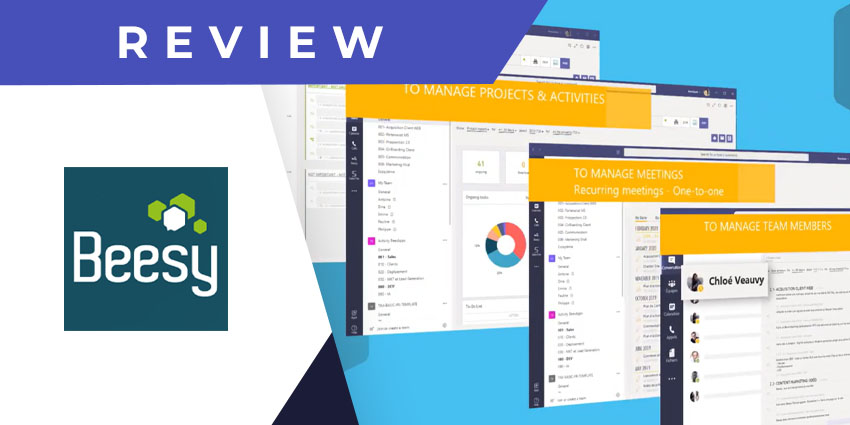
Beesy is an AI-powered solution to manage teamwork and collaborative projects. Using the Beesy app for Teams, you can work with Teams users on Beesy projects, coordinate action items, and stay on top of the task scheduler.
Beesy is the flagship product of the French SaaS company, BeesApps. BeesApps was founded in 2011, starting with an iPad-focused version of Beesy that would help project managers replace their paper notebooks and improve productivity. Beesy is now a full-featured SaaS platform, integrating with your favourite apps like Outlook, OneNote, Gmail, Slack, Skype, Word, Microsoft Teams, and even Apple’s virtual assistant, Siri. Beesy’s roster of clients includes mid-sized to very large enterprises, including Orange, Accenture, Honeywell, Renault, and the University of Cambridge.
BeesApps launched the Beesy bot for Microsoft Teams in 2020. The bot enables interoperability between the two platforms to manage your task lists, projects, communication trails, schedules, and other action items without switching from Teams to Beesy. The integration also includes a dashboard feature to get essential insights and stats on your productivity across Beesy projects.
Let us review these and other capabilities in more detail.
Inside Beesy for Microsoft Teams
To install the Beesy Smart Assistant for Teams, visit Microsoft AppSource and search for Beesy. Keep in mind that you will need an active BeesApps subscription, with a Beesy license for Business (10 per user per month), Augmented Business (25 per user per month), and Enterprise (custom). This will allow you to seamlessly access information from Beesy and sync your Teams activities with Beesy accounts.
Here are the key features you can expect with Beesy for Teams:
- Teams chat to task conversion – You can gather important information from your Teams messages and save it as task lists and action items on Beesy.
- Meeting info documentation – Like messages, the Beesy app lets you collect and collate your meeting action items for future reference. These task lists can be shared with other Teams users for shared visibility.
- Email to task conversion – Instead of your Teams messages, you can choose to save action items received via email to your Beesy lists. Mail-to-task conversion is available only with paid Beesy accounts.
- Custom dashboards – Beesy provides multiple report views and options, so you can analyse your productivity data from various perspectives. You can create custom dashboards with the most relevant metrics, graphs, and insights and add them as tabs on a channel of your choice.
- The Beesy virtual assistant – The Beesy app for Teams has a powerful, AI-enabled chatbot to help you perform daily tasks. You can ask the bot to list your tasks for the day, create new tasks, and even check on your team members’ tasks and projects. For example, if you ask Beesy to send you a project review, it will generate a report using AI and email you the PDF document.
- New task creation – You can add new tasks to your Beesy schedule and projects using the Teams bot. When you type in a new action item, it will be synced with your Beesy account, and the bot will send you an adaptive card containing the due date, status, comment and edit options. You can set up the tasks as per your unique preferences.
- Projects as channel tabs – Just like you can add custom dashboards to a Team channel, Beesy also lets you add an entire project as a tab. This ensures all channel members can refer to and interact with the project’s task lists, resources, and data as needed.
- Managing team members – When speaking with a team member via one-on-one chat, you can insert a Beesy tab to track their performance in the conversation context. You will be able to see a consolidated view of their activities by date and by project.
Why the Beesy App Makes a Difference
Beesy is a project management app with a difference. It gives you clear visibility into your task lists, segregated as per your projects, meeting sessions, and stakeholders, seamlessly integrated with the Teams experience.
What We Think
If you’re looking for an app that connects your action items from messages, emails, and meeting discussions, your search could end with Beesy. It has a host of nifty features and promises a simple learning curve.
You can download it here.