
Founded in 1998, BroadSoft is a global communication company that develops cloud-based Unified Communications solutions that give businesses the tools they need to enhance productivity rates, improve efficiency and work together as a team within a strong collaborative environment.
With this in mind, this article shall be reviewing the collaborative benefits of one of BroadSoft’s flagship products: BroadSoft Team-One. With this application, it is claimed that users are able to communicate and work together as a team better than ever before and this article will be putting that statement to the test by analysing the various features it offers.
Before we continue, however, we must first inform readers that we are not selling this product and any information we give should be taken as nothing more than helpful advice from people are can translate the technical jargon into basic pros and cons.
What is BroadSoft Team-One?
In an age where messaging apps such as WhatsApp and Facebook Chat are undoubtedly the most widely used methods of communication within the consumer sphere, many companies are now looking for a solution that can cater for this shift in communication preference and provide a way for users to communicate more naturally within a business setting. With this in mind, BroadSoft has succeeding in a creating a solution that has harnessed the zeitgeist and given users the ability to share information and connect with one another more efficiently in way that echoes how they would connect with their friends or relatives in a non-work environment.
What can it do?
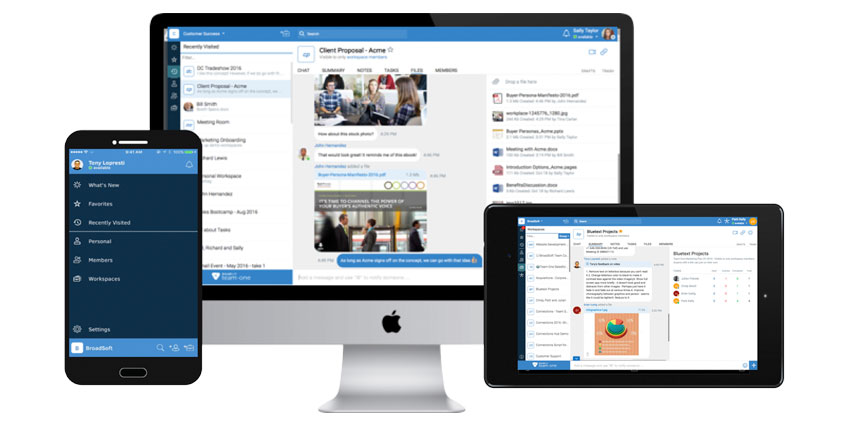
With its Business Chat feature, users can choose to either chat one-on-one with their contacts in private conversations or share ideas and information with everyone in a group meeting all at the click of a button. As well as this, the feature also stores all messages sent to and from all members of the conversation so that can be recalled from any device with a working Internet connection for use at a later date, thus making no information, instructions or ideas are ever lost.
Another great feature is the Drag & Drop File Sharing, which enables users to share any type of file from documents and images to audio and video directly into the live conversation window. As well as saving users a great deal of time, this feature is also excellent at maintaining the flow of conversation and ensuring the brainstorming and idea sharing atmosphere of the conversation can easily continue at it’s natural pace without disruption.


