
As video conferencing and collaboration grows in popularity, we examine the key hardware purchasing decisions facing your business...
We spend so much time talking about software solutions and cloud-based platforms in UC these days that it is easy to forget how important hardware is to business communications.
Video conferencing and collaboration is the ideal category to remind us of this importance. Yes, nowadays more or less everyone carries around a viable video recorder and player in their pocket - in fact, the emergence of smart mobile devices is perhaps one key reason why we seem to increasingly take hardware for granted in general.
But how effective is a smartphone really for holding high quality virtual meetings? They undoubtedly provide a mobility option, but do they provide the definition and fidelity you want for those critical communications? When you hold large meetings, especially with physical meeting rooms full of people, do you want everyone glued to a 4 inch screen in front of them? And are small screens the best option for collaboration?
If you want to get the best from video conferencing, hardware is an essential consideration. There two broad categories of equipment - devices to record and broadcast, i.e. cameras and microphones, and then screens to show the video stream. These are supported by a variety of back-end and networking solutions, which may be hardware or software.
The first step in choosing the right video endpoints for your business is to think through exactly how and where conferencing and collaboration is going to be used in your business. Key questions to ask are as follows:
- What is the main purpose of video conferencing, i.e. is it mainly for internal or external communications, for formal meetings or more ad hoc team collaboration sessions?
- Who uses video conferencing?
- Where will participants connect from, i.e. at their desks, in a dedicated meeting space, externally?
- To what extent can video conferencing influence overall business performance? This will help you to decide how much you want to invest.
Types of video endpoint
Once you have assessed your objectives for using video conferencing, you can look at which equipment options suit your needs best. Below we’ll take a look at five types of video conferencing and collaboration equipment, assessing the circumstances where they provide the most benefit and, where applicable, comparing them to software or cloud-based alternatives.
Desktop conferencing endpoints
The main ingredients for taking part in a video conference are a screen, a camera and a microphone/speaker combination for audio. Desktop conferencing hardware solutions come in any combination of these three, from fully integrated standalone units to cameras, audio endpoints and broadcast boxes you can add to your existing computer screen or deskphone.
Desktop conferencing is the right solution if employees are going to be making high volumes of video calls in their day to day lives. They suit organisations looking to encourage more informal team collaboration, especially across different sites, to replace formal scheduled meetings.
The alternative to desktop conferencing endpoints is to simply use the camera and audio capabilities built into a desktop PC or laptop. Quality is the issue here, as there is no guarantee built-in hardware will provide the same definition and fidelity as specialist equipment. Likewise, having a dedicated broadcast box can improve stream quality and reduce latency. Some integrated desktop solutions also include touchscreens for improved access to collaboration tools.
Room-based equipment
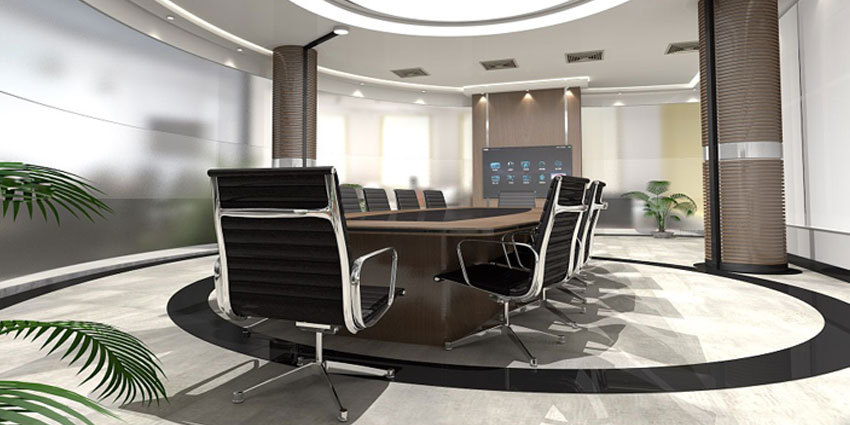 Equipping meeting and huddle rooms for video conferencing suits businesses where there is less emphasis on individual agents and small teams connecting ad hoc from their desks, but a requirement to connect to remote colleagues or external partners during larger meetings. Room-based conferencing equipment tends to be built around a large screen, with specialised microphones to pick up audio from a whole room without babble and interference.


