
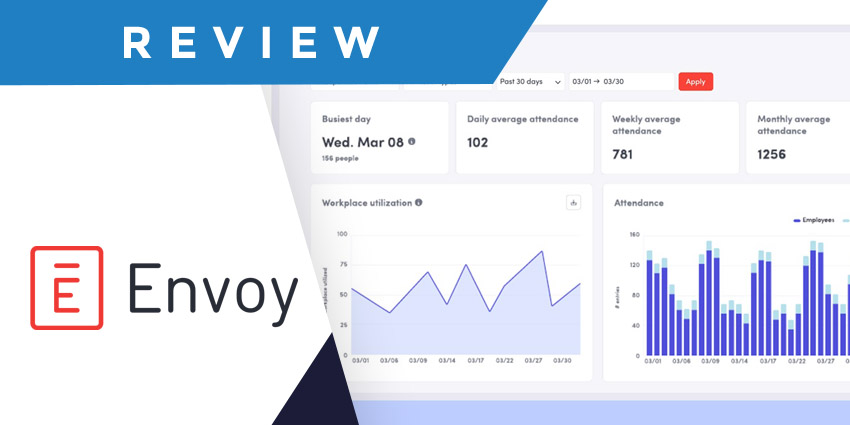
As flexible and hybrid work strategies continue to take the world by storm, workforce management tools have become increasingly crucial. Platforms like Envoy workplace offer companies a way to manage their resources (and teams) more effectively from a unified digital platform.
This solution allows team members to find and book rooms and desks, track deliveries, and more. Plus, team leaders can monitor usage statistics, send emergency notifications to teams, and use in-depth analytics to make intelligent planning decisions.
In this review, I’ll give you a behind-the-scenes look at the key features, pros, and cons of Envoy workplace to help you decide if it’s the right option for you.
Quick Verdict: Pros and Cons
After reviewing quite a few workplace management apps, I think Envoy Workplace is great option for a lot of teams. It’s easy to use, works well with a range of integrated apps, and there are even add-on apps for guest management and coworking spaces.
I would have liked to see more built-in AI capabilities, but the Workplace features of Envoy are at least very affordable. The biggest downside is that add-on solutions for visitors and front-desk management can be pretty expensive.
Pros:
- Excellent workplace maps and scheduling tools
- Integrations with a huge range of platforms
- Comprehensive controls for business leaders
- End-to-end insights for space usage and engagement
- Real-time notifications and alerts
- Easy to use interface
Cons:
- Limited customization options for complex workplaces
- Expensive pricing for additional features
- Slight learning curve for certain capabilities
Envoy Workplace Review: The Key Features
Envoy is just one of the software solutions offered by the Envoy brand. It bundles together all of the key features companies need to manage work environments, like desk and room booking software, delivery tracking, emergency notifications, and analytics.
In this review, I’m focusing specifically on the “Workplace” kit, but it’s worth noting you can access visitor management tools and front desk options from Envoy too.
Envoy Room and Desk Booking
Like most workplace management tools, Envoy’s main features revolve around helping companies make the most of their available office space. The room booking system, for instance, comes with convenient green, yellow and red indicators to instantly show users which spaces are available for meetings or training.
There’s a handy “check in” feature, that automatically updates the room’s availability on the app, and you can even show team members what’s available in each room. For instance, you might list that you’re using Zoom Rooms and digital whiteboards in one room, and Microsoft Teams in another.
Users can book their spaces using Envoy Mobile, Google Calendar, and Office 365. You can also set up “booking” features on tablets and displays around your meeting rooms. You can even send nudges to users through channels like Slack, reminding them to “check in” or attend a meeting.
Users can also add privacy settings to rooms, like hiding meeting names for private conversations.
The desk booking system is similar, giving companies extensive control over their space. In a hot-desking environment, you can designate exactly which desks are available to reserve. Plus, team members can see comprehensive workspace maps in real time on the app.
These maps show which amenities are nearby, like computers or printers, and which other team members have booked spaces close to them. In the app, you can even choose the people you most want to sit next to. I particularly like the “hoteling” feature, which allows employees to book desks for an hour, a day, or even a week.
Deliveries and Emergency Notifications
The Envoy app’s delivery function and tools for “emergency notifications” are some of the key things that set it apart from similar tools, in my opinion. Most flexible workspace management tools don’t include specific features for monitoring deliveries.
However, with Envoy workplace, keeping track of mailrooms couldn’t be simpler. The platform even comes with a built-in software solution to help you scan packages and match them to the right employee in your directory. You can also let team members know when deliveries are available to pick up, log deliveries in your online dashboard, and send automatic reminders to team members.
Plus, it’s simple to send immediate notifications to your staff when they have a package they need to collect. Speaking of notifications, that takes me neatly onto Envoy’s “emergency notification” function. Within the app, users can see who is scheduled to be in the office, who’s on site, and where they are, making it easy to contact specific groups with alerts.
Once you’ve identified who you need to contact, you can send a single message to users across a range of channels (SMS, email, and push notification). Plus, users can be asked to respond to messages too, such as “marking themselves as safe” in an emergency.
This might not seem like a major feature at a time when various workplace management tools are focusing heavily on cutting-edge AI. However, I think it’s very handy, particularly for companies who focus heavily on protecting team health and safety.


