
In an age where agility and innovation are essential, companies everywhere are continually searching for new ways to boost productivity. We all know how easy it is to waste time in meetings and spend hours searching through emails. However, the truth is that there's no one-size-fits-all strategy for boosting productivity. Often, the best solution requires a combination of applications and tools, rather than one single solution.
To help small businesses prepare themselves for a more efficient, results-driven year in 2019, we've put together a list of the most crucial productivity apps on the market. These tools will drive success through advanced communications, better collaboration and more.
Let's take a look at what you can accomplish with the right applications.
1. Todoist (Tracking Your Work)
[caption id="attachment_17682" align="alignleft" width="400"] Todoist - "To do ist" - click to enlarge[/caption]
How do you keep track of all the crucial things you need to do each day? Endless post-it notes and email reminders will only help for so long. Fortunately, Todoist offers a simpler, more streamlined solution. Simply list everything you need to get done, and the clever software will organise your tasks for you based on your schedule requirements.
Far more than just a digital notepad, ToDoList can keep your entire team on track. You can plan projects and assign them to different members of staff, as well as monitoring upcoming deadlines within the app. For basic features, you can access ToDoList for free. If you want a more premium experience, you can choose between $36 and $60 packages.
2. Slack (Collaboration and Messaging)
It's hard to find anyone in the business world today that hasn't heard of Slack - the ultimate small business solution for team collaboration and real-time messaging. Essentially, Slack simplifies your communication strategy by giving your entire team an easy way to stay connected, share files, and follow up with each other on projects.

These days, email isn't as effective as it once was for tracking messages and crucial communications. Slack makes conversations more organised and searchable, so valuable information isn't lost. Additionally, you can also use Slack to share files with Google Drive or Dropbox and engage in video conversations. There's even the option to add unique integrations according to your needs. Prices range from nothing to $12.50 per user per month. Slack has also just announced that it has more than 10 million Daily Active Users.
3. VoIPstudio (Cloud Communications)
[caption id="attachment_17683" align="alignright" width="400"]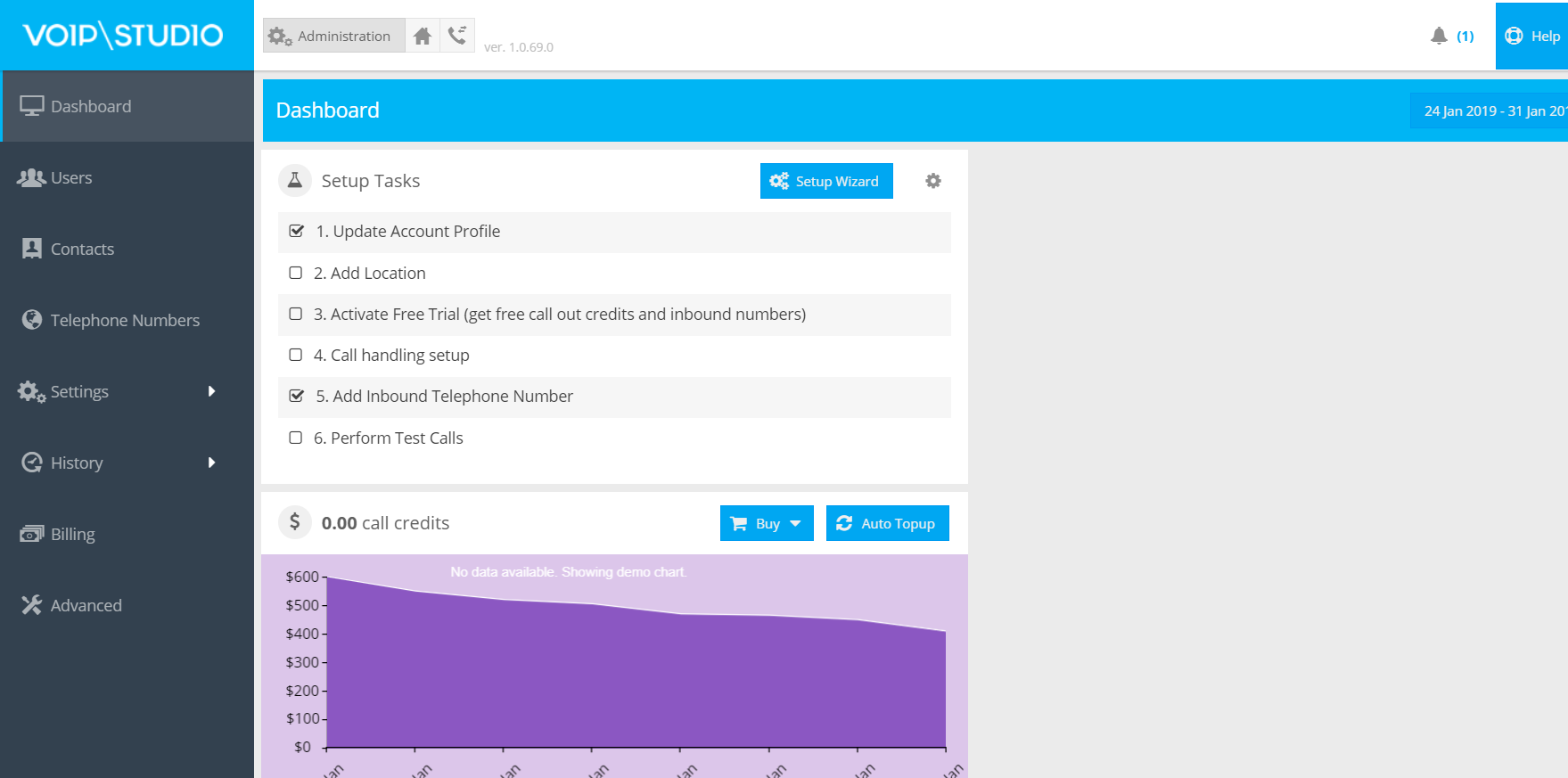 VoIPstudio - click to enlarge[/caption]
No matter what type or size of business you run, it's fair to say that you can't get by without a great solution for constant communication. For smaller companies, the cloud offers an instantly scalable and flexible communication environment, without the initial investment required from on-premise systems. VoIPStudio is one of the most appealing customisable and feature-rich Voice-over-IP providers available for small and midsize companies.
With VoIPstudio, you can access high-level features like call queues and call management, without paying a high price tag. Packages start at only £3.99 per month - so it's no wonder that the company has seen so much phenomenal growth of late. VoIPStudio won the 2018 ITSPA "Bet Business Internet Telephony" award for service providers, and it has a 5-star rating on Trustpilot. If you're looking for reliable cloud communications, VoIPStudio is the answer.
4. Wreally (Transcribe Recorded Conversations)
Sometimes, if you want to make the most out of your audio data, you need a way to make it more searchable. Transcribe by Wreally is a simple and straightforward transcription tool that quickly transforms your recorded calls into text files.
[caption id="attachment_17686" align="aligncenter" width="786"] Transcribe[/caption]
User-friendly and equipped with a clean interface, Wreally comes with all the necessary solutions you need to ensure a simple transcription process. You can upload your complete audio file to the website, then manipulate it with short keys that are built into the UI. Wreally will help you to save thousands of hours listening to recordings and manually making notes.
5. Evernote (Note Taking)
Sometimes, keeping track of everything in a small business can be hard work, regardless of how well-organised you are. Fortunately, Evernote gives you a simple way to organise and manage your thoughts on your smartphone or desktop. You can write your ideas down with rich-text formatting, enter checklists when you need to keep yourself on track, and set reminders for essential notes.

For visual content, there's a built-in camera tool to help you scan documents, and you can drag files like receipts and forms into the app too. There's even the option to organise your notes with tags too. The Evernote web clipper tool also means that you can "clip" articles and other details from the internet and add them to your notebooks. The service is free for when you're just looking for core features, or you can pay for an upgrade at $7.99 per month for 10GB of uploads, offline notebooks, and more.
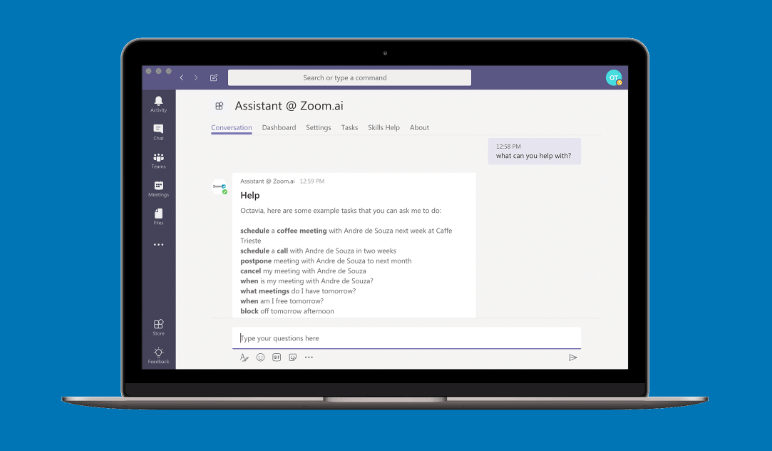

 ZoomRooms - click to enlarge[/caption]


