
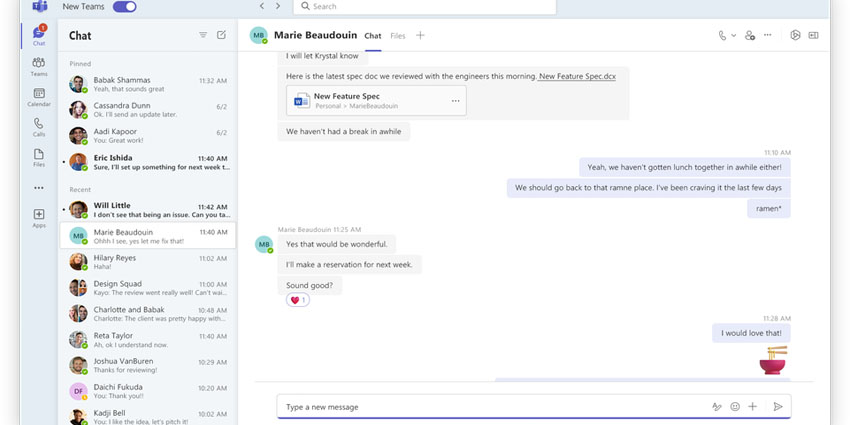
The Teams 2.0 client is finally here.
Microsoft's other marquee product this autumn, its AI-powered tool Copilot, recently entered general availability and might be the more glamorous cousin of the pair, given its extensive and innovative ways of boosting performance and productivity. However, beneath the hood, Teams 2.0 could potentially be more impactful for some users in their everyday workflows.
What is Teams 2.0? How does it distinguish itself from its predecessor in features and accessibility? Is it definitely available for you specifically, and if so, how do you download or install it?
UC Today answers all those questions below.
Teams 2.0 In a Snapshot
Teams 2.0 is a new and updated app for Microsoft Teams.
It is currently only available for Windows and Mac. Teams 2.0 (what Microsoft confusingly named Teams 2.1 internally) was initially launched in public preview in March, and it raised eyebrows for being up to twice as fast as the original client but with 50 percent less memory usage than its forebear.
"Our goal was to reimagine Teams from the ground up to deliver a faster, simpler, smarter, and more flexible app to help you stay productive and collaborate more effectively," wrote Anupam Pattnaik, Product Lead at Microsoft Teams, in a blog accompanying the news of Teams 2.0's availability. "We have made notable progress since the launch of new Teams in public preview."
That "notable progress" included full feature parity for almost all capabilities, including call queues, PSTN calling, and contextual search in chats and channels. Teams 2.0's general availability also introduces new features and enhancements, such as smooth cross-tenant communication and collaboration across multiple tenants and accounts.
Pattnaik added:
We have focused on providing high-quality performance and enhancing the basics in areas such as reliability, security, and IT management to make sure that new Teams meets the evolving requirements of your organization."
New Teams features and enhancements will also be exclusively available to Teams 2.0.
The New, Updated (and Removed) Features in Detail
By being built on the React framework and using Edge WebView2 as the app's host on Windows, Teams 2.0's most critical feature is its usability. The new Teams client is roughly twice as fast when loading the app, joining meetings, and switching chats and channels. It consumes up to 50 percent less memory and disk space than the classic Teams app.
Teams for Mac has also experienced a performance improvement. At the same time, there are additional security enhancements, including improved app security via a containerised app model, streamlined app updates via Microsoft AutoUpdate, and web security improvements such as Content Security Policy and Trusted Types.
"With new Teams, we also provide a faster app that has been optimised for more efficient use of system resources in your VDI environment," Pattnaik wrote. "We have observed improvements in latency for key scenarios such as app launch, switch chat, and join meetings when testing the public preview build that is rolling out this month compared with classic Teams."
Teams 2.0 has also introduced a more streamlined user interface with myriad personalisation options. Teams 2.0 automatically select light or dark mode and switches based on a user's system settings so Teams blends better into their workspace. It has more significant support for users with colour sensitivity, using Windows 11 contrast themes so users can select a colour palette that works best for their needs. There are also greater accessibility options for users who use keyboard shortcuts or screen readers.
Users can monitor messages and notification activity, with features like "Mark all as read" in activity now available. Upcoming Teams 2.0 features include "Mark all as read" in chats or channels.


