
Halp is the helpdesk and ticketing software system for ops teams powered by Atlassian.
Atlassian is a collaboration and productivity giant founded in 2002 and publicly traded on the NASDAQ. The company acquired Halp (back then, a helpdesk and ticketing solution for Slack) in May of 2020, just as demand for remote productivity tools skyrocketed. Despite being an early-stage startup, Halp had a sizable user base and a promising roadmap of new features, tools, and upgrades. Today, you can utilise Halp as a standalone solution in Slack or Microsoft Teams, independent of any other Atlassian products.
The Halp app for Teams gains from Teams’ conversational interface, allowing ops professionals to interact with and manage rockets via a bot-based workflow. You can use Halp on its own or fetch tickets from Jira Service Management and Zendesk. Let us review the features of this integration in more detail.
Inside Halp for Microsoft Teams
You can add Halp to Teams either from the main product page or via Microsoft Teams AppSource. Once the integration is in place, you will be able to gain from the following features:
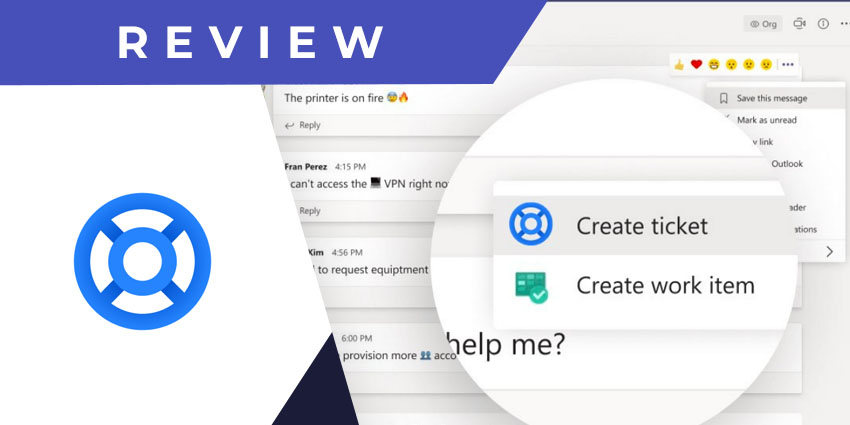
- Convert messages into tickets - There are two ways to use this feature. You could either hover on an existing chat or channel message to convert it into a ticket. Or, you could use the Halp icon below the message compose area to create a new ticket.
- Create a ticket from scratch - The Halp app in Teams lets you create tickets, adding necessary details to make the ticket easily searchable and actionable.
- View open tickets - You can ask the bot to show you all open tickets, and from this dashboard, you would be able to follow a ticket, view it, or reply to it, as applicable.
- Submit forms - Forms make your tickets more detailed and aid in prioritisation. Users can specify the task’s priority along with the issue description, making it easier for the It team to schedule ticket response and resolution. There’s also an option to categorise tickets as per a pre-configured dropdown box.
- Automate actions based on ticketing events - This is among the flagship features you can leverage via Halp in Teams. Based on the app’s standard action workflows, you can automate the response to events like specific ticket fields, form details, etc. Interestingly, Halp also ships with a built-in knowledge base called Answers. You can convert any Teams message into an Answer that will be automatically shared as a response to common queries.
- Get notifications on ticket updates - The ops team, service agents, and employees will be notified within the Teams interface whenever a ticket is updated. They can reply to the notification without leaving the platform, saving time and effort.
- Add external ticket collaborators - You can add ticket followers from inside or outside Teams to speed up resolution. The Halp app lets you invite non-Teams collaborators via email so that you can take the help of relevant experts no matter which platform they are using. All collaborators can view a ticket’s history, receive notifications, and respond.
- Access performance reports - All team ticketing activity is aggregated for analysis via performance reports. You can measure ticket volumes, track the average resolution timelines, and monitor per-agent performance. Halp even allows you to analyse ticketing data for specific clients and categories.
- Answer email tickets - Just as you can add a collaborator via email, you can also respond to tickets sent via email. When employees submit their issues and tickets via email, they are routed to a Microsoft Teams triage team, creating a centralised hub for all the requests you receive from across the organisation.
Why the Halp App Makes a Difference
Many use cases exist for an integrated, bot-based ticketing and service management system in Teams. Whether you are in ops management, a customer service team, or an end-to-end IT service and managed service provider, monitoring and resolving tickets directly from your collaboration hub is beneficial. And Halp, backed by Atlassian, is among the best solutions in this segment. It can automate query responses via the built-in knowledge repository. You can gain from automation, and collaboration isn’t limited to only Teams users.


