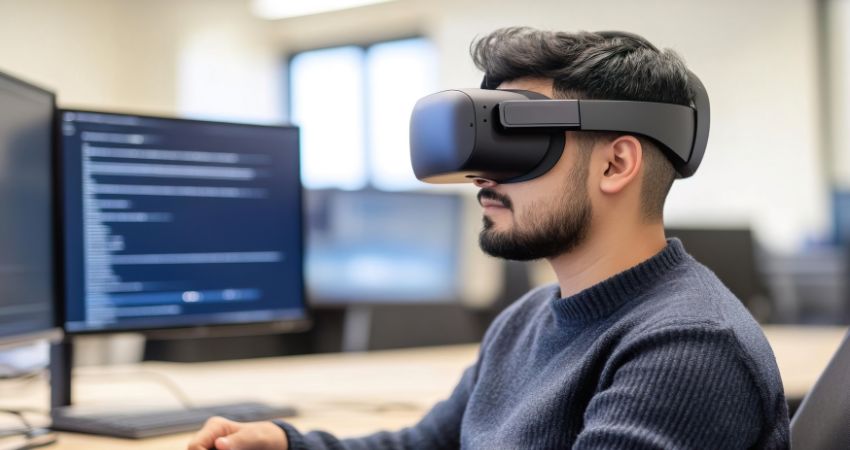
Immersive workflow design is the difference between XR as a novelty and XR as an operational advantage. In the consideration stage, most digital workplace and operations leaders are not asking whether XR is ‘interesting’. They are asking whether enterprise XR workflows can remove bottlenecks, reduce errors, accelerate training, and improve coordination in complex environments, without adding new friction for IT, HR, and the business.
The good news is that the market is already showing what works. The pattern is consistent across XR productivity use cases: XR delivers measurable value when it replaces a real workflow step, compresses time-to-resolution, or reduces the amount of human ‘glue work’ required to coordinate people, systems, and physical tasks.
Jeff Teper, Corporate VP of Microsoft has previously stated:
“These tools are all ways ‘to signal we’re in the same virtual space, we’re one team, we’re one group, and help take the formality down a peg and the engagement up a peg.’”
That quote is useful because it frames engagement as a means, not the outcome. For UC Today readers, the productivity story begins when engagement supports faster decisions, fewer misunderstandings, and less rework in meetings, training, and field operations.
Related Articles
- Why Does Every XR Pilot Look Impressive but Fail to Scale Across the Business?
- Why Digital Twins Could Matter as Much as AI for the Future of Enterprise Communications
How Do Immersive Workflows Improve Productivity Outcomes?
Direct answer: Immersive workflows improve productivity when XR changes the speed, accuracy, or coordination cost of a task, not when it simply changes the interface.
A useful way to think about XR performance optimisation is to start with the measurable unit of work. What is the thing you actually want to improve?
- Speed: shorter time-to-competency, faster troubleshooting, faster handoffs.
- Accuracy: fewer errors, fewer missed steps, fewer failed inspections, fewer repeat visits.
- Collaboration quality: fewer misunderstandings, faster alignment, clearer context, stronger shared situational awareness.
If the workflow cannot be tied to at least one of those outcomes, it will drift toward ‘engagement theatre’. That is not a technology problem. It is a design problem.
What Tasks Benefit Most From XR Integration?
Direct answer: XR is strongest where a task is visual, spatial, procedural, or coordination-heavy, and where mistakes are expensive.
Here are three high-confidence XR productivity use cases that map well to digital workplace and operations priorities.
1) Remote expert guidance that reduces downtime
If a technician needs a specialist, the costly step is not the call. It is the delay, the travel, and the time spent describing what they are seeing. ‘See-what-I-see’ assistance turns a verbal workflow into a visual one.
A RealWear deployment at HARDI illustrates why this works. The company describes a support model where on-site technicians can stream what they see to a remote expert, speeding diagnosis and reducing extra interventions. It also puts real numbers against the workflow outcome: the release notes that dispatching a technician could cost ‘approximately 5,000 euros per trip’, while issues can be resolved ‘within approximately one and a half hours per case on average’.
“Traditionally, dispatching a technician for on-site assistance incurred a hefty expense of approximately 5,000 euros per trip, dependent on location. However, with the implementation of RealWear smart glasses, issues can be resolved within approximately one and a half hours per case on average.”
This is the kind of data point that matters in a consideration-stage business case. It frames XR as a workflow accelerant, not an ‘experience’.
2) Training and simulation that compress time-to-competency
XR training succeeds when it replaces scarce real-world practice, reduces risk, or standardises coaching quality. The productivity gain shows up as faster onboarding, fewer mistakes, and fewer escalations, especially in frontline, safety, and complex equipment environments.
The design principle here is simple: build training modules around the highest-cost errors, not the most interesting scenarios. If you only simulate the ‘happy path’, you are not reducing operational risk. You are creating a very expensive demo.
3) Immersive collaboration that improves alignment in complex decisions
For knowledge work, immersive collaboration tools should not be positioned as ‘better meetings’. They should be positioned as better shared context. That can show up in fewer meetings required to reach alignment, fewer iterations, and faster decisions when teams are working with spatial information, layouts, or 3D models.
Microsoft’s Mesh work provides a useful proxy for where enterprise demand is heading. The same Microsoft Source article notes that Accenture hires ‘more than 100,000 people each year’ and that ‘tens of thousands of new hires’ have onboarded in its immersive environment. You do not do that at scale unless there is an operational reason.
Alex Kipman, Technical Fellow at Microsoft added: