
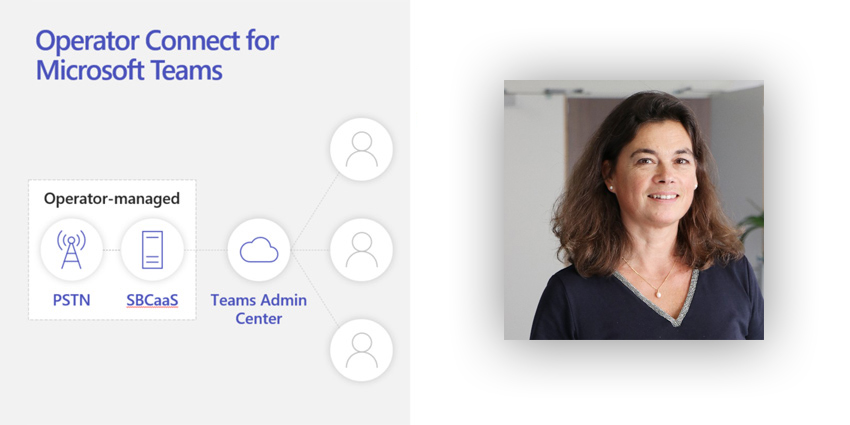
Operator Connect is Microsoft's latest innovation for directly providing telephony to your organization's users in Teams. What makes Operator Connect so valuable and important is how quick and easy it is to enable with Microsoft Teams.
It offers a complete modern voice solution and we're delighted to have been selected as one of Microsoft's launch partners. In this article - and the walkthrough video below - you'll see just how easy it is. With Operator Connect, you can add calling capabilities to your Microsoft Teams environment within hours.
Enable Microsoft Phone System
The main gain from this new Microsoft solution is that with Operator Connect you can select an operator (telephony provider) directly from the Administration Portal in Teams.
Be aware that to do this you'll need to have a Microsoft Phone System subscription enabled. You may already have this as part of your users' E5 license. If not, you'll just need to purchase a Microsoft Phone System add-on and assign it to the relevant user(s).
Choose Your Operator
When choosing an operator, you’ll want to find the one that best suits your required coverage and the countries you need. In the Administration Portal, you'll see the available 'marketplace' of operators and the list of available providers will update as you refine your geographical requirements. You could choose to 'mix 'n' match' and have more than one operator, but this will probably not be the ideal option. After all, an additional benefit of Operator Connect is the opportunity to simplify your contractual state; to reduce the overall administrative burden of dealing with several providers.
Business-Critical Add-Ons as Standard
On NTT’s part, we’re very confident in our offering, not least because we offer calling plans in 39 countries (and growing fast). In addition, we provide geographic toll numbers in 90-plus countries and toll-free access in more than 100. We back this up with ultra-competitive pricing, all possible because of our global telephony footprint. Our carrier-grade capability is backed by a choice of support services to provide you with the help you need.
If your organisation uses a contact centre and relies on efficient inbound call handling, then you’ll also welcome the toll-free call queue and auto-attendant features that come with the service numbers that we provide.
Another area to consider when selecting an operator is to see what else is included. We’ve chosen, for example, to provide what we regard as business-critical add-ons. These are not things that come as standard, but additional features we believe you might expect and need. These include compliance recording and cloud video interoperability (CVI). This latter feature is vital if you want to allow legacy H323 / SIP room systems to join Microsoft Teams meetings.
We are also able to provide Dynamic E911, where applicable; a crucial safety measure that can provide a user's precise location to emergency service responders.
Each operator will have its own offer and capability, so do consider, and select the best operator for your needs.



