
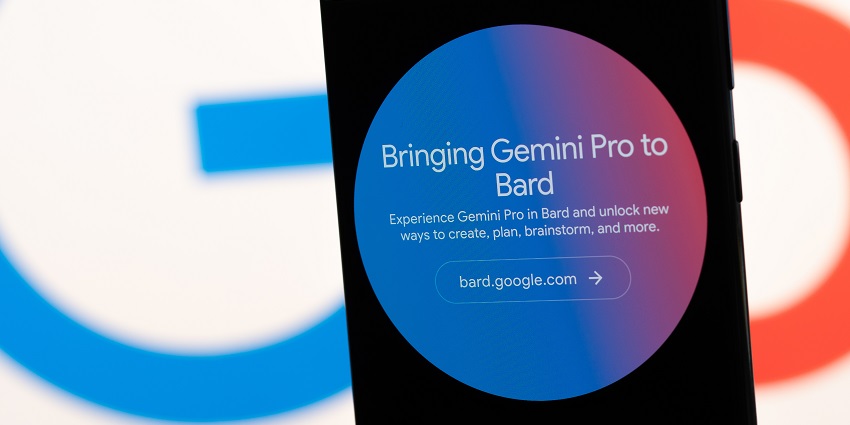
Wondering how to use Google Gemini, the tech giant's latest AI model? You're in the right place. Initially announced at the I/O developer conference in May 2023, Gemini is finally starting to roll out to a handful of Google products.
For now, you'll only be able to scratch the surface of what the AI model can do, primarily through Google's Bard chatbot and the new Pixel 8 Pro smartphone. However, if you're keen to start experimenting, you can explore Gemini's capabilities for free in a few ways.
Here's everything you need to know about how to use Google Gemini in Bard and a couple of other Google services and products.
What is Google Gemini Pro?
Before we look at how to use Google Gemini, it's worth noting only a couple of versions of the AI model are currently available. In an official launch blog for Google Gemini, the tech giant revealed three variations of the AI model: Pro, Nano, and Ultra.
Only a handful of features from Google Gemini Nano and Pro are available. Gemini Pro is the simpler version of Gemini Ultra, powering the Bard chatbot.
For those who don't know, Bard is Google's version of chatbot-style generative AI tools like ChatGPT and Microsoft Copilot. In the months ahead, the version of Gemini Pro in Bard will be updated with more multimodal capabilities. However, you can only use text to interact with the bot.
Additionally, Google plans to introduce Gemini Pro (and later Gemini Ultra) to tools like Google Duet, Google Search, and Google Ads.
Though Gemini Pro isn't as advanced as Ultra, which can achieve "state-of-the-art results" across 30 out of 32 academic LLM benchmarks, it's still extremely powerful. Pro outperforms GPT-3.5 (the previous version of OpenAI's ChatGPT model) in 6 out of 8 benchmarks.
Plus, it's trained to be multimodal from the ground up, even if you can only access the text capabilities for now. The system will be able to interact with video, images, and audio in the coming months.
What Can You Do with Gemini Pro in Bard?
Once you know how to use Google Gemini Pro in Bard, it's worth remembering you'll only be able to access limited features for now. Currently, Gemini Pro in Bard is only available in English. However, it is accessible in 170 countries and territories.
Additionally, you can only use Gemini's text capabilities for now. In the future, Google will be rolling out updates for multimodal interactions with code, audio, images, and video. However, the tech giant hasn't revealed when these capabilities will be available.
However, the ChatGPT rival still has plenty of value to offer. According to Google, the model has been fine-tuned in Bard to excel at understanding, summarizing, reasoning, coding, and planning. Plus, in blind evaluation with "third-party raters," Google says Bard is now ranked as the most popular free chatbot available.
Google even got YouTube star Mark Rober to test the Gemini Pro capabilities in Bard to help him craft a huge paper airplane. For now, you can simply interact with Bard like you would ChatGPT to get help with ideas, creativity, and generating content.
In the future, however, you'll be able to write code, generate AI images with Bard, and even translate languages in seconds. You'll also be able to take advantage of Gemini's integration with Google services. For instance, tag @Gmail or @YouTube in your prompts to access extra features.
Remember, Gemini Pro in Bard is still in its experimental stages. It may still be prone to AI hallucinations and other issues. It might be worth brushing up on your prompting skills before you start experimenting with our tips here.
How to Use Google Gemini Pro: Availability and Pricing
For now, Gemini Pro is free to use – at least in Bard. This sets Google apart from other leading LLM providers, like OpenAI. After all, while you can access older versions of ChatGPT for free, the newer models are reserved for paying subscribers.
Aside from accessing Google Gemini in Bard, you can also experiment with the "Nano" version of the AI model in the Google Pixel 8 Pro. Plus, the Google Cloud API includes access to Gemini for developers (starting December 13th, 2023).
Google says additional Gemini experiences and news will be coming in the next few months. So, it's worth keeping an eye out for the latest updates.
How to Use Google Gemini Pro in Bard
Learning how to use Google Gemini Pro in Bard couldn't be easier. The model has already been fine-tuned and rolled out into the Bard experience for existing users. According to Google, this is the biggest update to Bard since it was first launched.
If you already have a Google account, using Gemini is as simple as visiting the Bard website on your preferred platform and logging in. Notably, Google won't allow access to Bard if you don't have an account. Plus, if you're using a Workspace account, there may be limitations on what you can access.


