
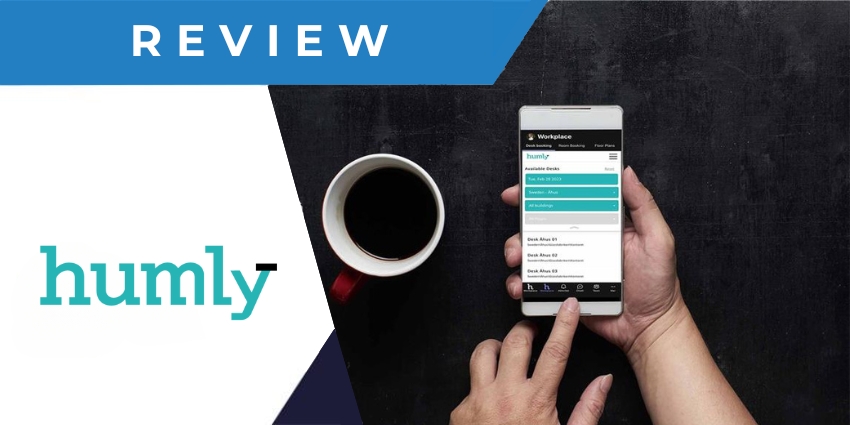
Managing the modern workplace is far from simple, particularly in a world of hybrid and flexible work, where the dynamics of your office can change from one day to the next. Tools like the “Humly Workspace Solutions” portfolio aim to address the challenges modern business leaders face.
From providing employees with apps they can use to reserve desks and meeting spaces, to enabling access to intuitive wayfinding, floor planning, and visitor management tools, these applications help businesses to optimize resource allocation, and improve workplace experiences.
The question is, how does Humly stack up against the countless other platforms companies can access with similar features and capabilities? We put this platform to the test, to uncover the pros and cons of using Humly for enhanced workspace coordination.
Quick Verdict: Pros and Cons
Humly’s workspace solutions combine intuitive hardware and software into a single package businesses can use to better coordinate their work environments. The easy-to-use ecosystem is ideal for companies experimenting with various flexible work scenarios, from hot-desking spaces to office neighborhoods.
Although Humly stands out for its intuitive software and hardware packages, it does fall behind some alternatives in certain areas. For instance, the package includes limited reporting features, no AI-powered tools to help with scheduling, and no help-desk or ticketing tools.
Pros:
- Easy to use and convenient software
- Exceptional hardware, suitable for all office spaces
- Excellent interactive floor plans and wayfinding capabilities
- Convenient integrations with platforms like Microsoft Teams
- Integrated visitor management
Cons:
- No transparent pricing structure
- No integrated AI capabilities for scheduling
- Limited reporting features
Humly Workspace Review: Overview and Key Features
Humly is a simple platform designed for comprehensive workspace management. It combines tools for desk and room reservations with visitor management applications, wayfinding tools, and floor plans. Plus, Humly offers access to various intuitive hardware solutions for the modern office, such as booking devices and room displays.
The company aims to give businesses of all sizes the tools they need to optimize resource allocation and improve workplace coordination. Let’s take a closer look at the key components of Humly’s workspace management portfolio.
The Hardware: Room Displays and Booking Devices
While most workspace management software can integrate with a host of devices from other third-party vendors, Humly is one of the few companies to offer a range of proprietary solutions. The Humly room display, for instance, is a streamlined and convenient screen that can instantly show users all the information they need to know about a room or space.
Using Humly’s software, business leaders can configure the display to showcase availability, capacity, amenities, and more. The solution even comes with built-in protections and security features to help improve compliance in the office environment.
Alongside its display, Humly also offers access to an intuitive “booking device.” This slimline system can be connected to a desk or meeting room, giving users an easy way to reserve a space or check in to a room in seconds. It’s ideal for hot desking spaces and office neighborhoods, where team leaders need to keep track of the availability of environments in real time.
Humly Reservations: Desk and Room Booking
Like most of the workplace management solutions we’ve reviewed in the past, Humly comes with a comprehensive “Reservations” app, which allows any users to book a room, space, or desk, either directly through Humly’s web app, the booking device, or Microsoft Teams.
Administrators can use the built-in control panel to highlight which spaces are available to users at any given time, and team members can choose from a range of booking options. For instance, you can book a space for an hour, a day, or a week.
Every user gets a comprehensive overview of all bookings and can make adjustments easily through the app. Plus, business leaders can integrate the system with their active directory and add guest users to the system whenever they like.
We would have liked to see some AI capabilities built in here, similar to the Copilot features in Microsoft Places, which suggest spaces to users based on their needs and available coworkers. On the plus side, Humly’s reservations app is very easy to use, even without AI support.
Humly Wayfinding and Floor Plans
According to Humly, office workers spend an average of 15 minutes each day just looking for the spaces they need. The company’s Wayfinding app helps to address that issue, making it easy for users to see exactly where meetings are taking place, and where they need to go.
The app automatically displays booked meeting spaces chronologically, showing you which meetings and spaces you need to attend first. Tapping on an upcoming booking will reveal information about the meeting subject and organizer, available desks, and the name of the meeting room. It also shows users exactly where the space is, with building and floor names and directions.
Plus, there’s an included QR code, so users can share their directions with friends, and instantly “check in” to spaces when they arrive.


