

Microsoft Teams now integrates with Asana, one of the world's leading work management platforms. The all-new Asana for Microsoft Teams offering enables conversations in Teams to take place side-by-side with Asana projects. As the need for remote working solutions that enable productivity continues to rise, the function could help those who want to leverage unified tools likely to lead to higher levels of productivity.
The integration lets Microsoft Teams users receive and customize automated notifications for Asana task and project changes from Microsoft Teams via Asana bot technology. Users should gain more context in addition to the visibility into Asana tasks from the Microsoft Teams client. Users can find and share Asana tasks, projects, and portfolios with teammates from Microsoft Teams, which seems like an obvious step to not only increase productivity but to give Teams users another reason to never have to leave the platform. That is, after all, what's being sold, 'experiences.'
Microsoft Teams and Asana released a full suite of other clever solutions that explore what interoperability could resemble in the not-so-distant-future. Now there's Asana for Outlook, and customers can convert emails from Microsoft Outlook into trackable, actionable work. Users can attach files from Microsoft Word, Microsoft Excel, Powerpoint, and Microsoft Sharepoint to Asana tasks with the Microsoft OneDrive integration. There's also Asana Power BI, which allows Asana users to streamline repetitive processes between Microsoft applications and Asana.
[caption id="attachment_29426" align="aligncenter" width="800"]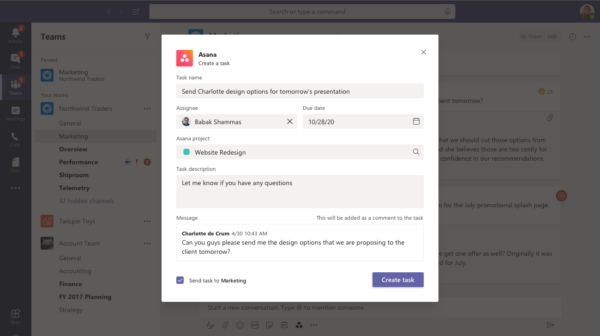 Create Asana tasks in Teams[/caption]
Using the 'Office 365 for Asana' connector, Asana customers can receive notifications within Microsoft Outlook whenever someone in their Office 365 group creates, finishes, or comments on Asana tasks. The Azure AD integration makes it simple for customers to manage user access, provision new user accounts, and enable single sign-on via the Asana platform.
Elsewhere on Microsoft's Teams user forum, you can often gain insight as to where Microsoft's product and features roadmap is heading. It was there that I recently found that Microsoft Teams meeting organizers will soon be able to force mute audio and video for attendees via the meeting options page. Attendees cannot un-mute audio/video when the feature's set.
A senior member of the Microsoft Teams engineering team said the collaboration company's increased the priority level of the feature, and it's scheduled for release later this quarter. Developers at Microsoft said they're working on adding the option to require everyone other than meeting organizers to enter meetings via Teams virtual lobbies.
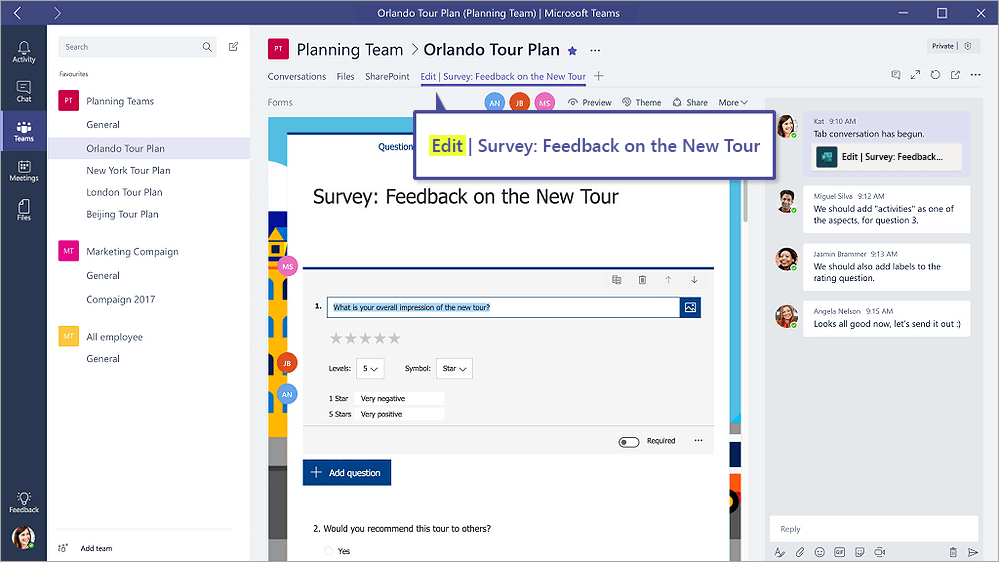 Teams Polling[/caption]

