

Videoconferencing has emerged as the ultimate solution for collaboration.
As the workplace becomes increasingly flexible and dispersed, team members need a way to continue feeling connected. The right video conferencing tools help with this. With a high-quality camera and microphone, you can almost replicate the face-to-face interactions we’re used to in the office.
The Jabra PanaCast takes video conferencing, in the age of anywhere working, to the next level. Not only do you get the incredible audio and video experience that you would expect from a professional system, but you also get plug-and-play functionality.
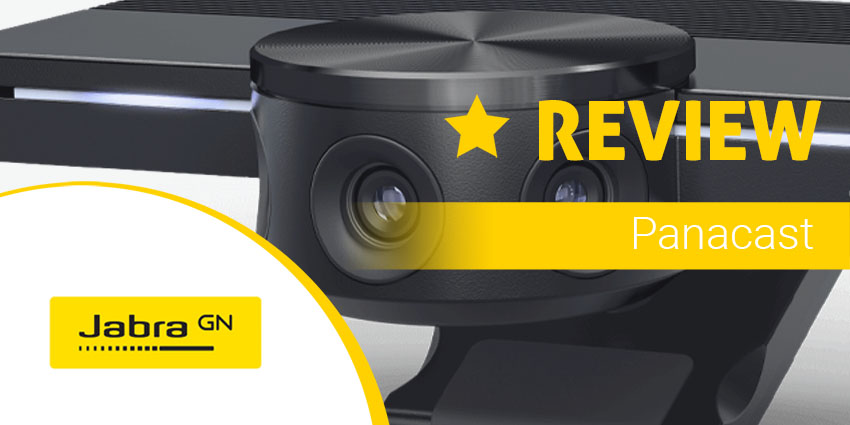
[caption id="attachment_35149" align="aligncenter" width="750"] The Jabra PanaCast[/caption]
With immersive video stitching that delivers an intelligent 180-degree view of smaller spaces and 4K video quality, the PanaCast has it all. Let’s take a closer look.
Jabra Panacast Review: Features
The PanaCast is one of the few video solutions for the age of remote work that delivers an incredibly immersive experience, without any complicated setup. There are three cameras on this device in total, all streaming continuously with real-time video stitching to deliver 180-degree views. Features include:
- Realtime whiteboard functionality
- 2 built-in microphones
- 180-degree field of view
- 3 cameras with stitching technology
- Panoramic 4K, or 1080p streaming
- Electronic pan-tilt-zoom
- USB-C port power
- Microsoft Teams certification
- Compatibility with various collaboration tools
With Jabra Direct software, there are even a host of unique feature options that you can turn on or off according to your needs, such as:
- Intelligent Zoom that detects where participants are up to a distance of 11.5 feet and constantly adjusts the field of view to include everyone in the discussion
- Vivid HDR with automated video quality optimization in a range of lighting conditions
- Video adjustments with pan/tilt/zoom customization through Jabra direct
- Your image quality adjustments reset when you disconnect the camera from the computer
- Field of view support for 90, 120, 140, or 180 degrees through Jabra Direct
- Camera orientation options if you mount the camera upside down
- 2 Built-in HD microphones with a range of 8 feet. The microphones are available to turn on or off via Jabra Direct
Jabra Panacast Review: Ease of Use
One of the things that makes the PanaCast so impressive is how much control you have over the features you access. For instance, you can choose whether you want to create a full 4K experience or stick to 1080p. The team at Jabra created this product for the huddle room, but it could work just as effectively in the new remote working office too.
Setting up your new camera experience is simple, Jabra recommends a D-shaped table for huddle rooms to reduce the distance between the camera and table, but you’re free to position and place however you choose.
There’s a wall mount available, which Jabra suggests using to place the camera below your TV monitor. If you’re not able to do this, the Jabra Panacast table stand is an alternative option. Ideally, the camera should be around 3 foot off the ground, and around 45 centimetres away from any meeting participant to reduce the risk of distortion. For the wall mount, all you need is a screwdriver and two screws, and the table stand has its own bracket.
Since the USB 3.0 connection powers the PanaCast, you also don’t need to worry about having wires all around your office connecting the device to power. This plug-and-play technology is all about letting people collaborate with others as easily and quickly as possible. The Jabra Hub is also available as an in-room accessory which helps you to streamline your media management for any additional connections to your computer, microphone, and so on.
With the Jabra Hub, you can plug all of your media into one space, including the PanaCast and the Jabra Speak, and there’s only one plug-in cable required to start your meeting.




