
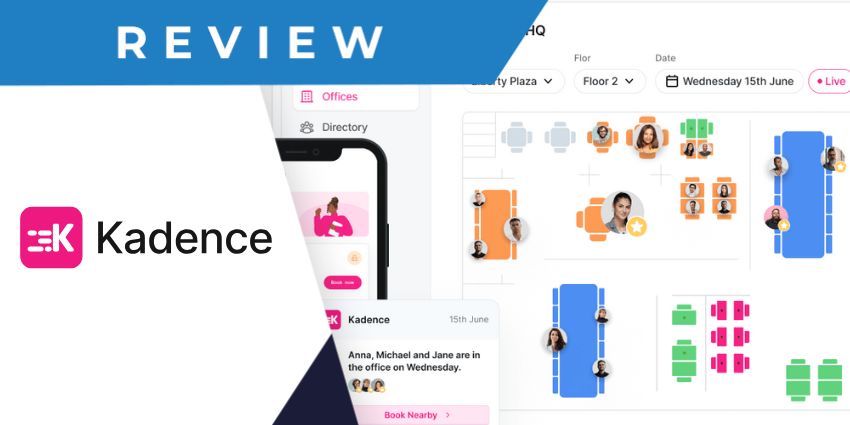
If you’re searching for an efficient and cost-effective way to manage your physical workspace and coordinate hybrid teams, the Kadence desk booking platform could be ideal. Despite specifically for the age of flexible work, this flexible hot-desking software is user-friendly and intuitive.
Even better – it comes with integrated AI capabilities on all plans, so you don’t have to worry about spending extra on a dedicated team management copilot.
I’ve reviewed several desk booking and workspace management tools in the past (particularly in the last couple of years). Kadence stands out in a few areas, such as its AI capabilities and intuitive user experience. Still, it won’t be the right option for everyone.
This review should help you decide of Kadence is the best workplace management tool for you.
Quick Verdict, Pros and Cons
Kadence is a highly user-friendly workplace management app packed with convenient tools to help you make the most of your resources. It combines desk and room booking capabilities with intuitive team coordination, visitor management tools, and AI. Plus, the advanced analytics capabilities are great for gaining deeper insights into your business operations.
However, there are some downsides. For instance, Kadence isn’t quite as customizable as some of the other tools I’ve tried in this space. Plus, the response times for technical support can be slow at times.
Pros:
- User-friendly and intuitive design
- In-depth analytics and reporting tools
- Easy integration with various applications
- Integrated AI capabilities on every plan
- Powerful Event management tools
- Affordable pricing
Cons:
- Limited customization options
- Some issues with customer support
- Slight learning curve
Kadence Desk Booking: Overview and Key Features
Kadence is a desk booking and workspace management platform, built to unify, align, and coordinate hybrid teams. Like many leading office management tools, this platform has come a long way in recent years, introducing new features for “workplace events”, and AI insights.
Based on my experience, the app excels in terms of ease of use, intuitive reporting, and overall employee experience. Let’s take a closer look at the core features of the platform.
Desk and Room Booking
As a leading hot desking platform, many of Kadence’s core features revolve around helping employees to find and book the right spaces for their needs, from desks, to meeting rooms.
Both the desk and meeting room booking applications come with their own intelligent and interactive floor plans. I love that you can actively see who’s going to be close to you in the office, and which resources are nearby. Plus, business leaders have the freedom to organize their spaces however they choose, with dynamic “office neighborhoods” they can update for every day of the week.
Team members can book desks and rooms in advance for their entire work week with just a couple of clicks. Plus, the built-in AI features also surface relevant suggestions to staff on where they should be working, based on available tech and teammates.
When booking rooms, teams can also instantly invite other employees to a meeting from the Kadence app and track their schedule with Google and Outlook calendars. The system will automatically remind each employee of upcoming bookings and even encourage them to “check in” so staff members get an up-to-date view of which spaces are available.
You can even embed Kadence into displays offered by companies like Neat, so that teams can start a meeting before they walk into a room by tapping on a display.
Kadence also supports coworking spaces with the “Flex” app, which instantly allows employees to see available rooms and desks in a range of different locations close to them. So, if you’re a freelancer working remotely, you can easily track down office spaces wherever you are.
Team Coordination and Visitor Management
The Kadence desk booking platform is incredibly effective at helping businesses to coordinate their employees. First, as mentioned above, every user gains access to dynamic and interactive floor plans, as well as real-time suggestions on when to visit the office based on teammate availability.
Staff members can also connect Kadence to their calendar apps and intelligently track their colleagues' schedules so they can make better decisions about where to work. You can even use dashboards to see how busy the office is on different days of the week.
Business leaders can send instant notifications to staff across multiple platforms, such as Slack and Microsoft Teams, at once. That means you’ll have no problem keeping employees informed if you need to close a specific space in your office or remove access to a desk.
Plus, team managers can set “suggested” in-office days for employees based on upcoming meetings and events or encourage staff to book underutilized spaces with alerts.
Kadence doesn’t just make managing employees easier either. It features integrated visitor management tools, such as recording solutions to track each guest entering your office. Plus, it can monitor which guests are in your space, and where they are in real-time, sending alerts when people check in and out of certain spaces.
This is an ideal feature, in my opinion for any company that regularly needs to manage a large number of visitors in their office space, while keeping their environment secure.
Kadence AI and Workplace Events
As mentioned above, Kadence competes with some of the industry's top AI-powered workplace management tools, like Microsoft Places, with an intuitive copilot system. Every employee and leader gains access to a personal assistant they can ask about future bookings, meetings, and events, to help them plan their schedule.


