
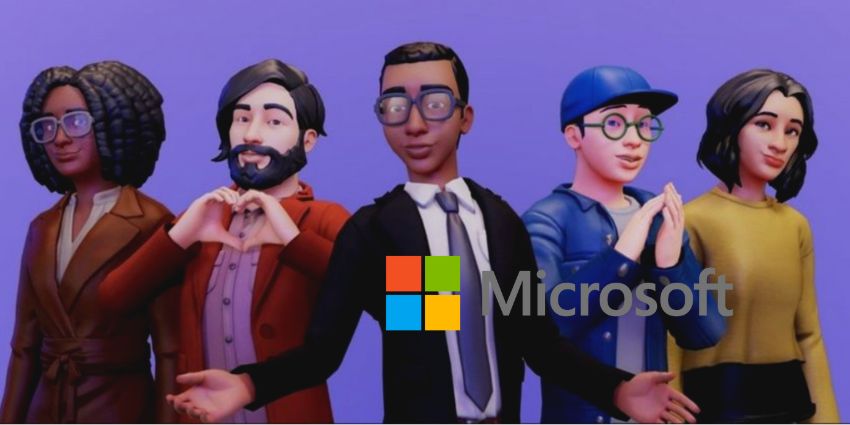
Microsoft will soon roll out its 3D avatars functionality, set to arrive for Teams and Zoom meetings in May.
Mesh avatars has been in private preview since October of last year, inspired by Microsoft's Work Trend Index Annual Report showing that 50 percent of Gen Z and millennials will be doing their work in the metaverse in the next two years.
Added to the Microsoft product roadmap and expected in general availability in May for desktop and Mac, Microsoft intends the customisable avatars to help participants lighten meetings, giving them a break from the camera.
- What Is Mesh for Teams? Microsoft’s Metaverse for Collaboration Takes Shape
- What is Microsoft Mesh?
- Work in the Metaverse: The New Normal Like You’ve Never Seen it
Muhammad Kapasi, General Engineering Manager for Mesh, spoke about the ability of participants to customising avatars and stated:
“Representation matters — which is why we have taken Mesh avatar customisation options very seriously. We want to make avatars as unique as you are, so we are enabling features to celebrate diversity and inclusivity.”
Creating a mesh avatar is relatively straightforward.
Two Ways to Make Mesh Avatars in Microsoft Teams:
Users must add the app from their Teams home screen or access the builder from a Teams meeting. Teams home screen: users select the three dots above the store icon in the left sidebar to launch the search bar; they then type "mesh avatar" in the search bar and choose the appropriate app. Teams meeting access: Participants must select the three dots to the left of the camera icon in the top bar. Then they click "Effects and Avatars" and "Avatar" in the right column. Finally, users should choose "Open Avatar App" above "Your Avatar".
Avery Salumbides, Product Marketing Manager, Microsoft described the Mesh avatar toggle feature, designed to create reactions; she said: "We want participants to be able to express themselves via their Mesh avatars, so we created avatar reactions, a mood toggle, and options to adjust the camera angle.


