
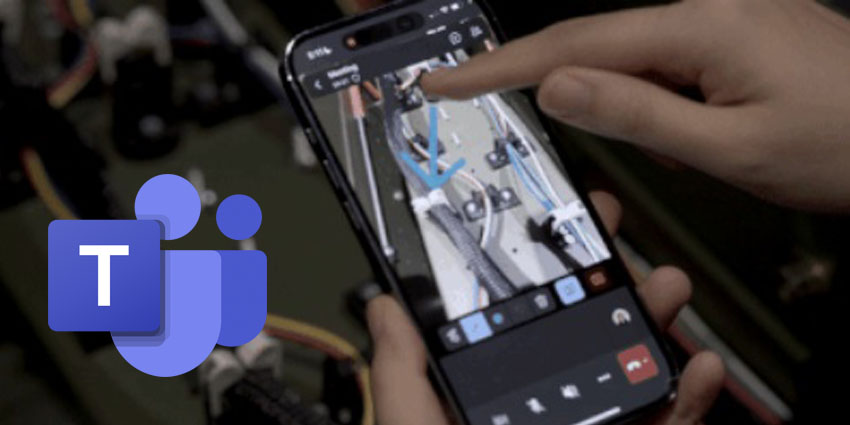
Microsoft is adding new augmented reality (AR) tools to Teams' iOS and Android apps to support frontline workers.
Leveraged through Microsoft Dynamics 365 Remote Assist, Spatial Annotations allows team members, managers and external experts to apply insightful instructions or suggestions to a caller's feed or view.
Remote Assist features such as Spatial Annotations previously required a standalone Dynamics 365 Remote Assist mobile app or a HoloLens 2 extended reality (XR) device. Frontline workers can leverage the Spatial Annotations feature directly within their Teams mobile app.
Amanda Hillman, Head of Growth for Microsoft Mixed Reality Apps and Industrial Metaverse, wrote in an accompanying blog post:
The powerful see-what-I-see capability of Dynamics 365 Remote Assist lets users call an expert, share their view, and annotate in space. Where before Remote Assist capabilities required a standalone mobile app or a HoloLens 2 device, now frontline workers can benefit from using the Spatial Annotations feature inside their Teams mobile app."
Hillman says the Remote Assist app is popular among frontline workers for its quick and easy call initiation, task display, and annotation features. These workers can access this functionality directly from the Teams mobile app. Consolidating core collaboration capabilities into one app simplifies tasks for workers on the go, removing the need for app switching while ensuring all Teams collaboration features are readily available.
The public preview for iOS users is currently being rolled out, with the public preview for Android users expected later this summer. Suppose a user has a Dynamics 365 Field Service, Dynamics 365 Guides, or Dynamics 365 Remote Assist license. In that case, they'll automatically gain access to the new remote assistance capabilities in their mobile Teams app upon release at no extra cost.
General availability is scheduled for later in 2024.
More Details On Spatial Annotations in Teams
Hillman stressed that users can leverage Spatial Annotations as simply as joining a Teams meeting or making a call. With the front-facing camera, users can share their views with remote participants, enabling real-time collaboration enhanced by 3D annotations overlaid on physical objects, improving comprehension.
Like the Remote Assist app, users can adjust angles without losing their annotations, which remain anchored to their surroundings. This advanced interaction capability encourages Teams mobile users to share insights and minimises communications that might result in rework.


