
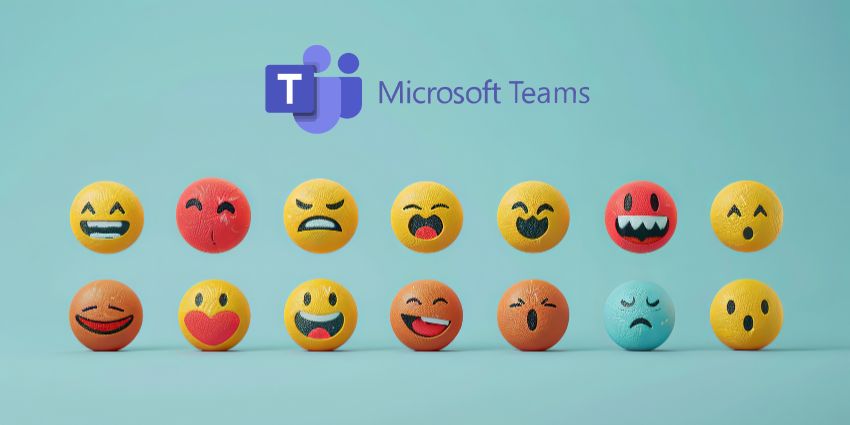
The Microsoft Teams custom emoji feature is finally here!
Forget boring, dime-a-dozen emojis. Now, you can express yourself on Microsoft Teams like never before!
While this might not sound like the most exciting feature to emerge on Teams, compared to things like Copilot updates, it’s something many Teams users have wanted for a while now. We’ve been able to express ourselves with custom emojis in Slack for a while now. Why not use the same features in Teams?
Microsoft initially announced this feature in May 2024, a few months after some employees stumbled across the capability in their own Teams platform.
According to the tech leader, the feature will be available to all users (including those on free plans), in the months ahead. If you’re keen to start experimenting, here’s everything you need to know about enabling and using custom emojis.
Introducing Microsoft Teams Custom Emoji
Microsoft Teams custom emojis are bespoke emojis and reactions users can add to their Microsoft Teams app. They build on an already extensive range of emojis offered as standard by Microsoft’s solution.
According to Microsoft, these emojis offer another way for users to express themselves in meetings. Microsoft has prioritized freedom of expression over the years with the introduction of customizable Teams themes and even digital avatars.
Aside from giving you more ways to connect with your colleagues, custom emojis will also allow you to reinforce your branding as you chat with colleagues and guests. You can even create emojis based on your company’s logo. Additionally, like most of Microsoft’s features, custom emojis will offer administrators a level of control.
Business leaders will be able to limit which users can upload or delete custom emojis and which emojis can be used by other team members. They’ll also be able to see which users created which emojis. Keep that in mind before you upload something too risqué.
How to Enable the Feature
Microsoft is making custom emojis available to all users, including those using GCC, GCC High, and DoD platform versions. However, while the rollout started in July 2024, some companies may have to wait longer to access this feature due to Microsoft’s targeted release approach.
The good news is that your custom emojis will be available on the web, desktop, and mobile versions of Teams and Microsoft Teams for Mac.
This feature should be enabled for everyone by default within the CreateCustomEmojis setting in the Messaging Policies section of Teams. However, you can log into the Teams admin center to enable or disable the feature or set up policies that determine which team members can use the function.
This could be handy if you want to allow business leaders and managers to create branded emojis but avoid having all your team members flood your channels with unique reactions.
Creating an Emoji in Microsoft Teams
If the Microsoft Teams custom emoji feature is enabled for your tenant, creating an emoji or reaction of your own should be pretty straightforward. All you need to do is log into your Microsoft Teams account and open the Emoji, GIFs, and Stickers menu on the right side of your message box.
For those who aren’t aware, that’s the little icon on Microsoft Teams that looks like a smiley face. Click on the Emoji tab to see a range of options at the bottom of the list. Click on the icon that looks like a smiley face with a dotted circle around it. This will take you to your “organization’s” emojis, where you can see emojis and reactions created by other team members.
To add a new emoji to the mix, click the “+” button, and you’ll be taken to a screen where you can upload content from your local device. Select the image you want to upload, and give it a name when prompted. Here are a few quick tips to keep in mind:


