
Never before have virtual meetings been more crucial. The modern age of remote and hybrid employment has necessitated a workplace transformation. People are more dispersed than ever. Therefore bringing them together demands investment in appropriate technology.
Modern organizations have access to solid collaboration solutions, such as Microsoft Teams, which enable workers to connect more freely through video, audio, and information sharing. Neat, a global leader in communication and collaboration, is assisting companies in enhancing their Teams collaboration experience with the Neat Pad — a solution for managing your Teams-based meeting spaces. Notably, a Zoom Rooms version is also available.
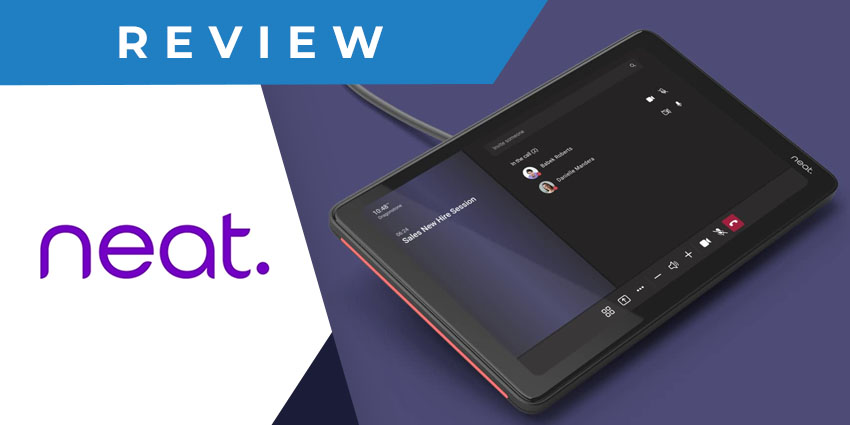
Understanding the Neat Pad Room Controller
Depending on your needs, the Neat Pad is a standalone touchpad device and scheduling panel approved for either Zoom or Teams.
The Neat Pad is an intelligent touchscreen device designed specifically for your Teams-based workplaces, including hybrid rooms. You may arrange your meeting space in a few seconds using the device without requiring complicated IT help.
Key Features
The key features of Nead Pad include:
- 8-inch (diagonal) touch screen
- 1280 x 800 screen resolution
- 16:10 aspect ratio
- Anti-glare, anti-smudge coating
- Ambient light sensor
- Sensors for temperature, humidity, CO2, and VOC (not yet supported by Microsoft Teams)
- Side LED Indicators
- Speakers for ultrasound (not yet supported by Microsoft Teams)
- two microphones
- Accelerometer
- Wall mount and side mount
- Security lock slot (Kensington compatible)
- WiFi, USB-C (reserved for future use), and Ethernet (supports PoE)
- Weight of 1.15 pounds (520 g)
Key Benefits of Neat Pad for Customers
Using the Neat Pad, one can:
Control both room scheduling and ongoing meetings
Neat Pad is a simple and stylish touch screen that users can use to manage meetings and indicate room availability outside the room. Neat Pad elegantly fits everywhere it is put, whether on a table, wall, or mullion, thanks to its elegant form and optimal screen angle for effortless interaction and viewing. Further, thanks to a single Power over Ethernet connection, Neat Pad's battery is never depleted.
Check room availability via wall mounting
Users can install Neat Pad outside your conference room for efficient room management. Neat Pad may be a scheduling screen for Zoom Rooms and a panel for Microsoft Teams rooms. You may easily reserve the room without using your other calendar systems and embedded LED indicators to show room availability at a glance, even from the hallway.
Enjoy meeting controller features
As a controller, Neat Pad allows you to begin meetings quickly and share your screen with a single touch. Users can also configure Neat Pad as a Zoom Room controller or Teams room console. It also enables you to invite attendees, mute them if required, and record meetings. And when linked to third-party Zoom Rooms, it not only substitutes a regular tablet controller but also provides enhanced functionality.


