
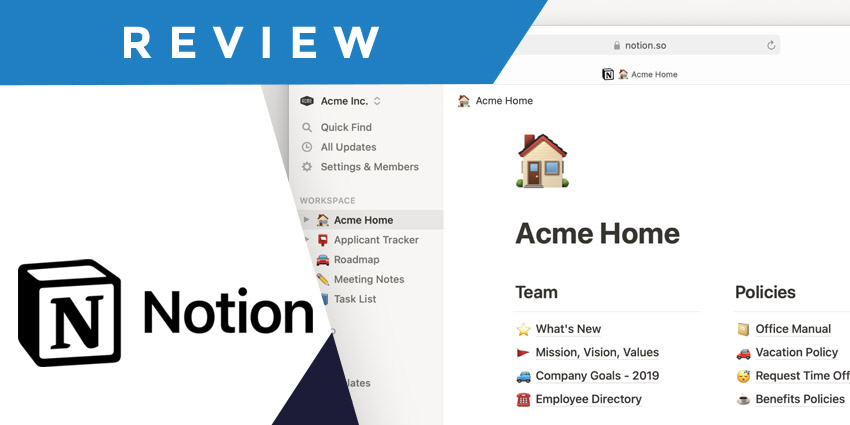
If you’re looking for a Notion review that takes you behind the scenes to see the pros and cons of one of the most popular project management apps, you’re in the right place. Before conducting this review, Notion was a platform I was familiar with but hadn’t used very often.
Compared with other project management tools, such as Asana, or Trello, Notion is more commonly associated with the software development industry. However, it’s a very capable solution for aligning just about any kind of team. You can use Notion to create pitch decks and knowledgebases, track to-do lists, and tasks, and even automate processes.
However, the slightly steep learning curve and the fact that you have to pay for AI project management features separately might make this tool less appealing to some teams.
Quick Verdict, Pros and Cons
Notion is a powerful project management tool, great for keeping project-related information in one place, and building knowledge bases. It has some convenient task management tools, integrates with various third-party apps, and even allows users to create custom websites and automated workflows. Plus, the AI features (if you’re willing to pay for them) are excellent.
However, the complexity of using Notion and specific limitations on some features make it hard to recommend this project management tool to everyone.
Pros:
- Extremely customizable design
- Lots of tools for creating custom databases and documents
- Excellent integrations with a wide range of tools
- Decent security and access controls
- Fantastic AI features
Cons:
- Steep learning curve
- AI features cost extra
- Certain missing features
- Sluggish performance at times
Notion Review: Overview and Pricing
Let’s start this Notion Review by looking at pricing. One thing that stands out about Notion is that it does offer access to a free plan. That’s not something you’ll get from every project management app. Of course, there are some limitations on this plan.
First, you only get up to 5MB of storage, collaboration for up to 10 guests, basic page analytics, and integrations with a handful of tools (like Slack). There are no options for automating workflows, and you’re unable to create charts, dashboards, or custom websites.
The paid plans are available via a monthly or annual subscription, with a 20% discount on annual plans. These include:
- Plus: $12 per month/seat: All the features of the Free plan, unlimited blocks and file uploads, 30-day page histories, 100 guests, automations, custom websites, synced databases charts, and dashboards.
- Business: $18 per month/seat: Everything in Plus, as well as SSO, bulk PDF exports, advanced page analytics, private team spaces, 90-day page histories, and support for up to 250 guests.
- Enterprise: Custom pricing: All the features of Business, plus SCIM user provisioning, advanced security and controls, workplace analytics, unlimited page histories, and an audit log. You also get a customer success manager.
If you want to add AI functionality to Notion (which I recommend), you’ll need to pay another $10 per month per seat. This is a bit of a downside, considering other products like Asana won’t charge you extra to experiment with AI.
Notion Review: The Key Features
Although Notion certainly supports project management, I quickly realized how different this platform is from the other tools I’ve tried. The core features of most other tools are connected to assigning tasks and tracking progress. With Notion, the heart of the platform seems to revolve mostly around “creating” things, like Wikis and documents.
Let’s take a deeper look at what you can do with Notion.
Notion Templates, Docs, Wikis, and Sites
Notion wants to help teams “create” things together at scale rather than just ensuring they can keep on top of deadlines. The platform is packed with more than 20,000 templates you can use to create absolutely anything. You can design charts and content calendars, lesson plans, product roadmaps, and task lists in the same interface.
There are really no restrictions on any of the assets you create, either. You can drag “blocks” or “objects” into different places on a page, add code snippets, images, videos, charts, and dates or reminders to virtually any document. There’s even the option to create your own custom website, with thousands of templates for different use cases.
Probably the most impressive asset teams can create with Notion is a Wiki. This gives you an all-in-one environment for knowledge management and documentation. Wikis can be populated with file uploads, links, and content drawn from different apps, like Figma or Slack.
Plus, they come with advanced features like an enhanced search function and “synced blocks”, so if you update content in one part of your Wiki, similar content will update elsewhere automatically.
All of these features make Notion incredibly customizable, and fantastic for a huge range of use cases. The only problem is that actually creating assets is extremely complex and time-consuming. You’d think creating assets would be easy with so many templates to choose from, but the templates are more of a hinderance than help in most cases.
They populate every asset with “examples” that are difficult to customize and edit at speed – particularly because the app is so slow to load updates. In my opinion, the clunkiness of the overall experience really drags down Notion’s potential.
Project Management
Next, we come to Project Management. Unlike other tools like Hive, Notion makes its “Project” feature a relatively small component of the overall platform. It’s easy to see that this product started life as a note-taking tool, rather than a project management app.
Creating Projects is a lot like creating any asset on Notion – complicated, but there’s potential. You still get templates and can create tasks and sub-tasks with status notifications, assignees, and due dates. You can also track dependencies, to see when one task is blocking another from being completed. Every task also gets a page containing specific requirement details.
Plus, I love that every project comes with a “progress bar”, and that individual users can organize their own tasks into groups on a home dashboard. It’s also worth noting that you have various ways to view tasks on Notion. You can capture details in tables, visualize progress with charts, and use timeliness. However, there’s no Kanban board option – which I think would make the whole experience a lot more streamlined.


