
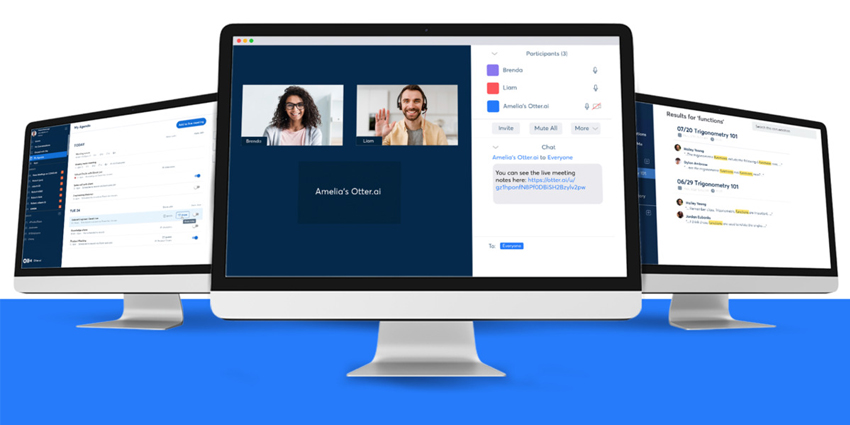
Leading transcription solution, Otter.ai, recently announced the arrival of a new tool to help Zoom users make the most out of their meetings. The new Otter Assistant can now automatically join any Zoom meeting on your behalf, recording, transcribing, and sharing meeting notes when you’re not available. You can schedule ahead of time, and make sure you always have notes to check in on.
Otter’s Zoom assistant can save you time in every meeting and prevent you from missing out on crucial details. You just need a Zoom link for your Otter app, and there’s no admin setup required. Otter Assistant comes as part of the Otter Business plan.
Using Otter Assistant with Zoom
Using your Otter Assistant is a quick and simple process. When you log into your meeting, you’ll see a popup introducing the Assistant service, where you can click “Get Started”.
Next, you sync your calendar events, clicking “Connect” for all the calendars you want to access, including Microsoft Outlook, Zoom and Google Calendar. The Agenda service will list your upcoming events for the next 7 days.
Once you set up your Agenda, you can assign your Assistant to the meetings where you want Otter to record information and share notes automatically. You have full control over which meetings your Assistant joins too. Admins can even change the default behaviour of their Assistant for all meetings by visiting the Setting section at the top right of the page. Options include:
- Automatically join all meetings: Adjust auto-join for individual meetings in your Agenda, but automatically assign Otter Assistant to all meetings
- Automatic note sharing: Toggle this feature on to share all notes to guests of a calendar event by default. Change the sharing options for selected meetings in “My Agenda”
- Send links via chat: You can check this box to automatically allow Otter Assistant to post the Otter link in the Zoom Chat window
Sharing Permissions include:


