
Among the most popular UCaaS tools in the world, Microsoft Teams has quickly taken the marketplace by storm. Today, more than 145 million people use Teams to power crucial conversations between staff members. To maintain this leadership, Microsoft frequently delivers new features and functionality designed for the future of work.
In the last year, Microsoft has discovered various wonderful ways to create engaging experiences for employees, even in an unpredictable hybrid environment. Microsoft’s Together mode features have helped remote employees to feel more connected, while bots and integrations create a single pane of glass for productivity. Now, two of the features announced during the Ignite event for Microsoft this year are rolling into Teams too.
Starting now, companies will be able to access PowerPoint Live, and Webinar features from Microsoft Teams. According to a blog released by Microsoft, the “Presenter Mode” feature, which will no doubt be useful for both PowerPoint and Webinar presentations, will roll out in May too.
What to Expect from PowerPoint Live
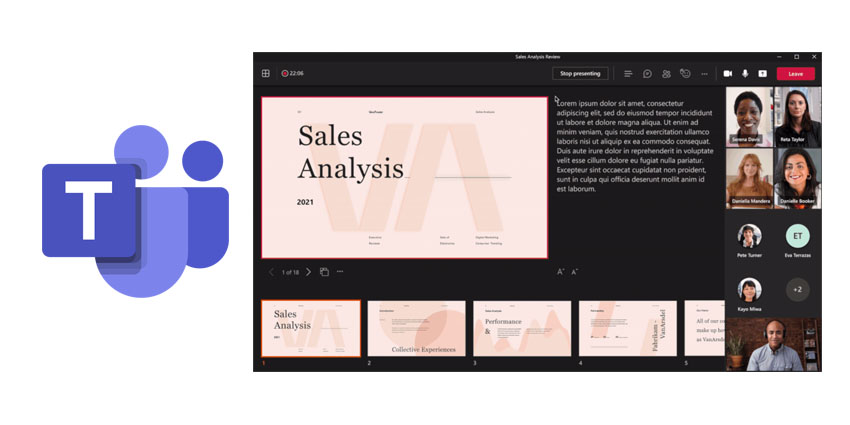
Microsoft promises that PowerPoint Live, a new solution specially designed for sharing PowerPoint presentations with Teams contacts, will help users deliver more polished pitches and learning experiences from a distance. PowerPoint Live transforms the content sharing experience with helpful tools to improve engagement and user experience.
PowerPoint Live, combined with the impending release of Presenter Mode in Teams will allow anyone to deliver more professional-looking presentations. You can use Presenter Mode to easily access information and notes alongside your presentation. You can view meeting chat, slides, as well as keeping an eye on your audience while you deliver your information.
PowerPoint Live also supports features like seamless transitions between co-presenters when more than one person needs to take the stage. Attendees also have the opportunity to personalize their experience by navigating through content and slides at their own pace. Soon, slide translation capabilities will also allow attendees to select their preferred language and have content translated for them automatically, without affecting other attendees.
The presenter mode feature allows you to feel like you’re standing in the same room as your audience. There are a few different ways to customize your video feed and content with Presenter Mode, including Standout mode, which shows your feed as a silhouette over the shared content. There’s also Reporter mode, which shows your content above your shoulder, and side-by-side mode, which shows your video alongside your content.
New Webinar Experiences from Microsoft Teams
Presenter Mode and PowerPoint Live are just two of the exciting new features now coming to the Microsoft Teams experience. Now, users can also host interactive webinars and meetings for as many as 1,000 attendees in Teams. Through end-to-end webinar support from Microsoft, you can develop a fantastic learning opportunity for your customers and colleagues.
Microsoft’s webinar solution includes custom registration pages and rich presentation options, as well as attendee emails, host controls, and more. You can even take control of attendee chat and video in a webinar or access post-event reporting tools. Analytics give you a better insight into the overall level of participation in your webinar. Plus, you can track engagement and follow up with attendees.
For companies who need to reach more than 1,000 attendees, Teams can support this too. The Microsoft Teams Meeting environment can now scale to accommodate a view-only broadcast for up to 20,000 people. According to Microsoft, this will be a valuable tool for companies exploring the new era of remote and hybrid work.


