

Have you ever looked down at your Android Smartphone or tablet device and wondered if you’re really getting the most out of it? Are you tired of carrying multiple phones or paying two separate phone bills for personal and business mobile devices? If so, you may be interested to hear about the RingCentral App for Android and what it could do for you and your business.
Throughout this review we shall be giving an in depth critique of the many features offered on the latest Android app to be released from the American-based cloud-based phone systems developer, RingCentral.
Before we continue with a more in depth discussion of the benefits and possible disadvantages of this product, however, we must stress that we do not sell this phone and this article is written purely to offer professional advice to those who need it.
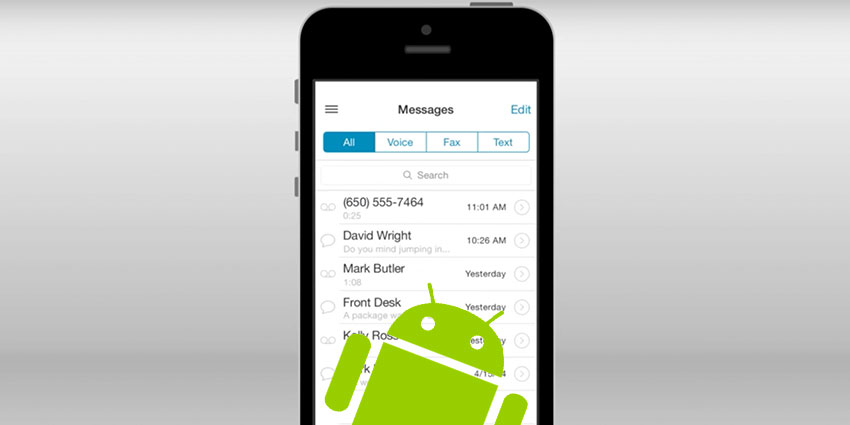
Look and feel – how does this software look on your iPad/iPhone?
Once downloaded from the GooglePlay store, users can open RingCentral for Android by simply tapping the icon located on the home screen of their device. After waiting briefly for the app to load, users can then begin navigating their way through the highly user-friendly interface that grants fast, hassle free access to the abundance of productivity enhancing efficiency boosting features directly from their laptop, smartphone and/or tablet device.
What can it do?
With the RingCentral for Android, users are give full phone system control at their fingertips and can access company information, route calls and communicate with colleagues and clients through the business phone system at any time and from any location without having to step foot inside the office. These advanced call control features also let speakers flip calls, transfer, park and record at the click of a button for maximum efficiency and greater call quality.
Moreover, RingCentral’s single business identity for calling, messaging and faxing feature means that users can maintain business continuity wherever they go, communicating with both clients and colleagues on their professional number whenever they need to. As well as giving the user the mobility to come and go as they please, this feature also improves the reputation of the business by ensuring clients calls are answered more consistently by the person they wish to speak with.
Another added benefit of the RingCentral app is that it allows users to make VoIP calls to any location in the world over WiFi or 3G/4G without using carrier minutes, thus saving businesses and users a great deal of excess call charges.
Lastly, the BYOD possibilities on RingCentral for Android mean that users can utilise the software on any Android device of their choosing. As well as minimising the surplus costs for businesses that have to provide employees with separate business-use-only phones, users of this app are also able to stick with a device that they are familiar with and can use efficiently as a single point of contact for both business and private communications.
What are our favourite bits?


