
In the age of hybrid and flexible work, few things are more important than effectively managing your workplace. Tools like Robin workplace management offer today’s flexible teams a convenient way to maximize their resources.
Beyond simply enabling booking capabilities for desks and meeting rooms, this platform gives businesses a granular insight into how teams use office spaces. That’s crucial when most companies are looking for ways to encourage staff back into the office while keeping operational costs low.
Although Robin might not be as well-known among hotdesking and workplace management solutions as some of its competitors, it’s a great all-around tool. This review will give you a behind-the-scenes insight into whether Robin is the right platform for you.
Quick Verdict, Pros and Cons
Robin is a straightforward, user-friendly workplace management solution designed to help teams thrive in the age of hybrid work. It offers fantastic desk and room scheduling tools and some of the best analytical and reporting solutions I’ve seen in this space. Plus, it’s packed with advanced capabilities for space planning, visitor management, and employee experience.
However, with no clear pricing plans, this platform could end up being too expensive for smaller teams. Additionally, it’s missing some features, like advanced AI capabilities, which would have given it an edge.
Pros:
- Powerful desk booking and room scheduling tools
- In-depth reporting and analytics
- Convenient meeting services solutions
- Wayfinding and security capabilities
- Visitor management built-in
- Integrations for a range of business apps
Cons:
- Unpredictable pricing
- Slight learning curve
- Limited AI capabilities
Robin Workplace Management: Overview and Key Features
Robin offers companies an all-in-one kit for workplace management that goes far beyond the features offered by traditional desk booking tools. It combines desk and room scheduling capabilities, with visitor management tools, meeting services, space planning, and in-depth analytics.
Plus, this flexible platform (available via the web, or on mobile), is designed to integrate with all of the business apps your teams already use. You can connect Robin to Microsoft 365 or Google Workspace, Zoom, Logitech endpoint device monitoring tools and so much more.
Here’s a closer look at the core features of the platform.
Desk and Meeting Room Booking
Ideal for hot desking, office neighborhoods, and hybrid workspaces, Robin simplifies the process of distributing office space among your team members. Users can access the mobile or desktop app for an instant overview of availability for different rooms. Plus, the app can surface recommendations to each user based on the amenities they’ll need and which colleagues are nearby.
The built-in AI capabilities aren’t as advanced as those you’d get with Microsoft Places and Copilot, but they do streamline the process of finding the right space for your needs. Plus, I love that staff can share their desk reservations with colleagues through apps like Microsoft Teams. You can even book desks and rooms straight from Teams, Slack, or Outlook.
Business leaders can set restrictions on which desks and rooms employees can book at specific times and also receive real-time updates about any technical issues happening in specific spaces with reports. There’s also the option for employees to “check in” to spaces using QR codes or automatic Wi-Fi check-in.
The interactive maps that employees receive of their office spaces and rooms are fantastic, too. You can see office activity in real-time on these maps, and business leaders can edit them whenever they like to showcase amenities and points of interest.
Additionally, actually booking any space is extremely simple. It only takes a couple of taps or clicks to choose a desk or meeting room and book it for a day, a week, or more.
Visitor and Team Management
One of the great things about Kadence workplace management, is how easy it is to maintain control over teams and visitors as an administrator. You can easily view desk analytics in real-time to identify areas for improvement and adjust seating arrangements. Plus, you’ll get a real-time view of which staff members have checked into the office each day.
You can set up status reports for meeting rooms and desk technology, including tracking endpoints with integrations for Logitech Sync. There’s also the option to create custom status boards to show your staff in real-time what’s happening in each space throughout your office.
Plus, you can instantly send alerts and notifications to team members through a range of apps at once, if you need to let them know about a technical issue or problem.
I particularly like the integrated ticket management feature for meeting room issues and other workplace tasks. It’s great for monitoring tasks like room setup, and making sure IT teams are aware of technical problems.
For visitor management, Robin also offers a huge range of features. You can easily send documents and check-in instructions to visitors from the app, and receive notifications via Slack or Teams when people arrive. There’s the option to print badges for visitors, and create custom invite forms. Plus, you can give every visitor an interactive map of the entire office in seconds.
Workplace Analytics and Reports
I mentioned above that the analytics features are one of the key things that sets Robin workplace management apart from similar tools. Most workplace management solutions do give you a basic insight into how teams are using spaces. But Robin dives deeper than most.
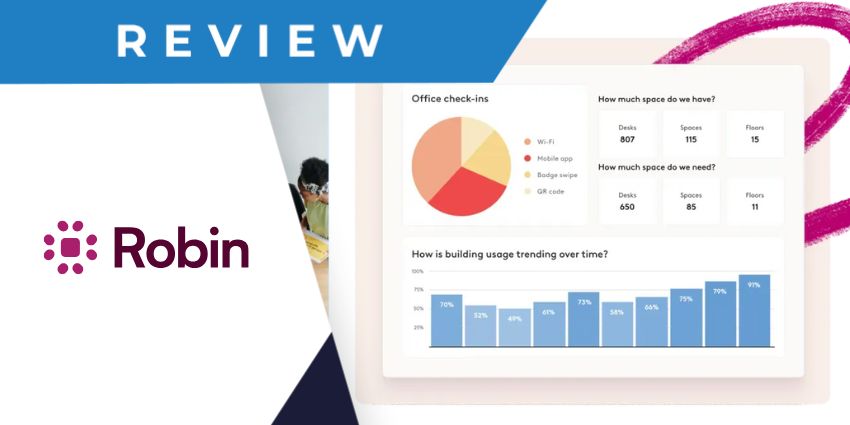
It can show you, at a glance, the most active parts of your office each day, and how you’re utilizing desks across buildings and different environments. It can also show you exactly how teams are using meeting rooms, with average capacity and meeting duration insights.


