

As the modern workplace continues to evolve, businesses everywhere are searching for quick and reliable ways to launch conversations between groups and team members. Huddle spaces offer a quick, convenient, and easy-to-use environment for impromptu meetings. However, many businesses are still searching for the tools that will make their huddle spaces even more accessible.
DisplayNote launched in 2012 with a goal of improving how information flows in the workplace. The company has recently introduced its new service, the DisplayNote Launcher. Launcher offers quick and easy access to applications, calendars, video conferencing tools and calendars to create a more streamlined experience for everyday meetings. We spoke to Ed Morgan, the COO of DisplayNote, to learn more about the solution.
When Did Launcher Launch?
[caption id="attachment_25960" align="alignright" width="200"] Ed Morgan[/caption]
DisplayNote as a company has always been dedicated to enhancing meeting room environments. The Launcher service was born from observations that informal meetings are gaining a lot of popularity. Board rooms aren’t as common as they once were, and people need access to faster, more efficient meeting spaces. “In smaller meeting rooms, it hasn’t been as easy as it should have been to get apps up and running on a display. You often need to bring a lot of different pieces of the puzzle together. However, people want access to something quicker and simpler”.
The DisplayNote Launcher aims to bring together various pieces of the meeting puzzle, creating a single intelligent desktop for any meeting space. DisplayNote took the idea to InfoComm in 2019, to learn more about whether the issue of launching meetings was a real problem for a lot of people. Now, the service is in pre-launch, but some customers in Australia and Germany are already using it.
What Does Launcher Do?
The Launcher service is all about increasing productivity and performance in the meeting room by reducing the time that people spend on getting into a meeting “You can jump into the conversation straight away, without worrying about setting up the technology.”
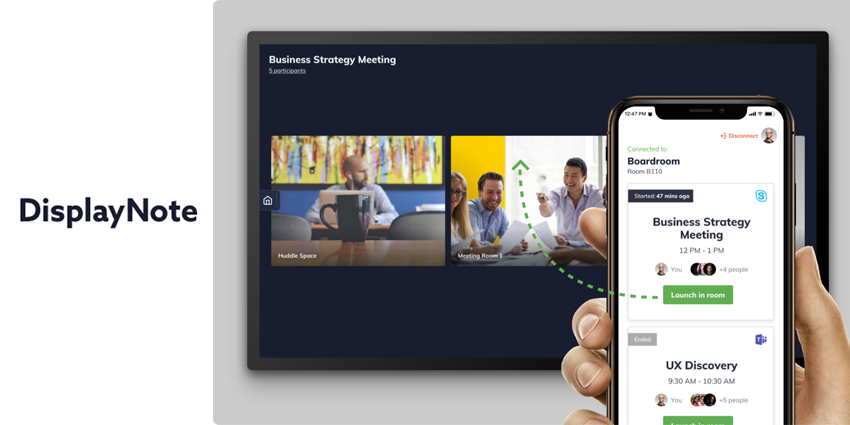
Launcher’s intuitive and organised interface makes it easy to find apps and get to work quickly. With a single tap, you can share a screen, use a digital whiteboard, or start a video call. Launcher runs on Windows 10, natively connecting apps to your screen. While there are a few competitors in the market that offer similar experiences, Ed believes that Launcher is unique in prioritising customer experience and ease of use.
“We’re concentrating on giving clients the best, most streamlined experience possible”
When you walk into a room, the Launcher service picks up all the applications you need and combines it into an easy-to-use solution. Your room is protected by a pin, so you get to control what’s on your meeting room set-up. Additionally, Launcher’s calendar can pick up scheduled video conferencing meetings so that you can start conversations with one click.



