
Slack has unveiled new iOS app widgets to enhance worker engagement and collaboration.
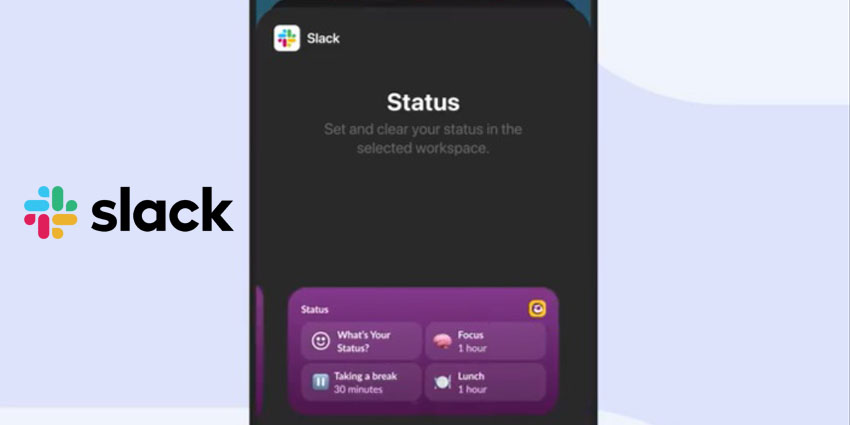
Slack has introduced four new widgets to its iOS app: "Catch Up", two versions of "Status", and "Slack Launcher", which allow employees to remain engaged with work wherever they are. The first three are widgets for the home screen, while the latter is designed for iOS lock screens, empowering workers to jump immediately into their workflows or projects.
Slack announced the news on X:
Three new Slack iOS widgets are here to make your workday a whole lot easier. Add the Catch Up widget, Status widget, and Slack Launcher widget to your device and stay in the know on the go."
These solutions compound Slack's ambition to turn its platform into an all-in-one collaboration and communications service with some of the most sophisticated feature sets on the market.
To access the latest features on Slack for iOS, users should ensure their app is updated to the newest version. Once updated, users only have to press and hold on to their Home or Lock Screen to identify and add the fresh widget options available.
Three 3⃣new Slack iOS widgets are here to make your workday a whole lot easier.
Add the Catch Up widget, Status widget, and Slack Launcher widget to your device and stay in the know on the go. pic.twitter.com/bEak0coGZK
— Slack (@SlackHQ) July 22, 2024
What The Widgets Specifically Do
The new Catch Up widget on the Slack iOS home screen offers a convenient snapshot of unread messages and mentions, allowing users to stay informed without needing to open the app. By tapping the Catch Up widget, users can be taken straight to their missed conversations in the Slack app, enabling them to catch up rapidly on what they've missed. The feature aims to provide more detail than the notification badge on the Slack app icon.
The other home screen widgets are pitched as streamlining status updates to keep colleagues informed. The smaller Status widget allows users to jump straight to the status section of the Slack app with a simple tap. The larger version offers the same direct access, plus it includes three preset status options: a one-hour "Focus" status, a "Lunch" break, and a half-hour "Take a break" status. Currently, these preset options are not personalisable.


