
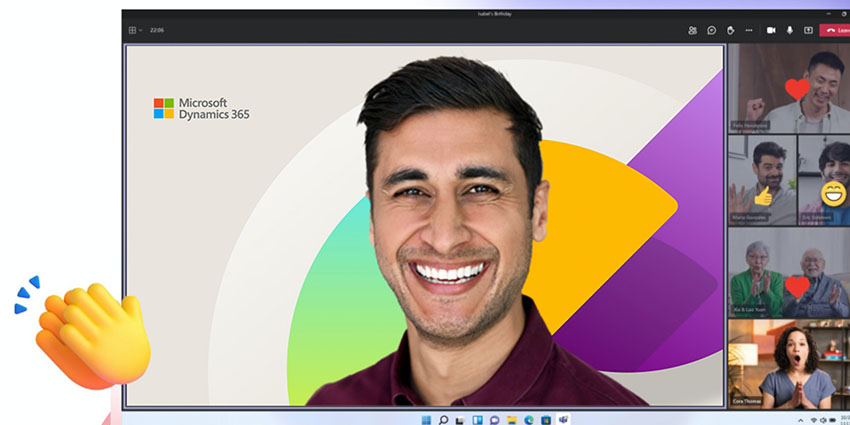
If you’re looking for the best Microsoft Teams backgrounds to enhance your online meetings, you’re in the right place.
Why simply blur your messy home office environment when you can instantly replace your surroundings with high-definition images of major landmarks, funny snapshots, or colorful landscapes? These days, you can even upload your own custom backgrounds for Teams, or experiment with dynamic, animated images.
Whether you want to show off your personality, highlight your company’s brand with a personalized background, or just have a little fun, there are plenty of options.
If you’re not sure where to start, this list will introduce you to some of the best places to find Microsoft Teams backgrounds that match your vibe.
Where to Find the Best Microsoft Teams Backgrounds
The easiest way to get started with a virtual background on Microsoft Teams is to take advantage of the huge range of backgrounds and animated effects already available in the Teams application. As soon as you set up a meeting within Teams, you can select from a huge library of images (new options are being added constantly).
Before a meeting, turn on your camera and select Background filters to choose from one of Microsoft’s pre-loaded backgrounds. Alternatively, you can click the More Actions (…) button during a meeting to switch between backgrounds at any time.
If you want to access a wider selection, you can check out the complete library of Microsoft Teams backgrounds offered by Microsoft here.
Don’t worry if none of Microsoft’s pre-loaded backgrounds appeal to you. You can also download backgrounds from a range of websites and upload them to Teams in a few seconds. Here are some of the best places you can visit to track down new images for your meeting.
The LiveStorm Virtual Background Library
LiveStorm’s virtual background library is packed full of high-definition images of skylines, cities, office spaces, and more. There are hundreds of different options to choose from, and most are available to download for free. We particularly love the wide selection of “workspace” backgrounds, like coworking spaces and living rooms brimming with natural light.
Find the full collection here.
Getty Images: The Best Microsoft Teams Backgrounds for Variety
If you love changing your Microsoft Teams background regularly, to showcase your mood, or just spice up your conferences, Getty is a great resource to use. There are more than 200 million stock images on the platform, as well as video clips you can download for animated backgrounds. All of these visuals are extremely high quality, although they’re not all free to use.
Airbnb: Homes and Hotels from Around the World
Airbnb offers a range of gorgeous backgrounds for video meetings designed to motivate and inspire users while optimizing their professional image. Users can choose from a variety of some of the most attractive views Airbnb hosts have to offer. There are images from Norway, Ireland, France, and New Mexico, all available in stunning high-definition. Users can even choose a different “space” for every meeting, based on their preferences for the day.
Find the ideal setting here.
NYPL: Beautiful Libraries for Book Lovers
Few things make someone look more sophisticated than sitting in front of a wall of stunning books. Fortunately, the New York Public library has some brilliant backgrounds on offer to help with this. Users can position themselves in front of a stack of books, or meet users from the Rose meeting room, with its gorgeous high ceilings. There’s something for every taste.
Take a trip to the library here.
Star Wars: The Best Microsoft Teams Backgrounds for Sci-Fi Lovers
For people who want to break out of the traditional meeting room environment, there are few things better than diving head-first into the beauty of space. Fortunately, the Star Wars website allows Microsoft Teams users to connect to any meeting from a galaxy far, far away. Options range from the Sheev Palpatine throne, to Wampa and even a starry night sky.
Find out-of-this-world backgrounds here.
Pericror: Gorgeous Nature Backgrounds
Getting in touch with nature can be a great way to unwind and relax during a meeting. A little extra greenery can even help to boost productivity levels, and inspire creativity. The Pericror collection of stunning nature backgrounds is ideal for people who enjoy the great outdoors. There are high-resolution images of forests, mountain tops, and field or mountain ranges.
Reconnect with nature here.
Microsoft Pride Backgrounds: Great for DEI
Diversity, equity, and inclusion are everything in today’s business landscape. For companies to build a strong culture, they need to support a diverse range of different team members. Fortunately, it’s easy to allow employees to showcase their personality with Microsoft’s collection of dedicated “Pride” backgrounds. There are various bright and artistic options to choose from, all in high-resolution.
Highlight your inclusivity here.
Unsplash: Free Premium Microsoft Teams Backgrounds
If you’re looking for a huge range of inspiring nature shots, office images, and more, then Unsplash is a great place to visit for the best Microsoft Teams backgrounds. There are hundreds of amazing images to choose from, catering to every personality and preference. Even better, most of these images won’t cost anything to download!
Check out Unsplash’s wallpapers, for high-definition images.
Marvel Backgrounds: The Best Microsoft Teams Backgrounds for Comic Fans
The Marvel cinematic universe is one of the most popular (and stunning) landscapes in the cultural landscape today. To ensure anyone can show their appreciation for some of the best new movies in the cinema, Marvel shares a range of popular video call backgrounds on its website. Options range from Wakanda skylines, to Asgard, the Sanctum Sanctorum from Dr Strange, and even classic comic book strips.
Showcase your inner comic book nerd here.
Warner Bros Backgrounds: Fun Microsoft Teams Backgrounds
Marvel isn’t the only content creator offering a wide selection of backgrounds for Teams users today. Fans of the Warner Bros network can also explore a variety of stunning background options. There are countless choices available, from images taken straight from Steven Universe to DC Universe images and scenes from the set of friends.


