
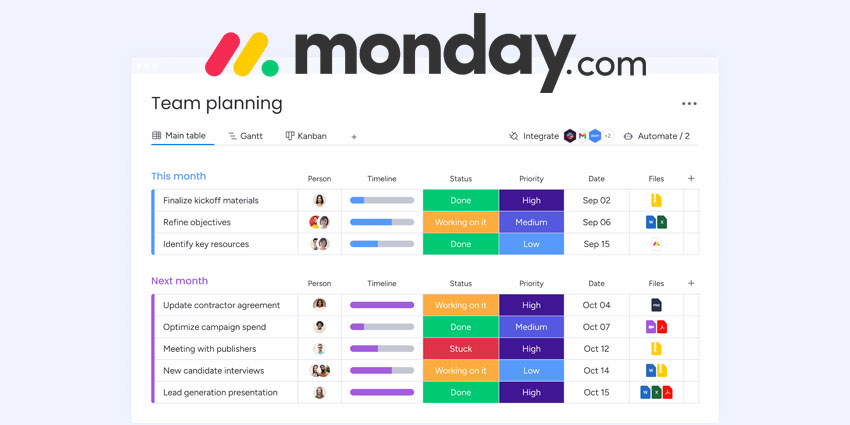
Effective project management and seamless collaboration are critical for organisational success. monday.com, a leading Work Operating System (Work OS), offers a comprehensive platform designed to enhance productivity, streamline workflows, and foster team collaboration.
This guide delves into the key aspects of monday.com, providing IT leaders and decision-makers with the insights needed to harness its full potential.
- How Does ChatGPT Stack Up To monday.com, Asana and Other Work Management Tools?
- Collaborative Work Management Success Stories: The Impact of CWM Solutions
monday.com Overview
Founded in 2012, monday.com has grown into a leading Work OS that helps organisations streamline workflows, enhance collaboration, and optimise project management.
With a highly customisable and intuitive interface, monday.com enables teams to build, automate, and scale their workflows across departments.
The platform serves over 186,000 customers worldwide, spanning industries such as marketing, IT, sales, and operations. monday.com’s no-code/low-code environment ensures flexibility while robust integrations connect seamlessly with popular enterprise tools.
With continuous innovation—including AI-powered automation and advanced analytics—monday.com empowers organisations to boost productivity and make data-driven decisions at scale.
Curious about how to maximise your monday.com investment? Read more about the best automation strategies here.
Key Features of monday.com
monday.com offers a suite of features tailored to meet the diverse needs of modern organisations:
- Project and Task Management: Users can create, assign, and track tasks with customisable boards, ensuring clarity and accountability.
- Customisable Templates: A wide array of industry-specific templates facilitates quick setup and standardisation across projects.
- Automation: Automate repetitive tasks with over 200 pre-built automation recipes, reducing manual intervention and minimizing errors.
- Integrations: Seamlessly connect with over 50 popular tools, including Outlook, Microsoft Teams, Dropbox, Slack, and Google Drive, centralizing workflows.
- Dashboards and Reporting: Gain real-time insights with customisable dashboards, enabling informed decision-making and resource management.
- Time Tracking: Monitor the time spent on tasks and projects to optimise productivity and resource allocation.
- Collaboration Tools: Facilitate team communication through @mentions, comments, and file sharing within tasks, ensuring all stakeholders are aligned.
- Mobile Accessibility: Access and manage work on the go with dedicated mobile apps for iOS and Android devices.
- Monday.com vs Asana vs Smartsheet: Comparing Collaborative Workplace Management Tools
- Microsoft Planner vs Other Project Management Tools: Pros and Cons
Pricing and Plans
monday.com offers flexible pricing plans to accommodate organisations of all sizes:
- Free Plan: Ideal for individuals or small teams, offering up to 3 boards, unlimited docs, and 200+ templates.
- Basic Plan: At $9 per seat/month (billed annually), this plan includes unlimited items, 5GB file storage, and prioritised support.
- Standard Plan: Priced at $12 per seat/month (billed annually), it adds timeline & Gantt views, calendar view, guest access, and 250 automations & integrations actions per month.
- Pro Plan: For $19 per seat/month (billed annually), users benefit from private boards, chart view, time tracking, and 25,000 automations & integrations actions per month.
- Enterprise Plan: Custom pricing tailored for large organisations, offering advanced security features, premium support, and enterprise-scale capabilities.
Additionally, Annual billing provides an 18 percent discount compared to monthly billing.
Security and Compliance
Security is paramount for monday.com, which adheres to industry best practices:
- Certifications: Compliance with ISO 27001, ISO 27018, and SOC 2 Type II standards ensures robust data protection.
- Data Encryption: Utilises TLS 1.3 with modern cypher suites for data in transit and AES-256 encryption for data at rest.
- Access Controls: Features like two-factor authentication, single sign-on, IP whitelisting, and advanced user permissions enhance security.
- Compliance: Aligns with GDPR and offers HIPAA-compliant plans for organizations handling sensitive health information.
monday.com's robust partner ecosystem significantly enhances its platform's versatility and adaptability, offering organisations a wide array of integrations, applications, and collaborative opportunities.
monday.com Partner Ecosystem: Partners, Apps, and APIs
Partner Programs
Since 2017, monday.com has expanded its partnership ecosystem to include over 270 solution partners globally. The company offers three distinct partnership opportunities:
- Solution Partnerships: These partners provide tailored solutions and consulting services to help organisations maximise their use of monday.com.
- Service Partnerships: Focused on delivering specialised services, these partners assist with implementation, training, and ongoing support.
- Marketplace Partnerships: Developers and companies can create and monetise applications that extend monday.com's functionality, offering users a broader range of tools and integrations.
This structured approach ensures that partners can align their offerings with their business models and customer needs.
App Marketplace
The monday.com Apps Marketplace features over 150 applications, with more than 30 monetised apps demonstrating significant traction. These applications cater to various business needs, from advanced reporting tools to industry-specific solutions, enabling organisations to customise their monday.com experience.
APIs and Developer Resources
To foster innovation and customisation, monday.com provides a comprehensive GraphQL-based API, allowing developers to interact seamlessly with the platform's data. This API supports the creation of custom workflows, integrations, and applications, enabling organisations to tailor the platform to their specific requirements.


