
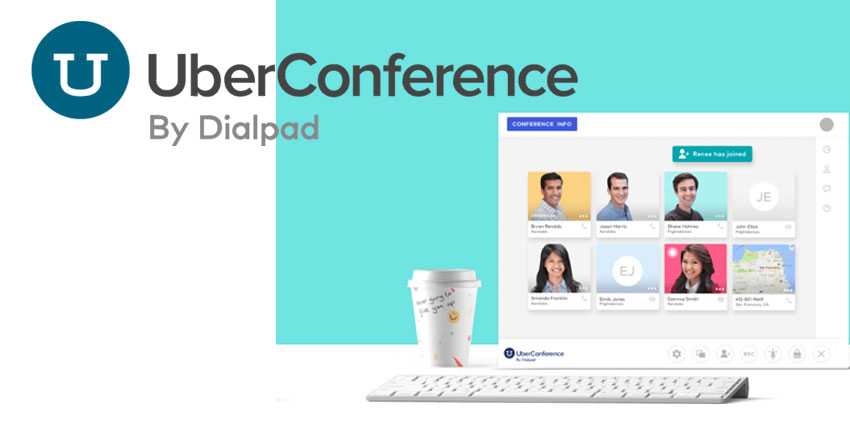
UberConference is the simple and effective collaboration service from Dialpad, intended to make group meetings simpler for companies of all shapes and sizes. If you're looking for a download-free way to access conferencing tools on the web, then UberConference has you covered, with both a paid version and a free version to choose from.
Clearly UberConference is a popular solution for today's marketplace. Since the service launched in 2012, both the free and paid services have seen phenomenal growth, with the company passing the 1.5 million subscriber mark in the winter of 2017. The technology supported by Dialpad provides users with a conferencing solution that integrates fully with modern cloud-based PBX options, and it's ideal for customers in search of a manageable conferencing strategy to support steady growth. Today we'll be looking at the features and benefits of UberConference for ourselves.
Web-Based and Pin-Free Participation
One of the things that makes UberConference so unique is the fact that it was one of the earliest conference providers to deliver WebRTC support and PIN-free participation for conferencing users. With WebRTC technology, there's nothing to download before you start connecting with your coworkers and collaborators over the web. All you need to do is visit the right site.
Dialpad has seen participation in UberConference swell as more people transfer their communication and collaboration services onto the cloud. They believe that UberConference will help them achieve their mission to "kill the desk phone."
UberConference Features
As a meeting service, UberConference offers a broad range of attractive features, including screen sharing, messaging, document management and file sharing. To make the service as simple and supportive as possible, users can mute noisy participants while another caller dials in. This also provides cleaner interface solutions for conference calls. Some of the features included in UberConference include:
- Web conferencing: Anyone can call into a meeting from their computer with HD support
- Integrated social profiles: Access Google and LinkedIn profiles with one click
- Local Dial-in: Select your own number from any area code through the US and Canada
- Document sharing: Share information easily from your computer via Dropbox, Google Drive, and Evernote
- Salesforce Integration: The popular CRM Salesforce is integrated with UberConference
- Mobile apps: You can download the UberConference Experience onto your smartphone through iOS and Android apps
- No PINs: Joining calls is simple so that everyone from your team can get involved
- Screen sharing: No install needed for participants, set up easily
- Free Call Recording: Manage your customer recordings with MP3s for easy storage
- Analytics: Make the most out of your business communications
UberConference Versions and Pricing
If you're a small business searching for a better way to conduct simple conference calls with 10 participants or less, then the free version of UberConference could be perfect for you. However, if you're a larger company, you'd probably have to upgrade to the "Business" version.
Though you do get plenty of features on the free UberConference option, paid clients will have more freedom with up to 100 call participants who you can automatically place in your call at the starting time of your meeting. You'll also have custom hold music, analytics, and more. Of course, free clients still get access to call recording, enough space for 10 participants, and the simple mobile apps. The biggest difference is that you'll still need a PIN to access calls if you have the free version.


