
Microsoft has been rolling out a wide selection of updates to the Microsoft Teams experience lately, whether you use Teams Collaboration, Meetings, or Phones. For those in the Teams Phones landscape, Microsoft’s recent updates for December 2020 focus on helping companies to access the features they prefer on the devices that they like to use.
The new enhancements connect the features that users love in Teams Meetings with the Teams phone app to keep users feeling secure and productive. Here’s what appeared in December.
Video Enhancements, Screensharing, and Meet Now
Microsoft Teams phones support a new video layout with large gallery view, 3x3 gallery view, and support for Together Mode. This allows users to see up to 8 meeting participants on 3x3, or 49 participants in large gallery mode. Microsoft notes that regardless of which video meeting style you choose, you can enable background blur to reduce distractions.
[caption id="attachment_34695" align="aligncenter" width="600"]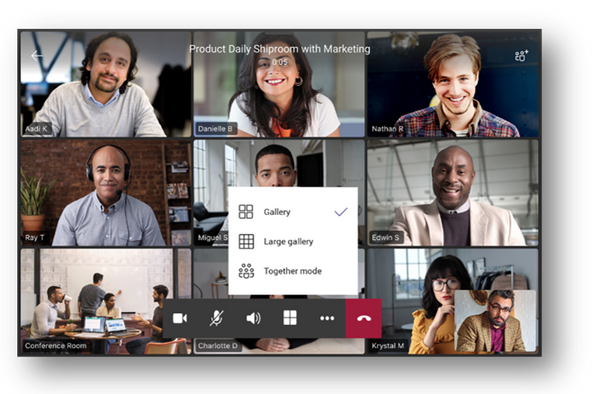 3x3 Gallery View[/caption]
Certain models of touch screen audio phones with the correct hardware requirements will also be able to see content presented during calls and meetings with screensharing in this new update. Plus, users will now have the option to access the “meet now” button in their calendar interface on a suitable phone to easily start meetings.
Spotlights, Requests, and Sidecars
From desktop clients, hosts will be able to pin individual feeds for all attendees to view during Teams meetings, the video spotlighted will be the main video the phone user sees on their screen. There’s also a new request to speak feature. The hard mute feature on Teams allows users to prevent other attendees from unmuting themselves. This is something you can switch on and off within a meeting when attendees raise their hand to speak.
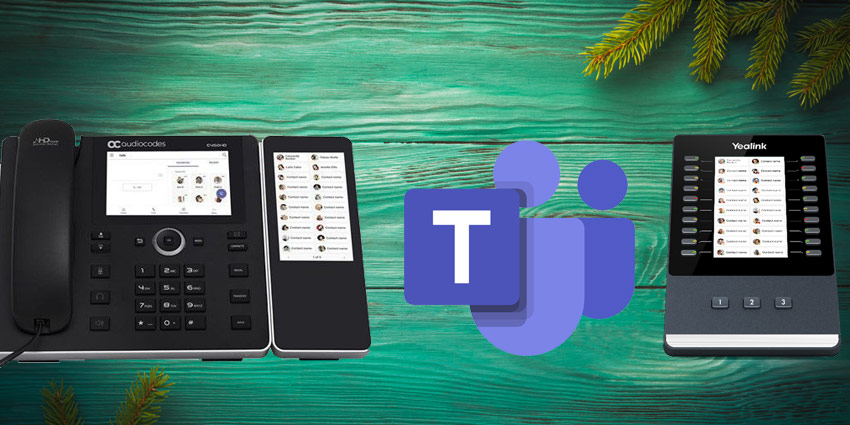
Beyond meeting functionality, Microsoft also announced the arrival of some interesting updates to Teams hardware. Sidecar support is now in Beta mode, providing users with an efficient way to track and reach frequently used contacts on their desk phone.


