Virto Calendar is a Teams calendar add-on by a US-based software company, VirtoSoftware.
VirtoSoftware came into existence in 2009, specialising in developing web parts and end-to-end software solutions for the Microsoft SharePoint and Office365 ecosystems. The company has over 5000 customers worldwide and is a Microsoft Gold Certified Partner Status for ISV solutions and Microsoft Dynamics CRM. Besides this, VirtoSoftware boasts of a flagship solution called Virto ONE, an o-end suite of productivity tools and enablers for Microsoft users. Virto ONE (cloud and on-premise) includes solutions for calendar management, notifications, portfolio management, workflow scheduling, Kanban boards, and bulk file uploads, among other things.
The Virto Calendar app — available as a standalone solution and part of the OneSuite — arrived on the market in the middle of last year. As many Teams users switched to working from home in 2020, calendar management and synchronisation across platforms became challenging, with all the new virtual events now scheduled. The Virtu Calendar app for Teams addresses this by consolidating multiple calendars to give users a centralised view of their schedule.
Let us review the key features of Virto Calendar in more detail.
Inside Virto Calendar for Microsoft Teams
To install the Virto Calendar app, users must first purchase a standalone Calendar app license or a Virto ONE Cloud with a monthly or annual commitment. Once this is in place, navigate to the Microsoft Teams app store from the left navigation pane on Teams, and search for Virto Calendar. The app will prompt users to select a channel where they want Calendar as a pinned tab, select the channel name, add Virto to their SharePoint site, and save the setting to start.
After configuring the Calendar overlay on SharePoint, users can start using the app on Teams.
The Virto app on Teams provides the following key capabilities:
- New and existing calendars: When users install the integration, they’ll be prompted to choose an existing calendar or set up a new one. The ability to start a calendar from scratch can be helpful when they want to begin with a blank slate — for example, when starting a new project or onboarding a new team.
- Multiple calendar views: Virto Calendar lets users visualise their appointments, events, and other calendar information in several ways. Apart from the standard monthly view, users can organise their events for each day, for an entire year, for one week, including the weekend, just for one workweek, as well as Gantt charts. There’s also an option to view multiple calendar sources as an overlay.
- Read-only and edit permissions: The app automatically inherits calendar edit permissions from the source. This means that if someone could view and modify a specific event in an original calendar, the same rights, privileges, and restrictions, would apply to Virto.
- Multiple calendar consolidations outside of Microsoft: This is the application’s primary value proposition. Users get one-click interoperability with Microsoft’s calendars, including their exchange Online Calendar and Exchange Online Shared Calendars, if any. Users also get the ability to add any other calendar they want by simply copy-pasting a link. For example, if users wish to add their Google Account calendar to Virto, they can find the integration URL from the settings and copy-paste it into Virto.
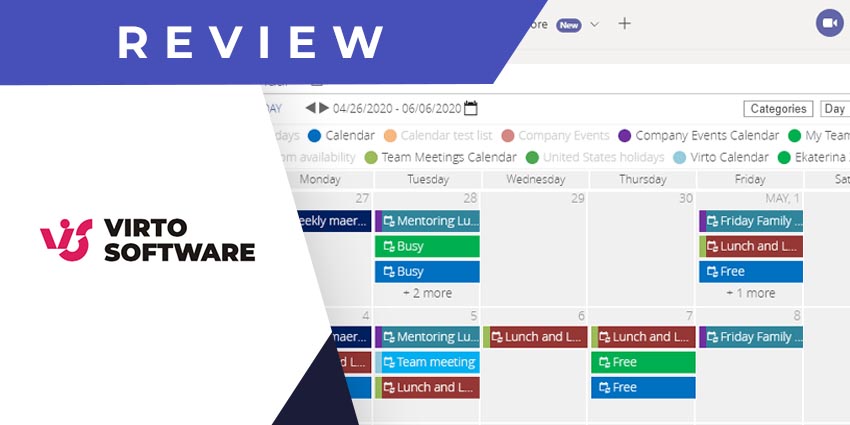
- Calendar event colour coding: The Virto Calendar app automatically colour codes all events based on common tags, activities, and the calendar source. Notably, the key always displays on top so users can quickly understand the reference.
Why the Virto Calendar App Makes a Difference
The Virto Calendar app can be invaluable to Microsoft Teams workflows. There’s a reason it has a 5/5 rating on Microsoft AppSource — it is intuitive and easy to use and solves a critical use case. Most of us have struggled with multiple calendars and fragmented visibility across platforms, and remote work only compounds this challenge. Using Virto, users can combine all their calendars (and add any calendar) in one place. So that users will never miss an event, appointment, or opportunity.
What We Think
The Virto Calendar app for Teams can be challenging to set up as it requires configuring with SharePoint. But once this is done, downloading the app here is well worth the effort here.