
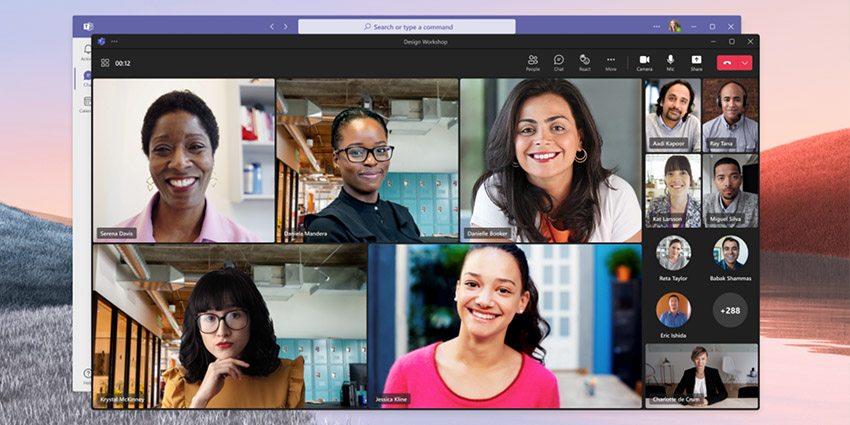
For countless companies in today’s evolving workplace, Microsoft Teams has emerged as the ultimate tool for communication and collaboration. Equipped with everything organisations need to align and unify their teams, Teams is brimming with powerful features.
It allows users to engage in various forms of communication, from video chat to messaging and audio calls. Teams also supports file sharing, schedule management, data-encrypted conversations, polls, and even PSTN conversations via direct routing. However, before brands can discover Teams’ benefits, they must choose the right plan.
Microsoft Teams Essentials, introduced in December 2021, is an affordable solution for end-to-end collaboration, ideally suited to a range of smaller businesses.
Let’s explore what users can expect from the subscription.
What is Microsoft Teams Essentials? An Introduction
Microsoft Teams Essentials was the first specific standalone offering from Microsoft, aimed exclusively at organisations that want to leverage the benefits of Teams. Unlike the other Microsoft 365 plans, which combine Teams access with support for tools like Microsoft Office, OneDrive, and similar solutions, this plan only provides access to essential Teams functionality.
With Microsoft Teams essentials, companies can still access the beneficial integrations Teams offers with other leading tools like Microsoft Word and SharePoint. However, desktop access is not provided for these services.
According to Microsoft, Teams Essentials was designed to empower small businesses looking for flexible, affordable meeting and collaboration tools. With a tiny price tag of only $4 per user per month, it is perhaps the most cost-effective way to begin exploring the benefits and functionality of Teams in the modern workplace.
Microsoft Teams Essentials: Features
Microsoft Teams Essentials includes all the features business users can access on the free version of Microsoft Teams, along with some bonus extras. For instance, users can still launch meetings with contacts without requiring participants to have their own Microsoft license.
Users can also leverage calendar integrations with Outlook and Google Calendar to schedule meetings directly within Microsoft Teams. Essentials also features access to various professional meeting tools and capabilities like meeting lobbies, virtual backgrounds, live closed captions, reactions, and “Together Mode”. What makes Essentials more compelling than the free version of Teams is the higher degree of access users can leverage.
Every Microsoft Teams Essentials licence includes:
- Unlimited group meetings for up to 30 hours
- Support for up to 300 participants per meeting
- 10GB of dedicated cloud storage per user
- Unlimited chat with customers and co-workers
- Calendar integrations with Google and Outlook
- File sharing, polling, and task management
- Data encryption for files, chat messages, meetings, and calls
- Free expert support from Microsoft’s specialists
- Noise suppression
- English-only live captions
- Screen sharing
- Custom backgrounds and Together Mode
Microsoft Teams Essentials works seamlessly with the Teams Phone System, Direct Routing, Operator Connect and Calling Plans. This ensures business leaders who want to connect their existing phone PBX solutions to Teams or transform Teams into their UCaaS environment still have various options.
How Microsoft Teams Essential Compares to Other Paid Plans
Microsoft Teams Essentials is the most affordable plan available for companies who want to leverage the benefits of Teams. However, there are still a variety of other options for business users interested in the Microsoft ecosystem.
Microsoft 365 Business Basic, for instance, is the next step up from Microsoft Teams Essentials, available for $6 per user per month. This plan comes with all the functionality of Essentials, plus access to the Microsoft Whiteboard, hundreds of collaborative apps, and live captions in more than 30 languages for each meeting.


