
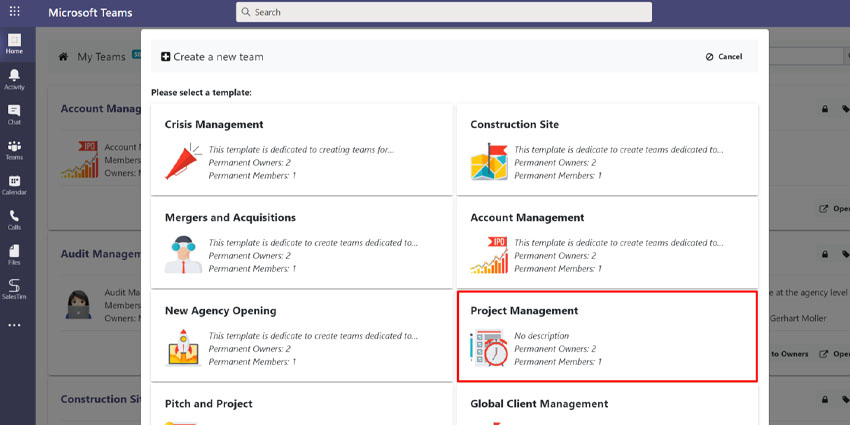
With a large number of employees now working remotely or in a “hybrid” landscape, managers and business leaders are facing a range of new challenges. For instance, how do you make sure you’re keeping track of essential projects when your staff members are distributed across various locations?
Microsoft Teams, the world-leading application for collaboration, and a Gartner Magic Quadrant Leader for UCaaS, is an excellent tool for keeping projects running smoothly. Within the app, companies can access a range of built-in tools and external add-ons to make managing their teams as simple and efficient as possible.
If you’re planning on using Microsoft Teams as the central hub for your hybrid team, here’s what you need to know about Project Management apps in the Microsoft ecosystem.
Microsoft’s Embedded Project Management App Options
Microsoft Teams is part of the comprehensive Microsoft 365 productivity tool ecosystem. This means you’ll have immediate access to a range of additional native tools alongside Teams to help make your staff more productive. Employees can share spreadsheets with Excel, and sync calendars through Outlook, all without having to leave Teams.
Microsoft has its own Project Management apps, including “To Do” and “Planner”. Some of the native tools you can use within Teams are:
- To Do: To Do is the “to do list” application available within Microsoft Teams intended for personal task management. You can see tasks from To Do in the “Tasks” app in Teams, and Outlook tasks. It’s definitely worth using this app if you need help tracking your own personal must-do tasks throughout the day.
- Planner: Planner is the app in Microsoft Teams you can leverage for simple team projects. Planner helps you to create plans for your workforce, assign tasks, chat about upcoming work, and see charts of team progress. You can use Planner within Microsoft Teams to keep an eye on your entire company’s workflow.
- Project: Project is the most comprehensive cloud-based project management app offered within the existing Microsoft ecosystem. The tool allows business users to create and collaborate on projects. There are multiple views for planning, like “Board” for Kanban-style planning, or “Timeline” for Gantt chart views.
- Tasks: The Tasks app within Teams brings individual tasks from Outlook and To Do into the Teams environment. This helps users to keep track of more of their projects from multiple different environments in the same place.
Third-Party Microsoft Teams Project Management Apps
While Microsoft Teams’ in-built solutions for project management are excellent, they may not be the ideal solution for every business user. Fortunately, Microsoft’s extensive app marketplace means you can leverage the functionality of other third-party apps within Teams. This can enhance your project management abilities, without requiring your staff members to step outside of Teams to use other tools. Some of the top project management apps for Teams include:
- Project Central
Project Central is an efficient project management app for Microsoft Teams using the features of Microsoft 365. The system seamlessly integrates with the Microsoft ecosystem to make project management easier for all kinds of teams, hybrid, in-office, or remote.
With Project Central, companies can easily plan projects, manage tasks and assign them to individual workers, and track the progress of certain to-do requirements. The app includes everything from visual task boards to Gantt charts, task timelines, and project-level activity tracking. You can also set up notifications to keep your staff informed of upcoming deadlines.
- Trello
Trello is a handy project management tool designed to help you manage your to-do list using visual, user-friendly boards. With this app for Microsoft Teams, you can create individual cards for each task in a specific project, and assign those tasks to individual members of staff, or groups.
Trello’s intuitive design makes it easy for employees to track when work is due, as well as which tasks, they should be prioritizing first. You can also attach information like links and files to each card, to ensure your employees have all the information they need to get critical work done. With notifications and reminders, it’s simple to keep everyone on-track.


