
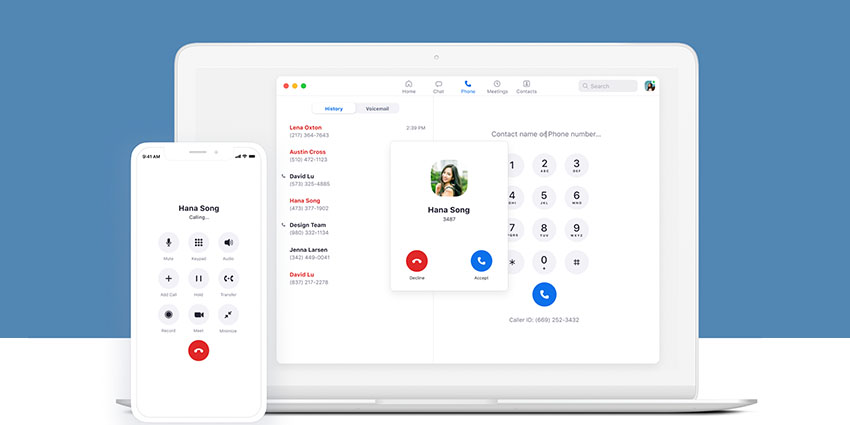
Keen to earn a reputation for more than just sensational video conferencing technology, Zoom has been investing more time and creativity into its wider UCaaS portfolio. Zoom Chat and Zoom Phone have seen various updates since the start of 2021, ranging from the ability to access “desktop power packs”, to new functionality in call queue distribution, and shared line groups.
Zoom is rapidly making its way to the top of the charts as a leading UCaaS vendor, with an all-in-one environment designed specifically for the hybrid and remote workforce of today. Let’s check out some of the most recent updates for Zoom Phone, as of March 2021.
More Management Controls
For 2021, Zoom Phone introduced some new management features for controlling call experiences. The User Interface changed in January, to help business leaders give callers more options when determining how to direct their call. Users could also customise messages given to callers when they were transferred to voicemail.
In March 2021, Zoom built on these features with extra UI enhancements for call handling settings. This now allows users to set up forwarding to an external number. Furthermore, business leaders can now assign targets for each team members. For instance, if User 1 and 2 were part of a call queue with an admin role, user 1 could be assigned to sales, while user 2 handled billing.
Administrator Features: Power Pack
Aside from enhancements to existing features, Zoom also introduced a selection of administrator capabilities, designed to empower modern users. Zoom Phone is now available in two new countries (Turkey and Israel), and the service supports global, toll-free numbers. You can purchase these numbers according to your calling package.
Zoom also now offers the Zoom Phone “Power Pack”, which enables two capabilities. The first feature is the desktop power pack, which allows users to access a new panel in their desktop client that permits them to view phone lines, controls, contacts, missed calls, and voicemail. The small panel is also pinned to the top of other applications, supporting users in multitasking sessions.
The other feature of the Zoom Power Pack add-on is the call queue analytics dashboard. Account owners, admins, and queue members with this add-on can leverage real-time analytics and historical reports to make data-driven decisions.
Call Queues and Distribution
Account admins and owners with Zoom Phone can now access call queue pickup in the policy settings at an account level. Call queue level, or site level. After accessing this feature, a unique pickup code will be generated. Queue members can also answer call queues with pickup code when they’re opted out. This code can then be customised.
Further, Zoom has introduced enhancements to call queue distribution. If a call queue is set to rotating or sequential call distribution, admins and account owners can enable settings to handle various incoming calls at once. This setting is only recommended when you have a high queue with a lot of incoming call volume. Calls delivered first may not always be answered first.
Call monitoring is now available for shared lines too. Account admins can access monitoring features for their shared line groups and assign certain group members as monitors that can listen, barge, whisper, and take over calls received by or delivered to the shared line group.
Further Admin Controls
In Zoom Phone’s admin centre, account owners will now be able to soft delete voicemails, call history, and recordings. The feature can be enabled in the account-level policy settings. What’s more, users can restore their soft-deleted voicemail, history, or recordings if they do so within 30 days. After this period, the deleted content will be removed from the account permanently.


