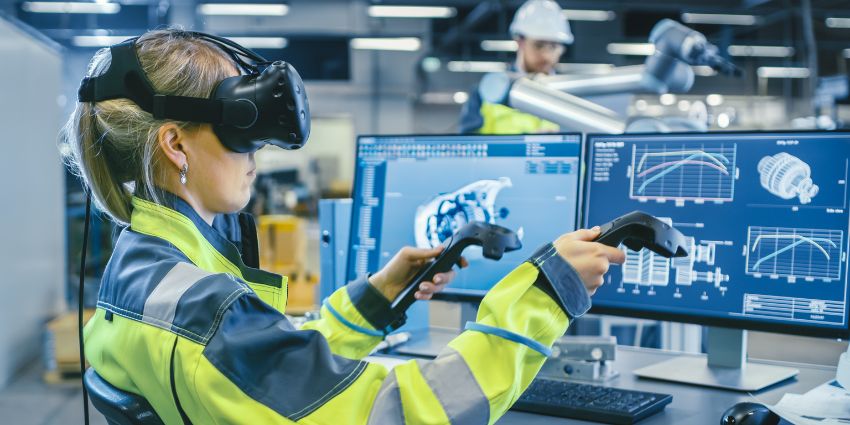
XR adoption challenges enterprise teams face are often misdiagnosed as ‘technical maturity’. In early consideration, many digital workplace leaders assume adoption will improve once the headset is comfortable, the app is stable, and the network is reliable. But XR workspaces can still fail even when the technology works perfectly, because the real barrier is human. People resist tools that feel awkward, cognitively expensive, socially risky, or misaligned with how they prefer to work.
This is why employee adoption XR drops after the rollout. The pilot works. The demos impress. Then usage quietly falls back to chat, email, video calls, and shared docs. Not because those tools are better. Because they are easier. Jeff Teper, Corporate Vice President, Microsoft claims:
“These tools are all ways ‘to signal we’re in the same virtual space, we’re one team, we’re one group, and help take the formality down a peg and the engagement up a peg.’”
That quote is a useful starting point because it highlights the promise of immersive work: stronger presence and engagement. The adoption reality is that presence is not the same as preference. People choose the tools that reduce friction first.
Related Articles
- Immersive Workplace & XR Tech: Latest News and Analysis
- XR Workflows: How to Measure Productivity Beyond Engagement
Why Do Employees Resist Immersive Workplace Tools?
Direct answer: Employees resist immersive tools when the personal cost is higher than the perceived benefit, even if the technology is working as designed.
Resistance is not always an explicit ‘no’. In digital workplace programmes it often shows up as quiet behaviour:
- People attend an immersive session once, then default back to Teams or Zoom next time.
- Managers stop scheduling XR meetings because attendance drops.
- Champions keep using XR, while the broader workforce treats it as optional.
This is a psychological and behavioural pattern: people avoid tools that increase uncertainty, effort, or social exposure. XR can trigger all three.
What Usability Issues Limit XR Adoption?
Direct answer: The most damaging usability issues are comfort, onboarding complexity, and interaction models that do not feel natural in everyday work.
Even if the headset is technically ‘fine’, employees notice usability friction immediately. Common blockers include:
- Comfort and stamina: pressure points, heat, prescription compatibility, motion sensitivity, and fatigue.
- Onboarding friction: charging, pairing, updates, calibration, login steps, and learning gestures or controllers.
- Audio and conversation flow: cross-talk, turn-taking issues, spatial audio confusion, or difficulty reading social cues.
- Accessibility and inclusion gaps: discomfort for neurodiverse users, challenges for people with vestibular sensitivity, and barriers for those with limited mobility.
Immersive workplace usability is not a ‘nice to have’ layer. It is the adoption engine. If users feel clumsy or uncomfortable, the product becomes a special event, not a daily tool.
How Does XR Increase Cognitive Load?
Direct answer: XR increases cognitive load when it adds new sensory input, new navigation rules, and new social uncertainty on top of the existing work task.
Traditional workplace tools keep cognitive load low because they are familiar and predictable. XR can increase load in four ways:
- Environmental processing: users must interpret a new space, distance, and movement rules.
- Interface uncertainty: ‘Where is the menu? How do I mute? Where did that file go?’
- Social ambiguity: people cannot rely on normal cues like eye contact, subtle facial expression, or body language.
- Task switching: users often still need other tools, so they mentally juggle two contexts.
This is why XR workspaces can feel exhausting. Not because they are broken, but because they ask the brain to do more work to achieve the same outcome.
Where Do Immersive Tools Fail Human Expectations?
Direct answer: They fail when employees expect ‘faster and simpler’ but experience ‘novel and effortful’.