Akmii, the company behind Yeeflow, was founded in 2007. It is based out of China and is a Microsoft Gold-certified partner, specialising in information management and collaboration system development. Yeeflow is the company’s flagship platform and helps enterprises to build low-code apps that streamline common operational tasks.
Yeeflow launched in 2019 and, today provides a simple solution to ship custom software applications faster. You can create apps for sales management, procurement, compliance, product development, and a host of other workflows using Yeeflow’s low-code interface. You can connect multiple back-end systems to automate workflows and reduce manual intervention. Yeeflow integrates with your end-to-end technology stack, including SAP, Stripe, WordPress, Salesforce, Box, SurveyMonkey, Teams, and many more, to achieve this.
However, Yeeflow for Teams is much more than an application integration for connected workflows. You can build entire apps from scratch (using Yeeflow’s handy templates) without leaving the Teams environment. Yeeflow for Microsoft Teams was launched in Q4 of 2019 to provide enterprises with a rich Yeeflow experience in sync with Microsoft.
Let us review the app in more detail.
Inside Yeeflow for Microsoft Teams
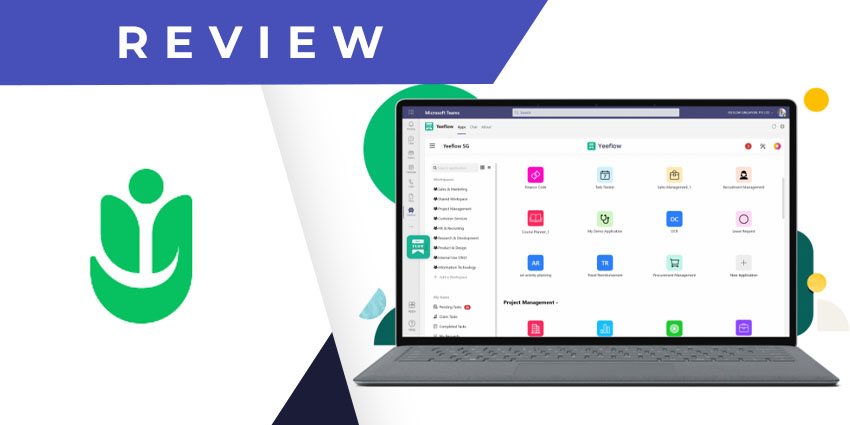
Yeeflow is available on the Microsoft Teams app store. Click on the Apps icon in your left navigation pane and look for Yeeflow in the content management category. Remember that you need an existing Yeeflow account to start using the integration – pricing starts at $6 per user per month, with a minimum threshold of 10 users.
Yeeflow administrators logging in from Teams can access a few additional features besides form, workflow, and application creation.
Here are the key highlights of the Yeeflow for Teams app:
- Form and workflow designer - You can use Yeeflow to design custom forms that will be processed as per a uniquely configured automated workflow. Yeeflow includes an impressive library of prebuilt templates for forms like resignation requests, interview assessments, vendor records, leave requests, expense reimbursement claims, and more. You will find forms in various categories – for instance, HR, admin, security, finance & accounting, procurement, and employee motivation. You can also create forms and workflows from scratch, but templates (prebuilt or imported) simplify the task. Once you have configured the form, you can create an approval workflow through a GUI-based designer. This allows you to define stakeholders, specify input fields, and deploy with a unique process ID.
- Business application building - Yeeflow is a low-code process and app builder, and you can enjoy its full range of features directly from inside of Teams. From the Yeeflow app, choose your workspace, and create a new application either from a template or from scratch. Yeeflow includes ready-to-use application templates for frequently used functions like project tracking, bug tracking, employee directory management, IT support, and several others.
- Yeeflow as a tab on Teams channels - There are two ways you can use Yeeflow alongside a Teams channel – you can attach the Yeeflow app as a tab so you can create a new application, or, you can pin an existing Yeeflow application to the Teams channel. All channel members will be able to access and use the app you have created, essentially providing you with an entirely customised Teams channel application.
- The Yeeflow dashboard - The Yeeflow application dashboard is where you monitor the various tasks associated with an application. The dashboard, too, is customisable, and you can add separate blocks containing charts, calendars, data lists, images, and other types of content.
- Yeeflow for project management - You can use the Yeeflow app to track multiple projects and tasks across organisational functions. From the workspaces module on the Yeeflow app, open Project Tracker – here, you will see a comprehensive list of pending and upcoming tasks, sorted by phase, status, start/end date, and priority.
- Admin settings - If you log in from an admin account, you can view all the custom workflows created in your organisation. You can also create reports, assign KPIs to workflows, and manage company and user profiles.
Why the Yeeflow App Makes a Difference
Yeeflow provides a collection of ready-to-use and configurable applications inside the Teams environment. You can collaborate on any task and reduce the need for multiple applications and disconnected workflows.
What We Think
Yeeflow has enormous potential, particularly for mid-sized organisations that are hesitant to invest in full-scale application landscapes but want to gain from powerful digital tools.
You can download Yeeflow for Teams here.