
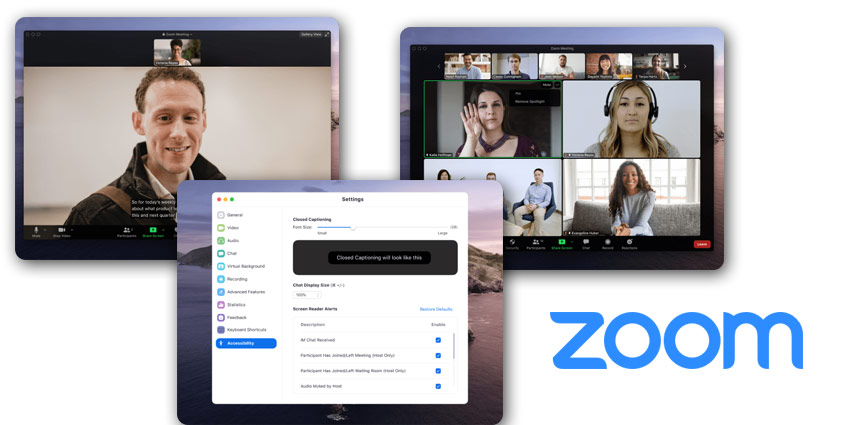
Leading video communications provider, Zoom, recently released a blog about the new and improved features of its meeting platform. According to Zoom, the team wants to ensure that people can connect however and whenever they choose, on a platform they feel comfortable with.
Zoom noted that it has been working hard alongside leading companies in web accessibility to make the service as A11Y-friendly as possible. Apparently, accessibility considerations for Zoom are baked into every aspect of the platform. Designers and developers thoughtfully create products that support a wide range of teams, and the company is constantly working to improve.
Zoom also notes that the compliance and documentation strategies of the business also go beyond simply checking a box. Zoom offers details on how compliance solutions work and asks for feedback from customers too. Zoom believes that it’s crucial to ensure that people from different communities can collaborate easily. This means considering a wide range of mobility, vision, hearing, and cognitive needs. Zoom Teams adhere to the WCAG 2.1 AA guidelines when developing features to ensure that accessibility features are always available.
Making Zoom Meetings More Accessible
To highlight the work it is doing towards boosting accessibility, Zoom highlighted a few key features on its platform. For instantly, multi-pin and multi-spotlight functionalities could help teams to interact more like they would in real world scenarios.
According to Zoom, while many video conferencing solutions highlight speaker video, this can make interpreter meetings harder to follow when highlighted videos and grid layout changes. Multi-pinning functionality means that users can keep crucial videos in place for their view only. This could ensure that a speaker and interpreter remain in the same spot, no matter who starts speaking. Hosts and co-hosts can grant permission for up to 9 people in a meting to use multi-pinning.
Multi-spotlight provides similar capabilities, except that the spotlight videos show for everyone in a meeting. The co-hosts or host can spotlight as many as 9 videos, so everyone sees the same streams. This is essential for larger meetings that want to spotlight speakers and interpreters for everyone in the group.
Other Accessibility Components
Another great feature for accessibility comes in the form of video rearranging options. Videos reorder themselves in Gallery view according to who is raising their hand or speaking. However, with Zoom, users also have the option to drag and drop videos into their own custom order. For instance, if an interpreter’s video tile is in a low corner, you can drag it closer to the content being shared.
When speakers change, your view remains exactly how you like it, so you can choose your own custom order with ease. Another great feature is keyboard accessibility. According to Zoom, the team tests its products carefully to ensure that features are fully keyboard accessibility. There are also several keyboard shortcuts to help speed up your work.


