
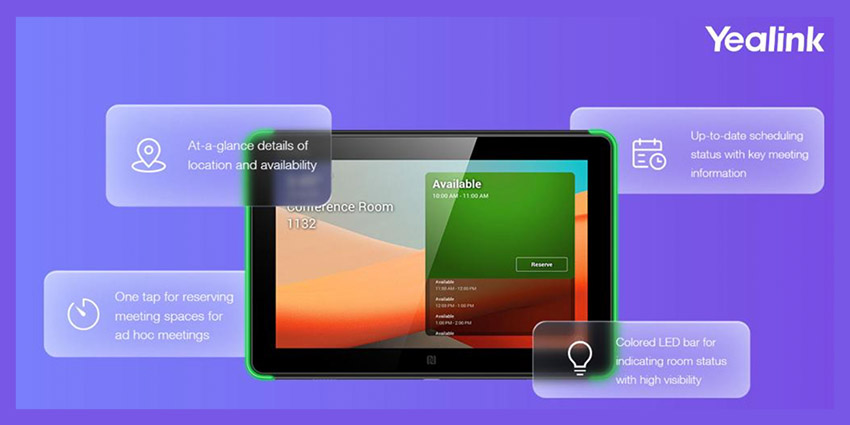
Yealink has announced the launch of RoomPanel, a tablet that is placed outside of meeting rooms to help enhance the usage, efficiency and user experience of shared workspaces.
With seamless Microsoft Teams compatibility, the tablet can pull information from Teams and Outlook 365 calendars, showing when the room has been booked, whether it is available, with the use of purple/red or green LED lighting on either side of the tablet, and gives employees the ability to reserve rooms if they are available.
Following the COVID-19 global crisis, the need for remote collaboration have largely surged, which has led to increasing requirements in meeting rooms for both internal and external cooperation. Improving the usage efficiency of the limited workspaces becomes one of the significant and influential approaches for the enterprise to stay collaborative and productive.
The Yealink RoomPanel’s key features include an 8-Inch touchable display, native Microsoft Teams experience, and vibrant coloured LED Bars. This dedicated and compact device allows the employees to quickly find the right reserved rooms or available ones to reserve on the spot. The solution is also labour-saving for the IT administrators as it supports one-cable deployment via PoE or DC power for simple and flexible installation, while remote device management services are also accessible through cloud platforms.
Thoughtful Solution for Concierge Service
Once powered up, the RoomPanel’s ambient light and proximity sensor is activated for automatic screen wakeup when the user steps closer and for brightness adjustment when the lighting conditions change. The tablet is also embedded with the Wi-Fi and Bluetooth modules to capacitate wireless deployment and accessory connections, with Yealink also saying that they plan to introduce compatibility with occupancy sensors to automatically check in to meetings when participants enter the room, and release the room to be available when all participants leave.
With these features, IT staff and administrators have the ability to easily monitor the activity within each meeting space and manage and diagnose any problems that may occur via Microsoft Teams Admin Center or Yealink’s management Cloud Service.


