
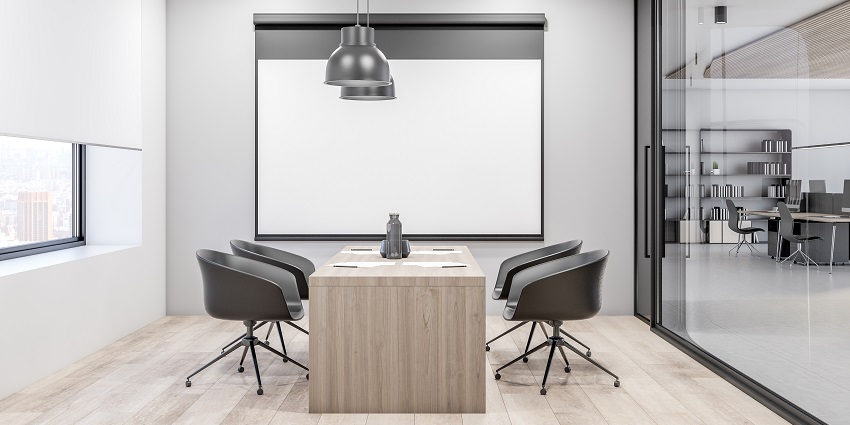
The small meeting room was already gaining popularity before the pandemic as companies explored the benefits of agile, innovative huddle rooms. Now, however, the evolution of the workplace, focused on agile, flexible, and hybrid work styles, has increased demand for small meeting rooms again.
With around 65% of employees expecting to work remotely at least part-time, many companies are reducing their office spaces, switching large board rooms and multi-office environments for simpler environments and splitting into zones for different types of work.
In this landscape, meeting rooms are still essential to bridging the gaps between distributed employees and enhancing collaboration. However, designing a small meeting room for the age of hybrid work requires a combination of creativity and strategy. Here's how companies can adapt their existing small meeting rooms to support the future of work.
What is a Small Meeting Room for Hybrid Work?
Small meeting rooms are more versatile than many companies realize. They can include everything from dedicated huddle rooms to "focus space" meeting rooms and traditional office spaces converted into meeting rooms with plug-and-play technology.
What makes a small meeting room a space for hybrid work is the careful consideration of how you can bridge the gaps between in-office employees and their remote counterparts. While a traditional small meeting room may only need a desk, chairs, and a whiteboard, rooms for hybrid work need access to collaboration technology, video cameras, audio systems, and more.
Focusing on inclusivity is the key to success when adapting a small meeting room for hybrid work. As leaders like Microsoft have noted, many hybrid rooms offer fantastic experiences to in-office employees, but remote team members often feel excluded from the conversation.
A genuinely effective hybrid room must ensure every attendee has a voice, can contribute to the conversation, and feels "present" in the experience.
How to Adapt Your Small Meeting Room for Hybrid Work
The exact strategy you use to adapt your small meeting room for hybrid work will vary depending on numerous factors. You'll need to consider the size of your space, the number of employees collaborating at any given time, and even the type of work they do.
Here are some critical steps to optimize your new hybrid meeting space.
Step 1: Examine Your Hybrid Meeting Room Needs
Before you invest in equipment and furniture, do some research. Measure your small meeting room and consider how many people will use it at any given time. If you have more remote employees than in-person staff, the ideal small meeting room might be a simple "hub" with a couple of chairs and a display.
If you need small groups in the office to collaborate with external employees, you might need a slightly larger space, with a desk and a whiteboard. Most "small" meeting rooms only accommodate up to 6 people at a time, but they can vary in design based on the work to be done.
For instance, you might have separate small rooms for private calls and focus work, huddles and 1:1 meetings, and brainstorming or breakout sessions. Alternatively, you might use a single room for every small meeting requirement and leverage plug-and-play room kits so your employees can adapt the space to their needs.
Step 2: Rethink the Small Meeting Room Design
In the past, smaller meeting rooms were often very similar to large conference rooms, the major difference being their size. However, in a small meeting room for hybrid work, the traditional layout may not promote a feeling of inclusion for remote workers.
Global research suggests many people still don't feel satisfied with spaces for hybrid collaboration, thanks mainly to their layout. There are a few different configurations you can consider that might be better suited to hybrid work, such as:
- Portrait to landscape: Change the room's orientation so that employees are facing the longer wall in the space. This gives more room for a large display and ensures people on both sides of the camera can be seen and heard.
- Corners to curves: Replace rectangular tables with curved or rounded options that revolve around a meeting room display and camera. Rectangles can stack people on video conferences, while rounded shapes create better sightlines for every participant.
- Think about sound masking: Consider how you can prevent distractions outside the meeting room from disrupting your teams and vice versa. Look into sound masking and soundproofing solutions to facilitate concentration.
Step 3: Consider Your Small Meeting Room Software
Software is essential to any hybrid meeting room setup. First, you need collaboration and video conferencing software like Zoom, Microsoft Teams, or Webex. If your employees prefer to use different types of software for collaboration, ensuring your meeting room hardware can support all options is essential to preserving productivity.
Next, consider the other collaborative tools your team members may need to share information and content in a hybrid setting. Do you need solutions for digital whiteboarding, file and screen sharing, and hosting presentations?
Finally, consider small meeting room management. If you have one or multiple meeting rooms and remote employees, you'll need software, such as Logitech Sync, to help you keep track of your hardware and issue updates and patches quickly.
If you're running multiple meeting and focus rooms simultaneously, you may need booking software to prevent overlap and ensure resources are distributed effectively.
Step 4: Examine Your Display Options
Since video is often essential for bridging the gaps between hybrid workers, displays will play a crucial role in your small meeting room. Depending on the size of your space, you might choose a large display or "video wall" that covers an entire portion of the space. The bigger the screen, the more of a "presence" remote workers will have in your space.


