
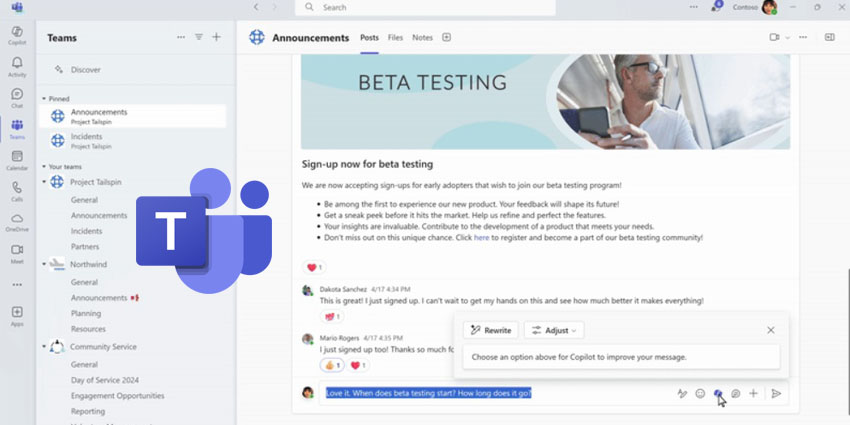
Microsoft has announced a compelling new feature to Copilot for Teams in "Custom Tone".
The "Custom Tone" feature expands upon the capabilities of the "Adjust" option already available to users, allowing them to define the tone of Copilot's message rewrites through an open-ended prompt. This intends to allow for a more tailored communication experience, ensuring that the rewritten messages align with the desired tone and style.
Luca Valadares wrote on a Microsoft blog:
While having Copilot do the work with those pre-set adjustment options is a great, no-prompt way to rewrite your messages quickly and efficiently, there is a new feature that allows you to tell Copilot exactly how you want to turn your writing into the best version of itself: Custom tone."
The Custom Tone feature empowers users to direct multiple changes at once, allowing Copilot to execute a series of amendments to the message content in one go. For instance, users can instruct Copilot to infuse persuasive elements to enhance the message's impact, incorporate additional context to set the appropriate tone, or transform an extended sentence into a concise bulleted list for team communication.
Custom Tone aims to put users in control. It enables them to specify exactly how they want Copilot to modify their message, ensuring it meets their precise needs and preferences.
More Information On Custom Tone
Custom Tone also intends to transcend language barriers, enabling seamless communication among global colleagues.
Users can command Copilot to translate messages into a specific language while simultaneously applying requested stylistic changes. For example, a user could specify their message to be "longer and cheerful and in Spanish," and Copilot will adjust and translate the message accordingly, all within the compose box.
This feature ensures users don't have to interrupt their workflow. With Copilot in Teams, users can effortlessly connect with international audiences, ensuring messages are translated, culturally adapted, and stylistically appropriate.


