
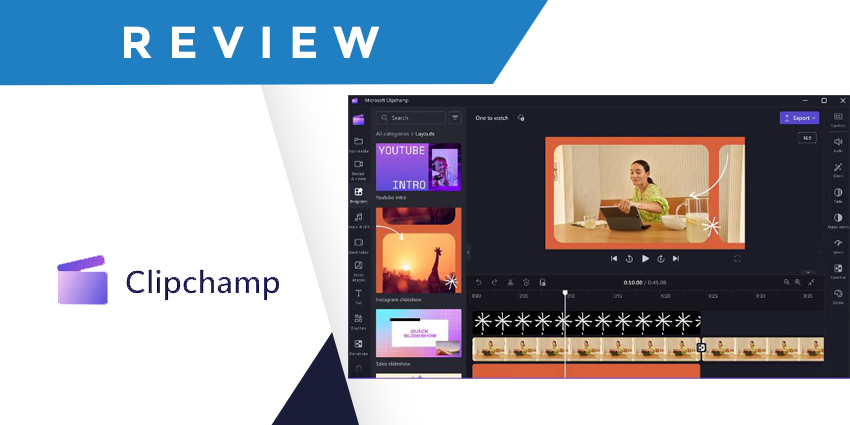
In today’s Microsoft Clipchamp review, we’re focusing on the evolving functionality of Microsoft’s video editing tools, now available for enterprise customers. Microsoft acquired the web-based video creation and editing software company Clipchamp back in 2021.
However, until recently, the solution was only available to users via their personal Microsoft accounts. As video-centric interactions become more common in the modern world of work, Microsoft has decided to move in a new direction with its editing tools.
In July 2023, the tech giant announced a new “business” version of the Clipchamp service, available to Microsoft 365 Commercial customers via a targeted release program. According to Microsoft, this new release will make it possible for any business to further extend the power of video in the workplace for productivity, collaboration, training, and more.
Microsoft Clipchamp Review: What is Microsoft Clipchamp?
Clipchamp from Microsoft is an application now available as part of the Microsoft 365 ecosystem, allowing users to capture, craft, edit, and use videos in various ways. Ideal for marketers, training initiatives, and presentations, the solution offers easy-to-use templates and built-in editing tools designed to enhance the impact of visual content.
Though initially, the solution was intended for consumers, the new enterprise version of Clipchamp pulls attention to the benefits of the software for business users. As Microsoft notes, video has become a powerful communication tool in recent years.
We aren’t just relying on video for conferencing sessions; we’re also using technology to share content, onboard team members, and more. However, creating videos can be a complex process. With Clipchamp in Microsoft 365, business users can now easily create, manage, and securely share video. The solution even integrates seamlessly with various Microsoft tools.
Microsoft Clipchamp Review: The Features
Fundamentally, Microsoft Clipchamp is designed to help users make an impact through video without complex workflows. The “Clipchamp for work” solution is being integrated into various experiences throughout Microsoft 365 so users can experiment with video without disruption.
For instance, the in-browser video editor can be accessed at the click of a button, and all videos are stored in OneDrive, where users can access, edit, and share their content. All you need to get started is a Microsoft account, and the toolkit includes in-app guidance to walk you through the process.
Features include:
Easy Video Creation
With Clipchamp for work, any professional can start creating high-quality videos with no prior experience. You can either create a new video from scratch using the straightforward editing interface or leverage Microsoft’s AI capabilities to automate the process.
Clipchamp includes built-in template tools for adding media, text, graphics, stock images, transitions, and more. Plus, you can add clips from local folders, your webcam, and online media storage tools like OneDrive, Google Drive, and Dropbox.
The templates available include access to stock footage and background music you can use or replace with your content. They make it easy for any user to create videos suited to a wide range of platforms without spending too long fiddling with formatting.
Video Content Editing
Microsoft makes editing professional video content straightforward, too. The Clipchamp interface might not be as advanced as other video editors. However, it features most editing tools the average user might need. You can trim unwanted footage, use gap removal to merge videos, and crop unwanted edges with the “video cropper.”
There’s the option to adjust the timing of components within videos. Plus, Clipchamp offers a variety of options to adjust backgrounds to suit your professional context. There’s even a built-in video resizer to ensure your content is ready for promotion on any channel.
If you want to add text to your content, you can choose from various text overlay styles, including animation. Plus, there are over 60 typefaces and multiple font colors and sizes. However, advanced brand kits, stock videos, audio, and images are not yet available outside of the consumer version of the product.
Advanced Video Effects
If you want to make your training or promotional content stand out, Clipchamp includes a variety of advanced filters, effects, and text overlays. There’s a green screen filter to eliminate unwanted backgrounds and replace them with something more professional.
In our Microsoft Clipchamp review, we found more than 40 filters to choose from and unique “effects,” like motion blur, cartoon, or zoom. Graphics overlays include GIFS and stickers, ideal for social media posts. There’s also a handy library with videos, photos, and music to access.
Other notable effects include the ability to record webcams and screens simultaneously. This could be ideal for creating training content for new employees or presentations.


