
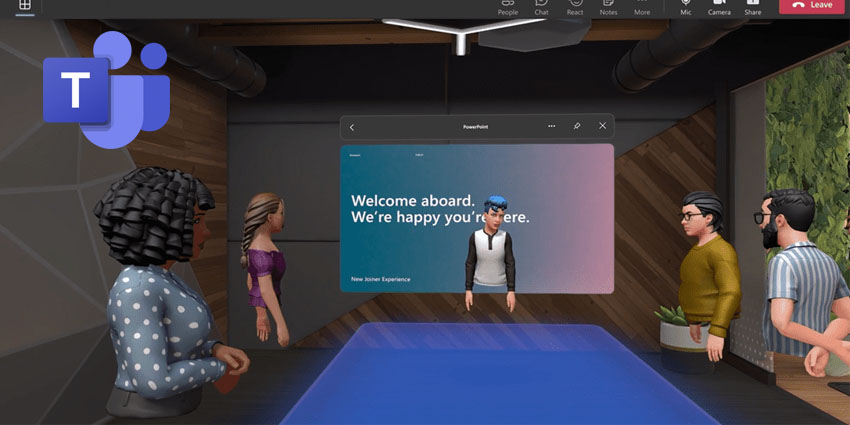
Microsoft Mesh for Teams is now generally available.
The XR meetings solution is available through both PC and Meta Quest VR devices. Users can leverage the exact same Teams features they're used to but within a 3D space, including accessing shared content for collaboration, using live reactions to express themselves, and communicating via Teams chat.
Initially announced at last year's Microsoft Build, Mesh in Teams intends to boost engagement in Teams meetings through ready-made 3D immersive spaces designed to suit organisational needs, including team social gatherings, brainstorming sessions, or round-table discussions.
Nicole Herskowitz, Vice President at Microsoft Teams, wrote in an accompanying blog:
To support hybrid work and geographically distributed organizations, we created Microsoft Mesh. Mesh powers 3D immersive experiences using next-generation technology that help virtual connections feel more like face-to-face interactions."
Users must design an avatar to represent themselves. Users can facilitate several simultaneous small-group discussions by using spatial audio, allowing for productive side conversations similar to those in the physical world during brainstorming sessions. This approach aspires to reduce cognitive load and enhance the overall effectiveness of discussions.
Mesh adds interactive activities that users can engage in with coworkers. Colleagues can play interactive games for team bonding. Users can spot designated areas to roast marshmallows, throw beanbags, answer fun icebreaker questions, and more via the immersive space. Users can use live reactions, including hearts, thumbs up, and claps, to express themselves during meetings.
Immersive spaces in Teams encourage collaboration for all meeting participants, including those who join from outside the immersive space. If users join from a standard 2D Teams meeting experience, they can still see, hear, and interact with coworkers in the immersive space. Content will be visible to all meeting attendees if a participant shares their screen.
The incentive to introduce XR elements to Teams was inspired by a Microsoft Work Trend Index report that indicated that 43 percent of leaders say "relationship building is the greatest challenge in remote and hybrid work".
For users to get started, when they're in a meeting in the new Teams client on their PC, they can select the “immersive space (3D)” option from the View menu.


