
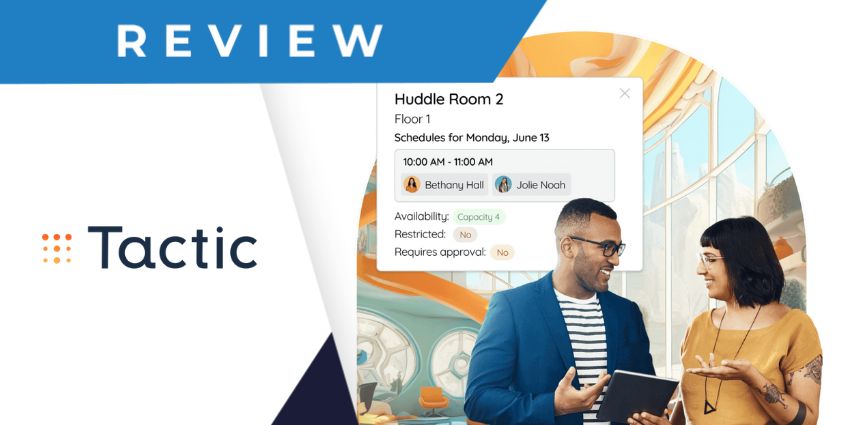
Looking for a better way to manage your teams and resources? The Tactic booking software suite could have everything you need. Designed to help coordinate teams and reduce operational costs in the age of hybrid work, this all-in-one platform is reshaping the workplace.
Combining space and visitor management software with desk and meeting room booking capabilities, in-depth analytics, and even leave management capabilities, Tactic’s software helps countless companies re-align their distributed teams.
The platform has even won numerous awards for its ease of use, advanced capabilities, and flexibility. So, is it the right workplace management platform for your team? Let’s find out.
Quick Verdict: Pros and Cons
The Tactic booking platform is one of the most versatile workplace management solutions we’ve tried. It’s brimming with unique features that other platforms lack. For instance, instead of just allowing users to book meeting rooms or desks, Tactic allows them to reserve parking spots, coordinate their schedules with colleagues, track teams on leave, and more.
It even gives administrators a range of tools for creating hybrid work policies, which makes it an excellent option if you’re implementing a new “return to office” initiative. However, Tactic does lack some of the advanced AI features, and help desk tools offered by certain alternatives.
Pros:
- Excellent range of booking and reservation options
- Fantastic insights into colleague schedules
- Integrations with leading tools like Microsoft Teams
- Easy-to-use and intuitive interface
- Lots of admin control options
- Integrated visitor management
- End-to-end office analytics and activity insights
Cons:
- No advanced AI capabilities
- No help desk or ticketing tools
Tactic Booking Review: Overview and Key Features
The Tactic booking suite is a holistic software solution that gives businesses all the tools to manage desks, spaces, and visitors in one convenient place. It’s a user-friendly platform that helps team members make the most of their time in the office and gives administrators numerous tools for coordinating their workplace.
Though this platform doesn’t offer access to advanced AI tools, like Copilot in Microsoft Places, it’s still a feature-rich and intuitive solution for hybrid teams. It’s also capable of integrating directly with the tools teams already use, such as Microsoft Teams and Slack.
Here’s a closer look at the key features Tactic has to offer.
Desk Booking and Room Reservation
At the heart of the Tactic Booking platform is its desk and meeting room booking software, which empowers team members to select and reserve specific spaces to use within the office. When users access the Tactic app, they get an instant view of their office environment.
The interactive map shows team members where their colleagues will be on any given day and provides insights into available amenities and resources. The room booking application even provides a quick overview of each meeting room’s layout to enable better reservation decisions.
Once users find a space they want to book, they can reserve it in just a couple of clicks. The reservation form allows employees to reserve spaces on a recurring or one-off basis, and even allows them to book a parking space simultaneously.
Since Tactic also integrates with collaboration tools like Microsoft Teams, users can immediately add their spaces to their personal calendars and send invitations to colleagues they want to work alongside or join in a meeting.
Both the room and desk booking experiences are incredibly intuitive, whether you’re using the web-based application, or the Tactic mobile app. Users can even “check in” to spaces as soon as they arrive from the mobile application, with just a tap on their smartphone screen.
Policy and Team Management
One of the great things about the Tactic booking platform is that it doesn’t just make room and desk booking easier for team members, it also helps business leaders make the most of their available space. For instance, if you’re running a hybrid workplace, you can use Tactic’s software as an admin to set capacity limits for each office space and enable “mandatory check-ins” to keep track of everyone who’s present in the office.
Business leaders can create “desk zones” or office neighborhoods, making it easy to allocate desks to different departments or teams. They can also assign specific seats and spaces to individual team members based on the colleagues they might need to work with or the technology available.
We particularly liked the ability to set “approval requirements” for specific spaces and locations and the ability to prevent team members from booking the same space too many times in a row. This could be an excellent feature for business leaders who want to ensure that popular spaces are distributed fairly among their staff.
Plus, you can design entire policies within Tactic that basically show your team members how often you expect them to be available “within the office.” For companies that are struggling to get staff back into the workplace, this could help improve adherence to return-to-office mandates.
In addition, Tactic’s Booking software comes with leave management tools, so staff members can easily request time off and leaders can track availability in one place.
Tactic Booking: Visitor Management
Like many of the workplace management tools we’ve reviewed so far, Tactic Booking comes with built-in visitor management capabilities too. This basically ensures you can keep track of everyone outside of your “official team” who might be attending your office space.
The visitor management tools are very intuitive, giving companies the option to pre-register guests in advance and collect crucial details or documents from them before they visit the office. You can even send instant invitations to visitors after they’ve attended your workplace to ask them to come back into the office at specific times.


